15
The Set menu includes:
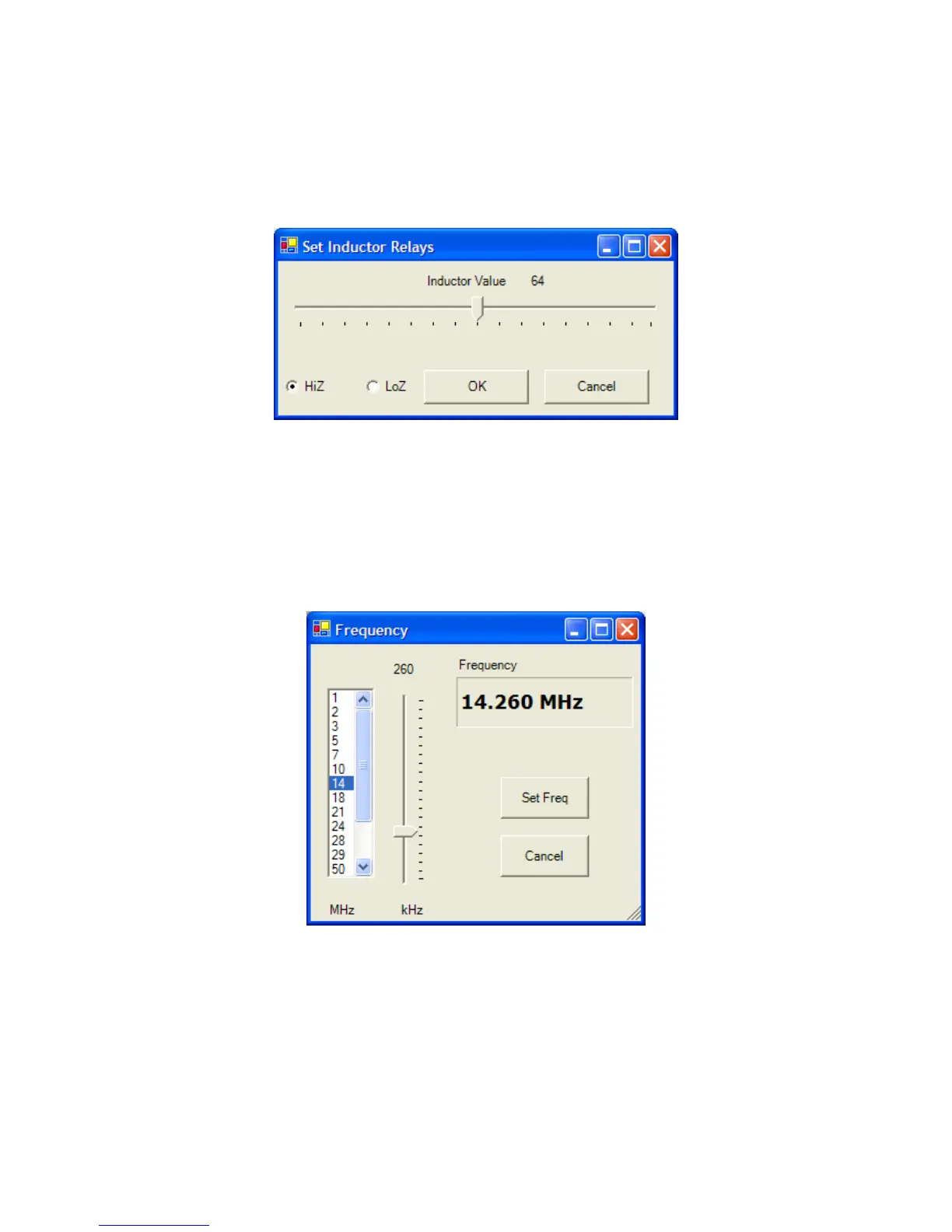
Set Inductor: Provides an alternate means to set the inductor to a specific value. Move the slider
to the desired value and then click Ok. You can also set the Hi/Lo Z relay from this panel.
Set Capacitor: Provides an alternate means to set the capacitor to a specific value
Set Frequency: Allows you to manually set the frequency. This controls which stored tuning
parameters are used. Select MHz on the left, the adjust the slider for KHz. When done, click Set
Freq.


 To Next Page