D
D
C
C
S
S
8
8
1
1
0
0
V
V
2
2
D
D
i
i
g
g
i
i
t
t
a
a
l
l
D
D
C
C
S
S
e
e
r
r
v
v
o
o
D
D
r
r
i
i
v
v
e
e
r
r
M
M
a
a
n
n
u
u
a
a
l
l
R
R
e
e
v
v
1
1
.
.
0
0
Tel: (86)755-26434369 18 Website: www.leadshine.com
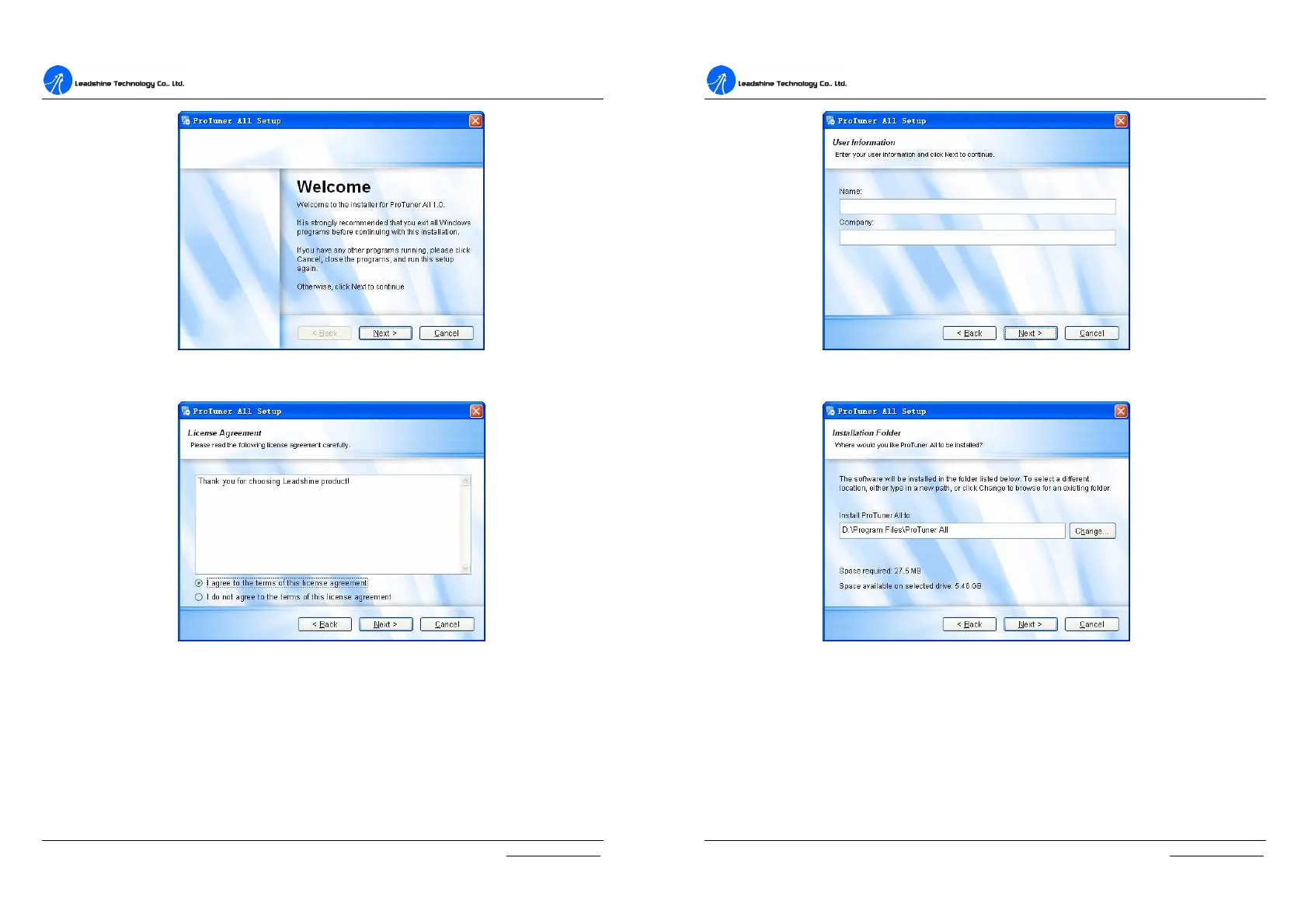
Figure 6-1: Begin to install the ProTuner
Figure 6-2: License agreement
Choose “I agree to the terms of this license agreement” and click Next to continue
installation. The user can enter user’s information in the following window. See
Figure 6-3. After entering the user’s information, click Next to select installation
folder, where you would like to install the ProTuner. See Figure 6-4.
D
D
C
C
S
S
8
8
1
1
0
0
V
V
2
2
D
D
i
i
g
g
i
i
t
t
a
a
l
l
D
D
C
C
S
S
e
e
r
r
v
v
o
o
D
D
r
r
i
i
v
v
e
e
r
r
M
M
a
a
n
n
u
u
a
a
l
l
R
R
e
e
v
v
1
1
.
.
0
0
Tel: (86)755-26434369 19 Website: www.leadshine.com
Figure 6-3: User’s information settings
Figure 6-4: Installation folder settings


 To Next Page