05. ProTuner - CS1, CS2RS Series
166
2.3 악세서리
To connect a CS1-D Closed loop stepper drive to the computer, Leadshine offers a special RS232
cable (Figure 1). It can be used to connect to the RS232 connector on the computer. If such a RS232
connector does not exist on that computer, a user can use a USB to RS232 adaptor (Figure 2) or
conversion cable to get the drive connected. Please note that not all USB to RS232 adapters will
work. Contact your CS1-D drive seller or Leadshine technical support for getting such a USB to
RS232 adaptor, which have been confirmed to work fine with the CS1-D series closed loop stepper
drives.
3. 소프트웨어 개요
Refer the following sections for a quick overview for this “Motion Studio” software.
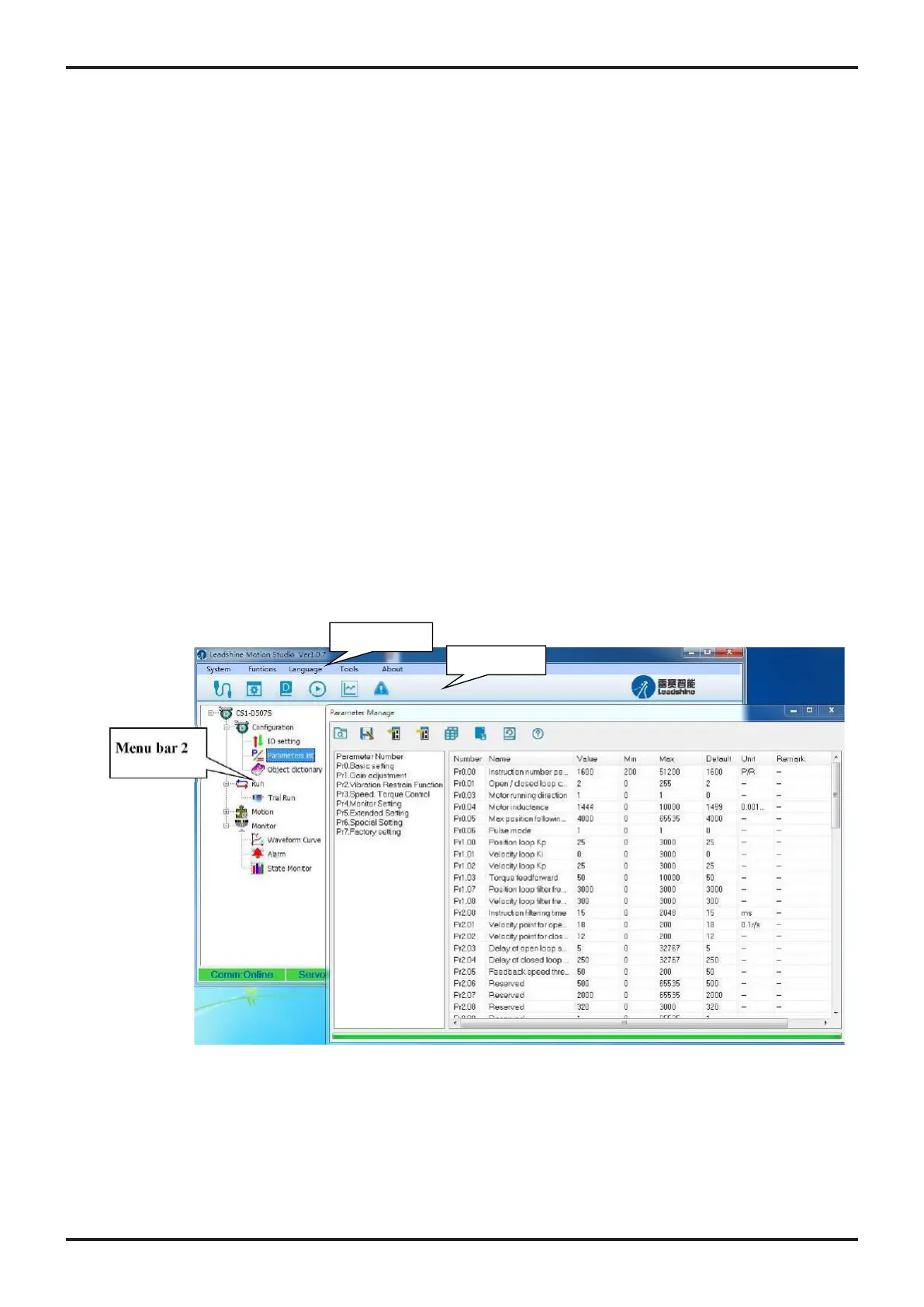
< Figure 1: GUI프로그램 초기 화면 >
3.3 메뉴 및 툴바
There are two menu bars, menu bar 1 is used to set up the Leadshine Studio software, menu bar 2
is used to set up the drive, Menu items and respective toolbar items are described in the following
table:
Connect/disconnect the drive to/from the
computer
Close Leadshine Motion Studio software
Save modified parameter values to drive, it
will be invalid after powering off
The modified parameters take effect, and no
power supply restart is required.










 To Next Page