6).Pacer setting
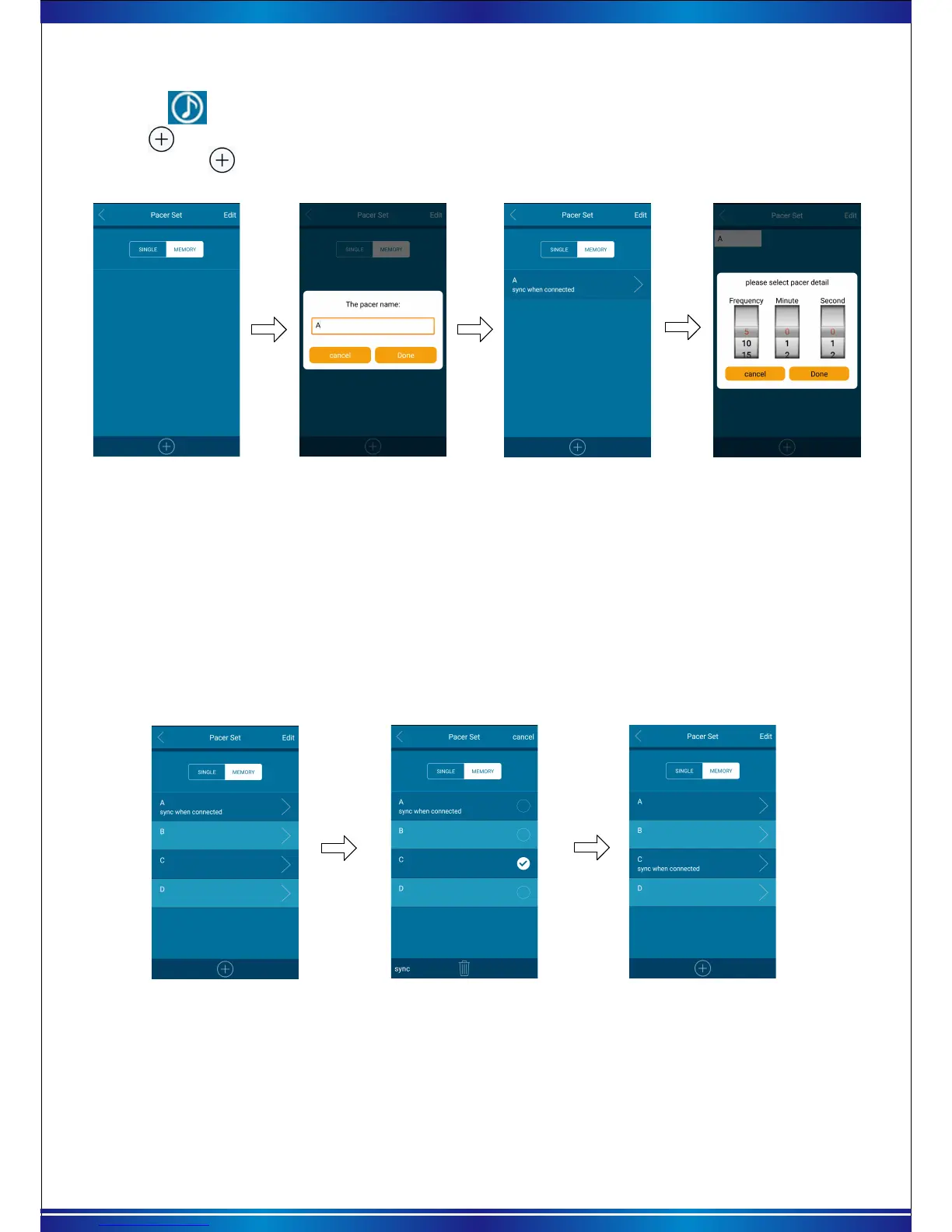
a. Tap the ( Pacer set) icon and tap the “memory mode” as picture 15.
b. Click at the bottom to add “pacer name”. Click this “pacer name” again to set pacer parameter
by pressing the icon. Set the data for “frequency/working time (mins/secs)” by rolling the dial.
Then press “done” icon to complete as below picture.
Picture 15 Choose memory
Picture 16 Add pacer name
Picture 17 Click pacer name
Picture 18 Setting pacer
parameter
* Each “pacer name” can be set up to 10 kind different frequency and different pacer parameter.
* Repeat above operation, can add more pacer name and pacer parameter.
* Bluetooth stopwatch can only receive memory records of a pacer name each time, If you want
to replace the “memory pacer”, It needs to re-synchronize parameters.
c. Replace “memory pacer”
When there are many “pacer names” on the app, Click “edit”at right of corner to select the setting
you want to synchronize. Press “ Sync” to complete.
Attention:
a.At this time, only the modifications are completed in APP, the memory pacer in stopwatch has
not been replaced. It need click“update data”icon to complete the replacement through reconnecting
the stopwatch APP.
Picture 19 Click edit
Picture 20 Click sync after choosing
Picture 21 Switch completed
10
b.To clear the “Memory pacer” in the stopwatch, it can be changed back to single pacer by changing
tapping firstly. And then press “update data” icon to complete.


 To Next Page