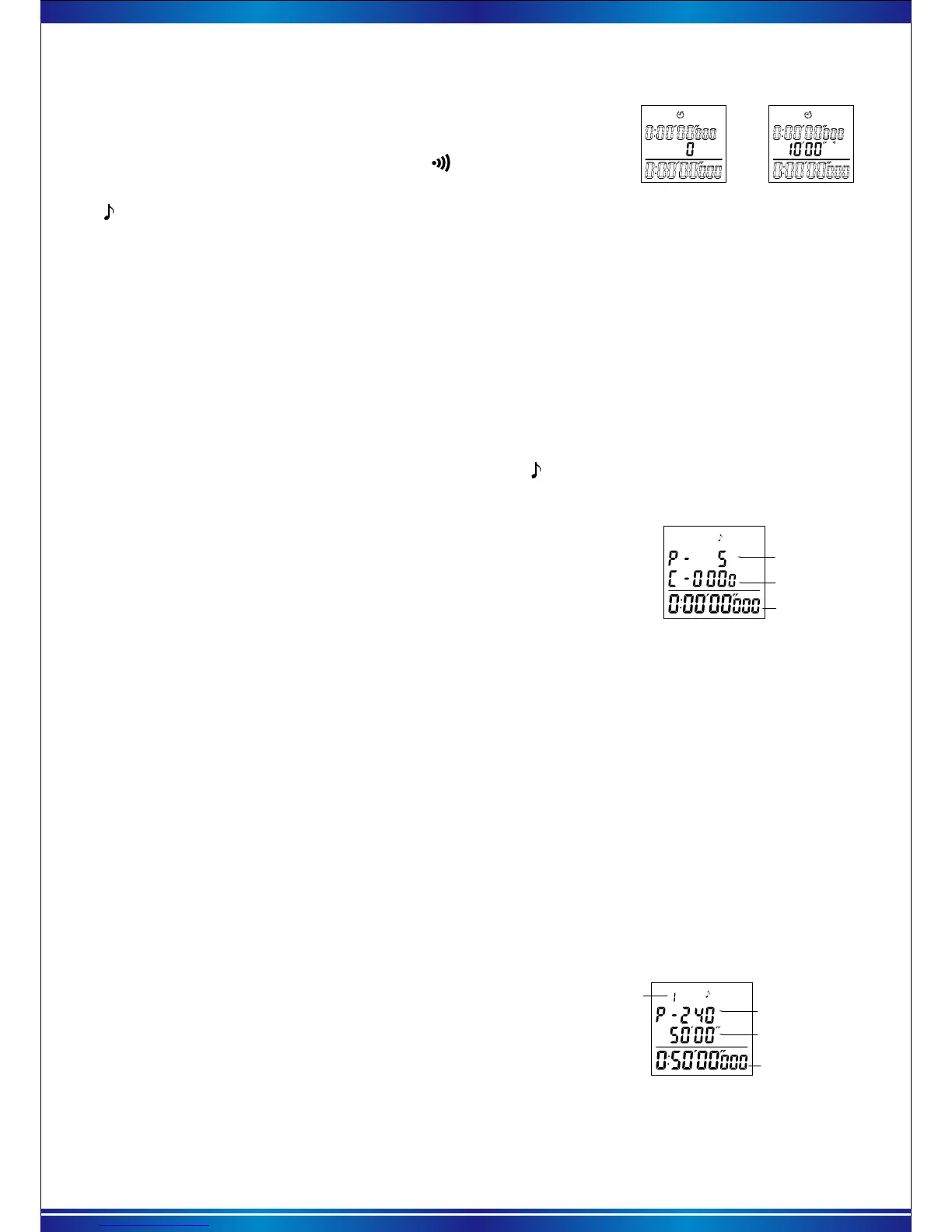
c. Running countdown
In the countdown mode, with each press of the 【START】key, it will run or pause the countdown.
When the countdown is paused, press the【RESET】button, the countdown is reset and the countdown
will be zero.
Countdown times
8). Pacer function
After entering the single section pacer function, the " " pacer function icon is displayed at the
top of the screen as shown on the right.
a. Pacer function description
Pace frequency for
each minute
Times pacer gone
Count-up timer
"Pacer" means that after the start of the time, every minute will be a beep.
For example, if the beat frequency is set to 5, the alarm will be issued five times per minute after
the start of the timer, that is, it is a beep every 12 seconds. The pacer function of this table is divided
into: single section pacer, multi-section pacer.
Single pacer mode: Only one frequency beats (single-segment beat data can be set directly on
the stopwatch) from the start of the timer to the end.
b. Single pacer setting
c. Pacer memory mode setting
Pacer frequency for
each minute
Running time for
current period
Current countdown timer
Current period
Single pacer
Pacer memory mode
* Each press the 【RECALL】 key for 2 seconds before the start of counting, switch the "single"
or "memory" mode.
* If the pacer memory is not set in the APP or the data is not synchronized to the stopwatch,
the stopwatch has no pacer memory function and long press【RECALL】 key is invalid.
Pacer memory can run up to 10 intervals different time, different frequency of the pacer. The second
period is automatically started after end of the first period, and so on, the pacer stops and returns to the
first period, after end of the time of all periods.
After entering the pacer memory mode, the screen as
shown on the right.
Before the start of the timer, each press the【RECALL】
key to cycle through the pacer frequency and run time for
each segment.
With each press of the【START】key to run or pause the pacer.
When paused, press the【RESET】 key to reset the pacer.
To clear the pacer memory records in the stopwatch, you can first change into single mode
of "pacer set" in the phone APP and then synchronizing the data.
5
Before the start of countdown, the 【RESET】 key is each
pressed, the second line of the screen will switch "Countdown
number" or "Interval alarm Time", and the " " symbol will be
displayed when "Interval time" is larger than 0. As shown on the right.
Interval alarm time
Pacer memory mode: From the start to the end of the time, you can run a few times different
frequencies of the beat. (Memory mode does not support setting data on the stopwatch, you need
to set up on the phone APP and then sync to the stopwatch.)
The first line shows the pacer frequency per minute and blinks
continuously, and you can change the pacer value with each press
of the【RESET】key. Modification range: 5-10-15- (multiplied by 5)
-115-120-150-180-240. Press the 【START】key to start or pause
the pacer function.
The second line counts once for each pacer. When the number
of pacer reaches 9999 times, the time does not reach 9 hours 59
minutes and 59 seconds, the second line will start counting again from
0 until it is running to 9 hours 59 minutes 59 seconds, the pacer stops.
When the pacer is stop, press the【RESET】key to reset and clear the pacer count.
Pacer memory mode must be pre-set in the "pacer Set" of the phone APP, and then synchronize
the memory mode data to the stopwatch. Specific APP operation see "4, LEAP stopwatch APP → 6),
Pacer set" instructions.
After synchronizing the pacer count in APP to the stopwatch, enter the pacer function, still in the
“single pacer” screen, press【RECALL】key for 2 seconds to switch to the " memory mode " interface.


 To Next Page