DSQD
LECTROSONICS, INC.
12
Audio Setup Menu
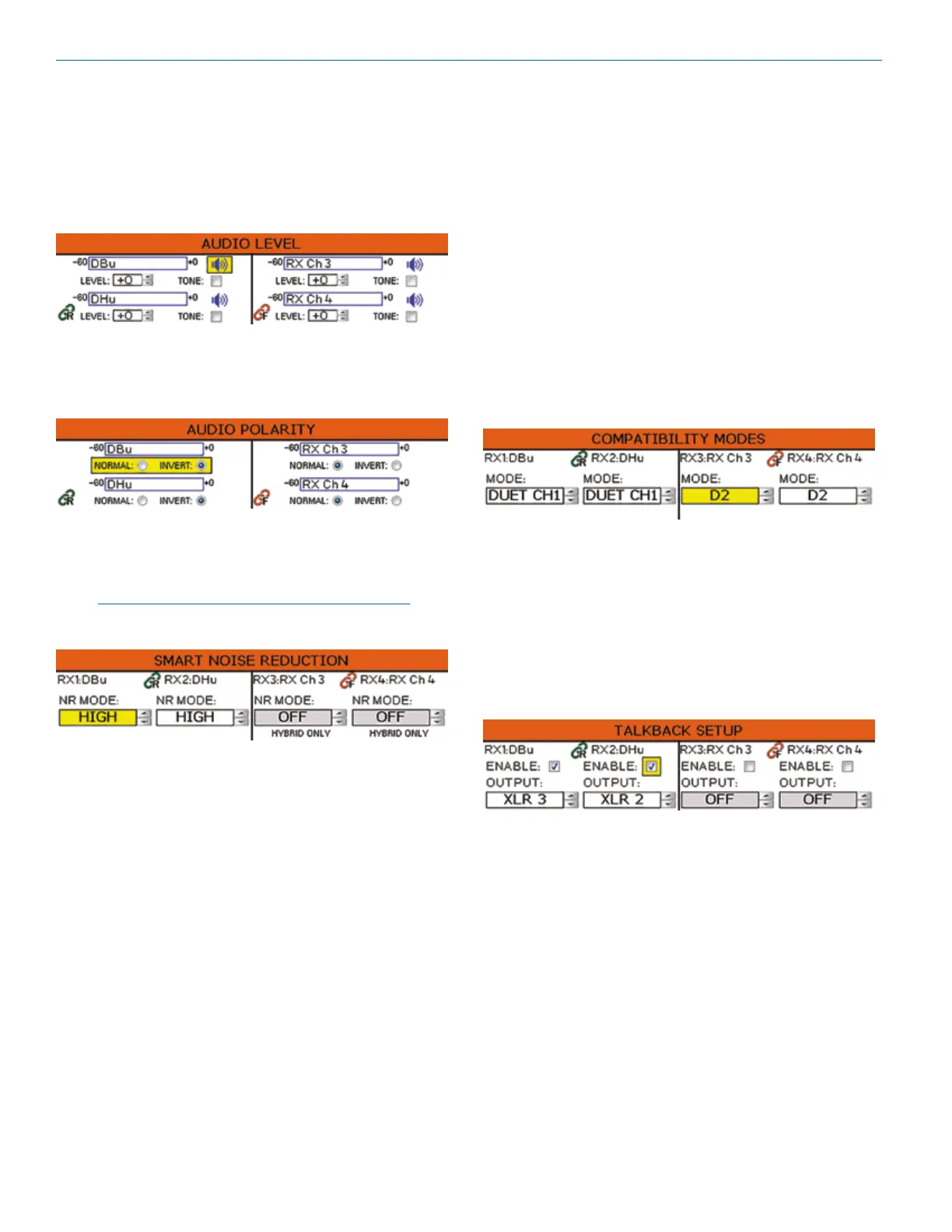
Audio Level
Set audio output level with the level control. The mute
button is a toggle used to mute or unmute the audio
output. The TONE check box is used to generate a
1 kHz test tone at the audio output.
Audio Polarity
Select normal or inverted polarity for each
audio channel.
Smart Noise Reduction
Three levels of noise reduction are available: High,
Normal and Off.
NOTE: Smart Noise Reduction is only available for
digital hybrid compatibility modes.
Compatibility Modes
Multiple compatibility modes are available to match vari-
ous transmitter types.
The following modes are available:
• D2: Encrypted digital wireless channel
• DUET CH1: To receive Channel One audio from a
Duet transmitter
• DUET CH2: To receive Channel Two audio from a
Duet transmitter
• NA HYB: Legacy digital hybrid mode
• EU HYB: Used only for certain digital hybrid trans-
mitters marketed in the European union
• NU HYB: Digital hybrid mode for current Lectroson-
ics transmitters
• JA HYB: Used only for certain digital hybrid trans-
mitters marketed in Japan
Talkback Setup
Talkback is a special function that re-directs the audio
output of the transmitter in use to a different receiver
output when talkback is selected on the transmitter. The
normal use is to provide a “com” channel so the person
using the transmitter can have a direct line to the crew
or production staff. When selected, the audio will ap-
pear at the designated talkback channel rather than the
channel used for program audio.



 To Next Page