20
Adding Digital Services - TuneIn
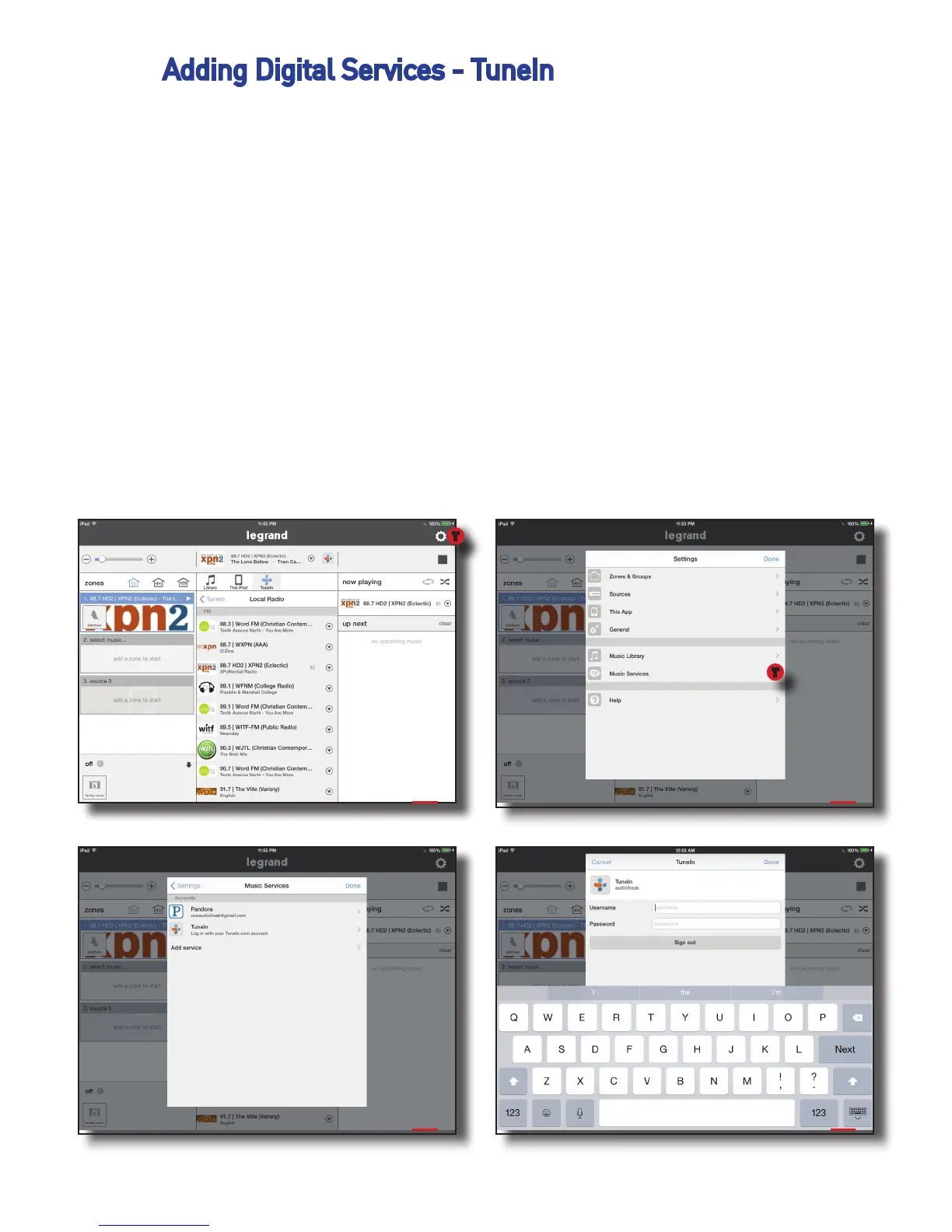
To add the TuneIn music service to a Digital Audio System:
1. Select ‘Add a Source’ or the Settings icon.
2. If you are already a TuneIn user, select ‘I have an account.’ Otherwise, you
can set up a free account at this time.
3. Enter the user credentials for your TuneIn account.
4. Press ‘Done’ and return to the home screen. Your TuneIn account is now an
available source in your Digital Audio System.
NOTE: TuneIn Radio is a service that works with or without an account. Se-
lecting TuneIn on the Source Selection Wheel will bring up radio choices as
well as local choices that are based upon your location.
1 2
3 4
T
T


 To Next Page