37
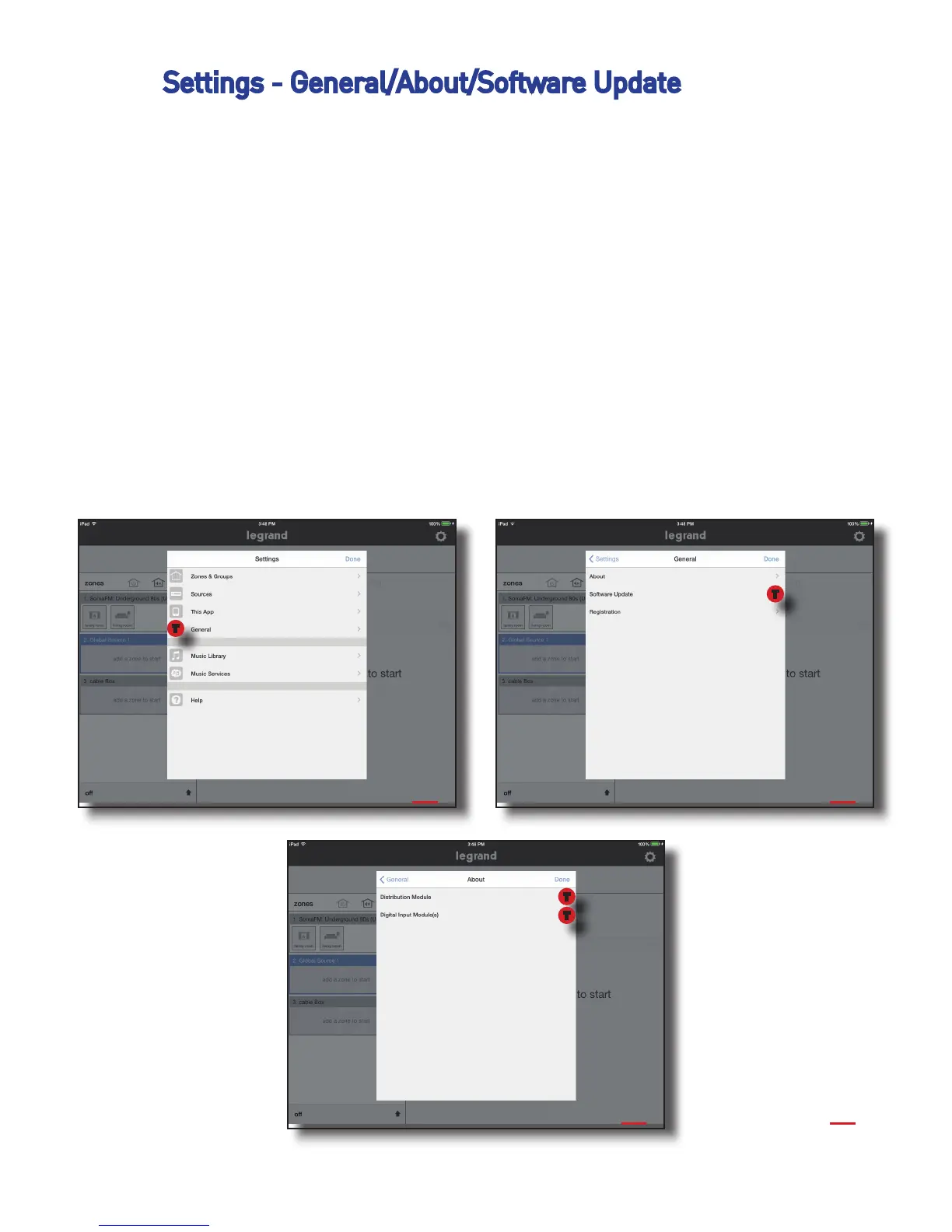
Settings - General/About/Software Update
In general, if a software update is available for either the AU7000 Digital Au-
dio Distribution Module or for the AU7001 Digital Audio Input Module you will
be prompted with a splash screen alerting you and asking for permission to
proceed with the download.
Alternatively, software updates can manually be checked by doing the follow-
ing:
1. Go to Settings, General, Software Update
2. Select ‘Distribution Module’ or ‘Digital Input Module’
3. Information will be presented. Most likely it will say ‘Installed’ and that
your software is up to date.
1 2
3
T
T
3
T
T
Digital Audio User Manual 20141115 RevA


 To Previous Page