7
Zones Pane (Rooms)
Offering complete control of a Digital Audio System, the free applications
(apps) available for Android and iOS devices provide both simple navigation
and a complete view of a system’s current status.
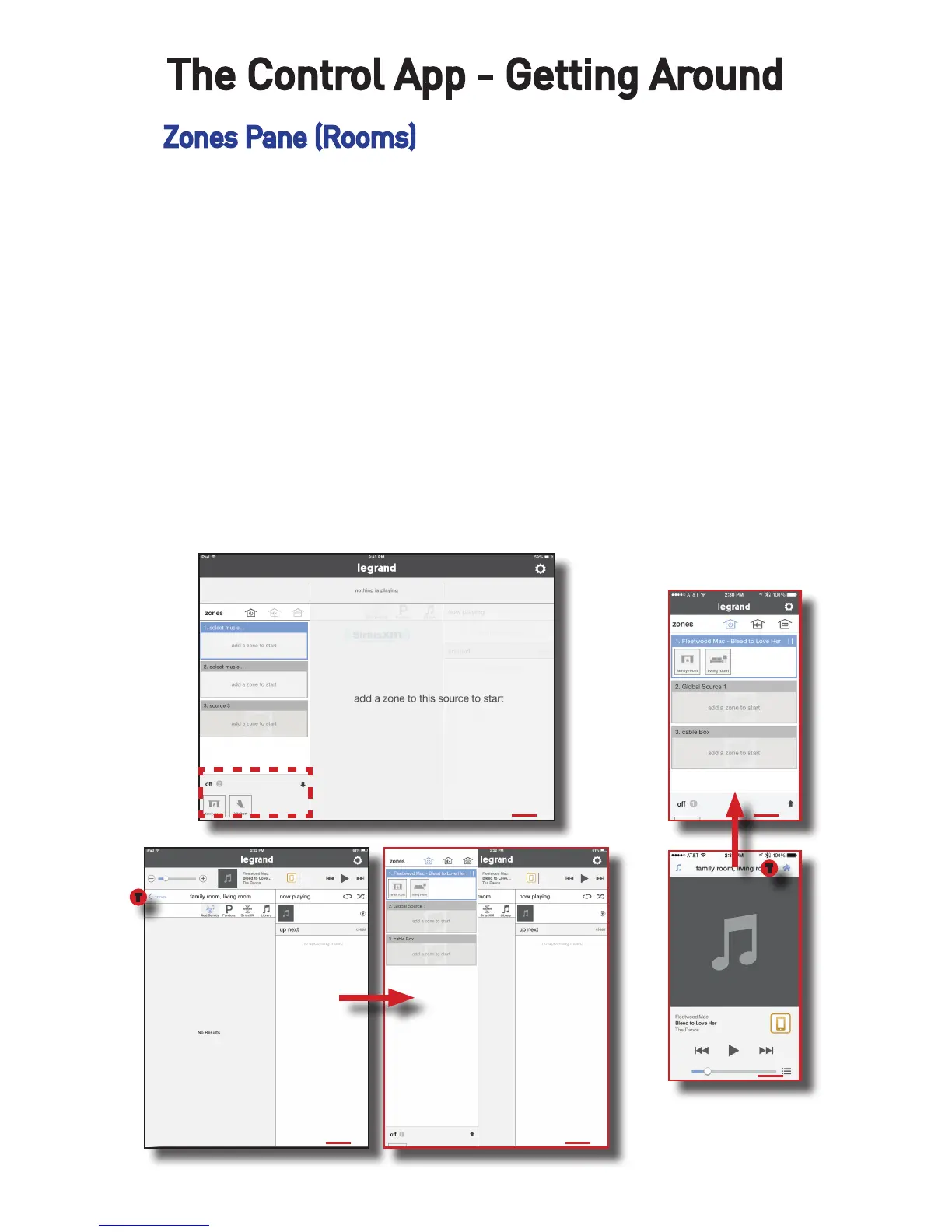
It all starts with the zones, or rooms, a system includes. In this example, we
will use two zones, the Family Room and the Living Room.
When all zones are off (not playing music), all available zones will display in
the bottom left hand corner of the screen.
Please note an iPad in portrait mode removes the zone pane from view. Se-
lecting ‘Zones’ will display the panel, as shown in Figures 2 and 3 below.
In the case of a smartphone, once content is playing, pressing the home icon
will return the app to the zones pane (Figures 4 and 5).
The Control App - Getting Around
1
2 3
4
5
T
T


 To Next Page