34
Settings - Zones Settings
Zones have many settings that can assist with the user experience of how the
system operates.
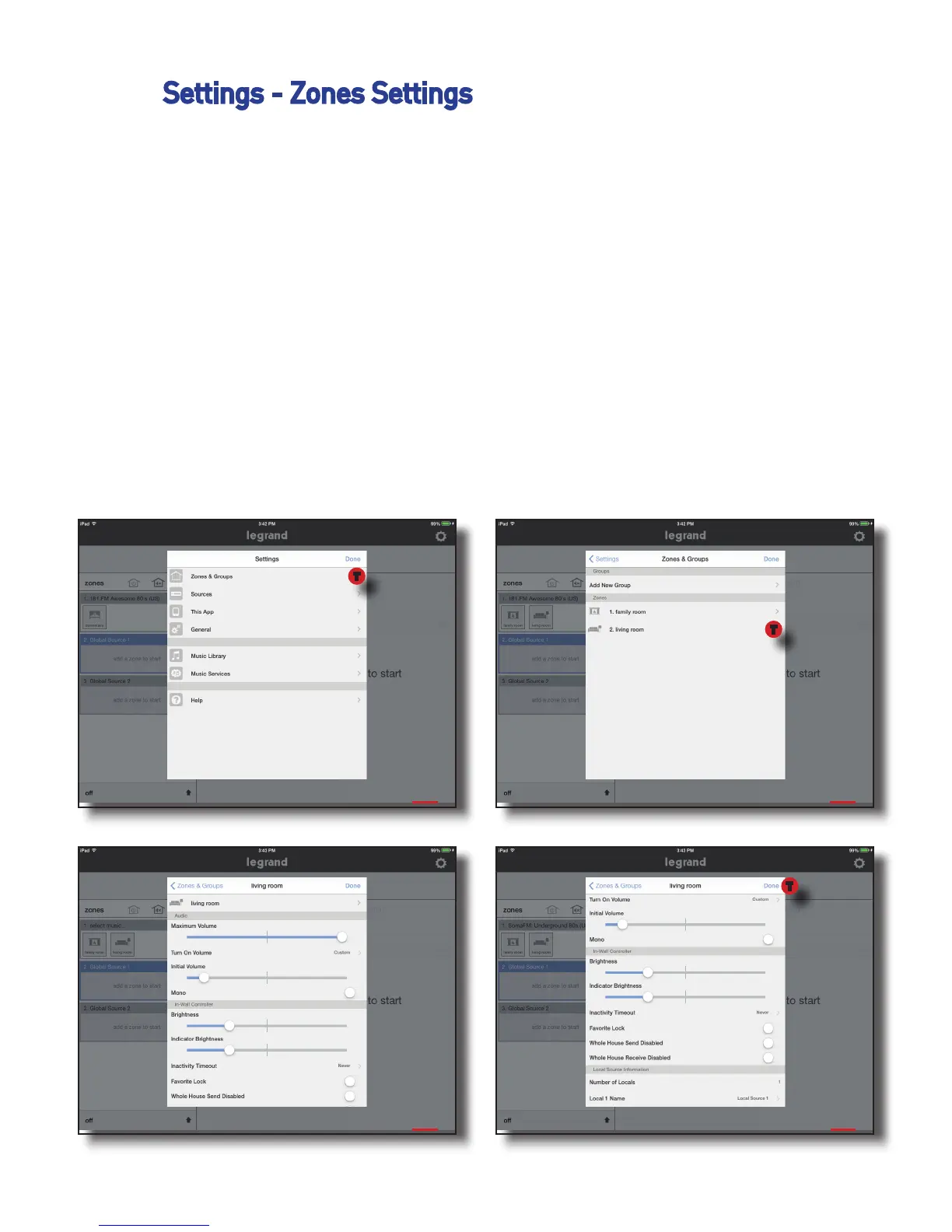
To enter the zone settings do the following:
1. Go to Settings, Zones & Groups
2. Select a Zone
3. Adjust your desired setting options, as shown in pictures three and four
1 2
3 4
T
T
T


 To Next Page