35
Settings - Naming a Digital Audio Global/Local Source
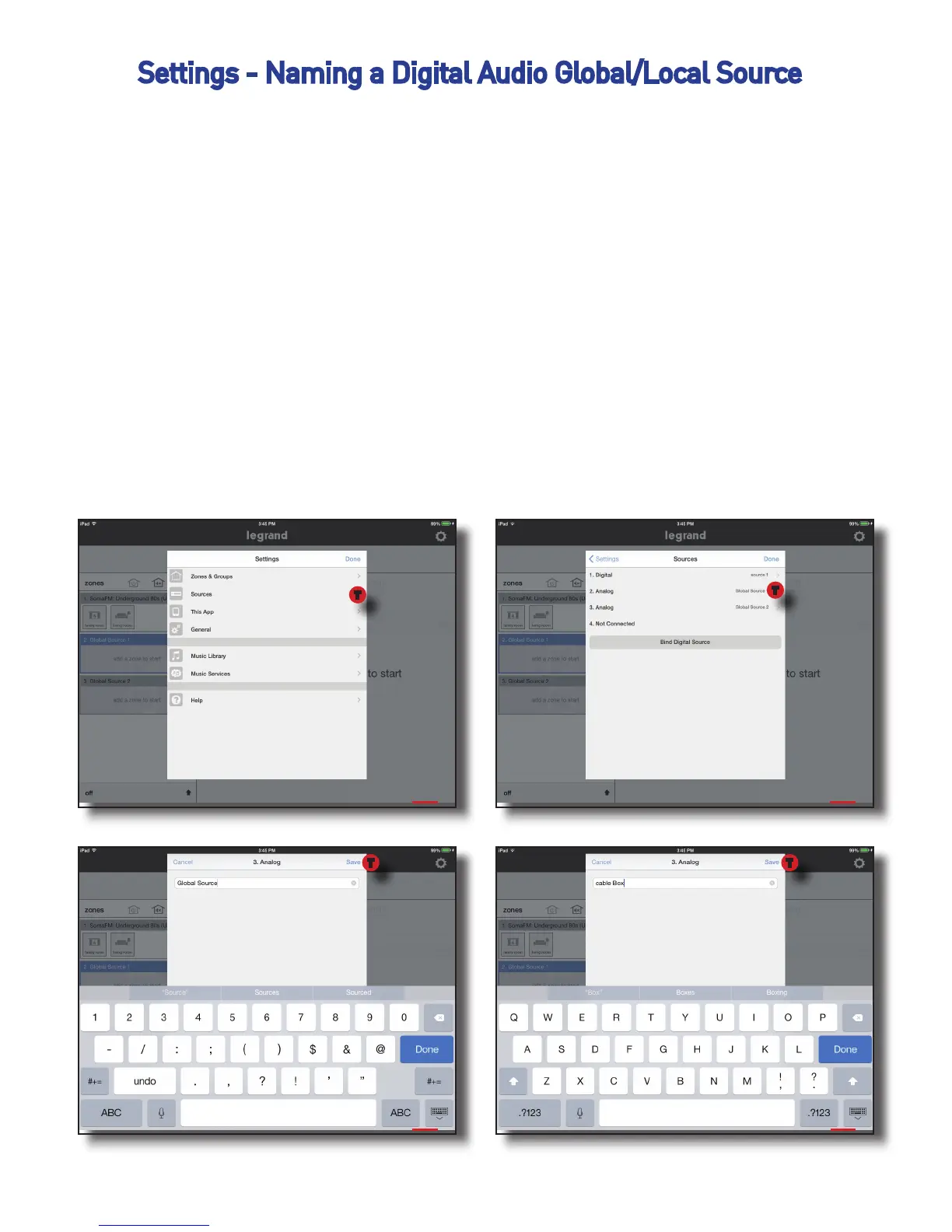
Sources can be named and it’s suggested to only name Global and Local Source
Inputs. These inputs will be attached to known devices such as a Cable Box or the
Family Room Cable Box. It is possible to name digital sources but is not recom-
mended.
To name a source:
1. Go to Settings, Sources
2. Select the source you intend to name
3. Type in name and press ‘Save’
1 2
3 4
T
T
TT


 To Next Page