36
Settings - General/About
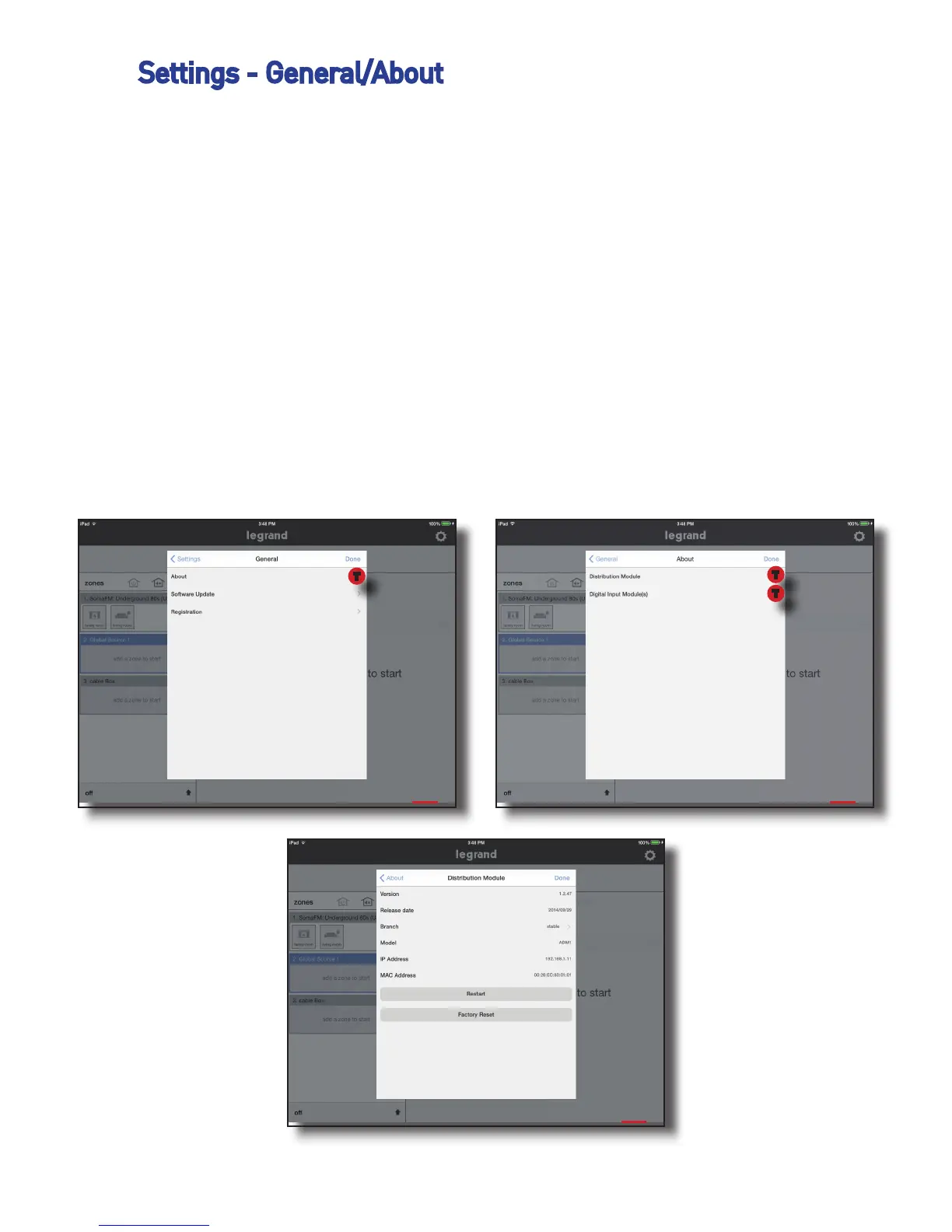
This portion of the application shows details about the Digital Audio Distribu-
tion Module or the Digital Audio Input Module. Details such as the current
firmware build, IP address can be accessed. This is also where the Distribu-
tion Module can be restarted or factory reset. Be very careful with Factory
Reset, if this is accidently enabled, the system will need to be reprogrammed.
There is a warning splash screen to give you a second chance to make sure
you want to reset the system
To access this information do the following:
1. Go to Settings, General, About
2. Select ‘Distribution Module’ or ‘Digital Input Module’
3. If required, typically a tech support situation, invoke “Restart” or “Factory
Reset”.
1 2
3
T
T
T


 To Next Page