25
Selecting a Zone (Room) to start Music
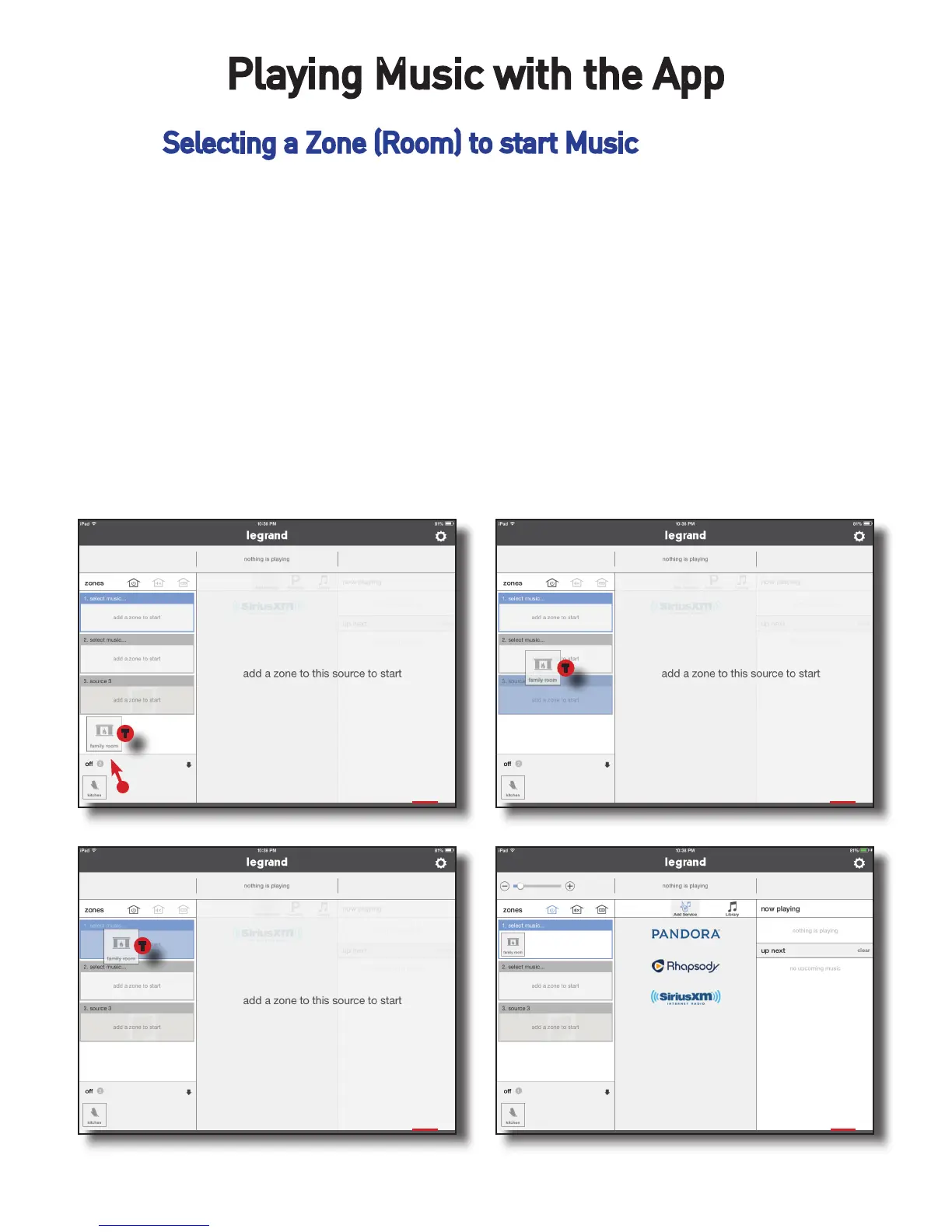
To begin playing music, a zone or room must be selected. To play music:
1. Press and hold your finger on a zone icon to select, as seen in Figure 1
below.
2. Drag the selected icon to the desired source.
3. Once hovering above the desired source, release the room icon and it will
now be placed into source one. From there we will need to go to the sources
pane and select some content to play.
1 2
3 4
Playing Music with the App
T
T
T


 To Next Page