26
Selecting music for your zone
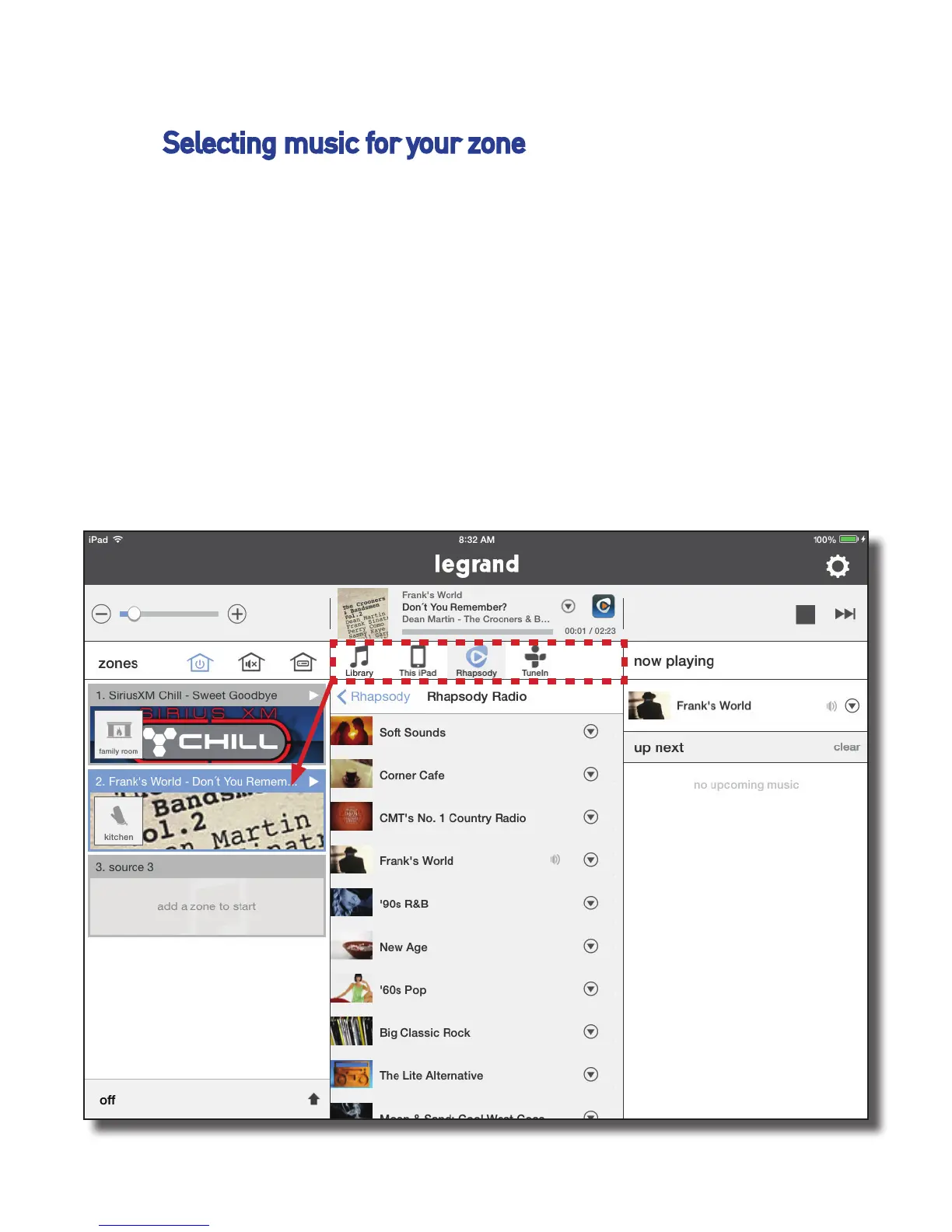
To play music, press the source pane with your desired zone, then select the
desired service or device from the selection pane in the center panel of the
app screen (highlighted in red in the image below). To browse all available
services or devices, simply slide finger left or right.
Once you’ve selected a service or device, the center panel will display the
available content for selection.


 To Next Page