4
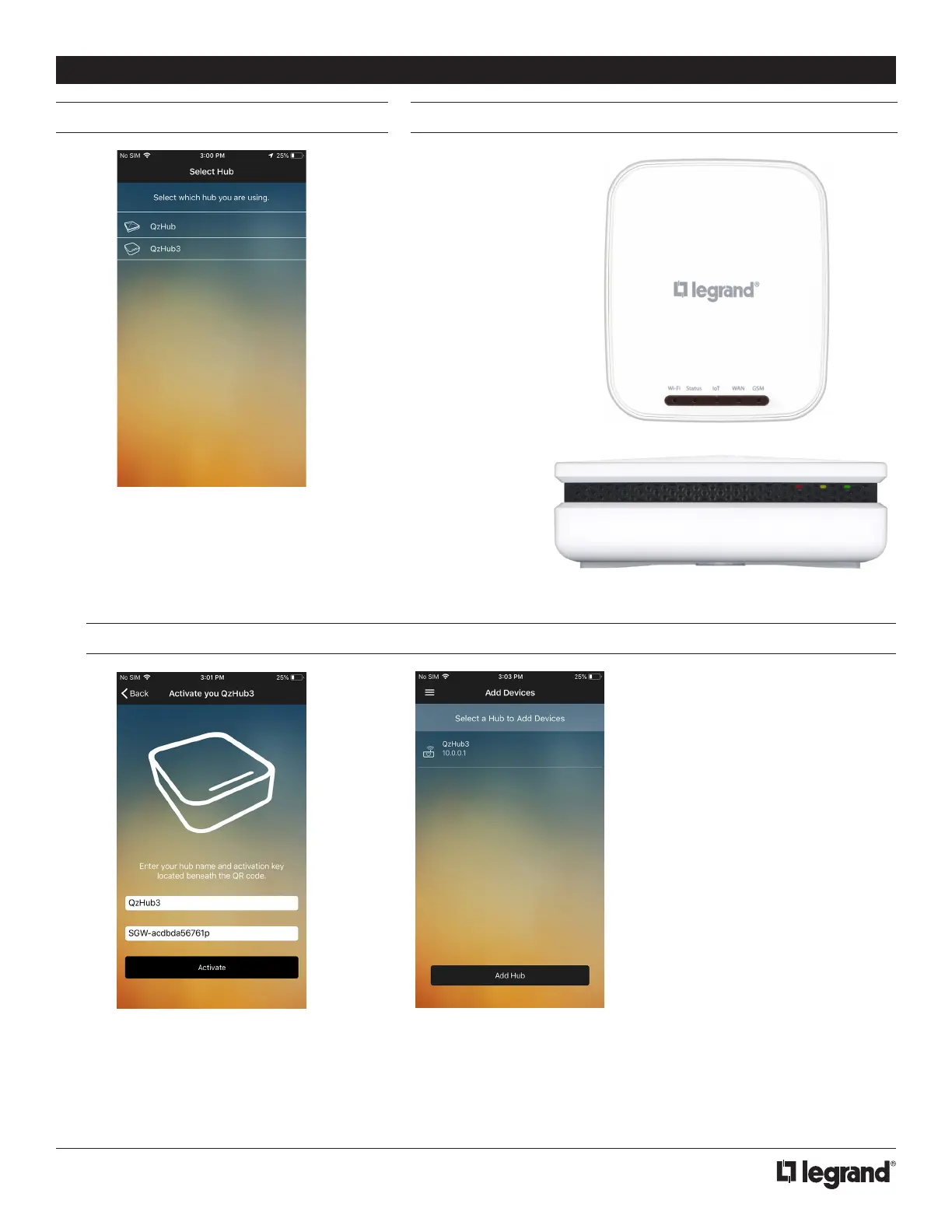
ACTIVATING A HUB - QZHUB3
SELECTING THE HUB QZHUB HARDWARE
1. To activate a QzHub3 you need
to give it a name and enter its
Gateway ID that is located on the
bottom of the device. Ensure it is
plugged into a router with internet
access and tap the activate
button.
1. Upon logging in you will not have a
designated hub and the first screen will
prompt you to select which hub will be
used in set up.
2. Once activated, you will see the
hub displayed and you can tap on
it to begin joining shades.
INSTALLER INSTRUCTIONS
QzHub3
QzHub



 To Next Page
 Loading...




