1. Start the BLK2GO and wait until the LED is continuous green.
2. On the computing device, in the Connection screen, select the con-
nection mode and follow the instructions.
5.2 Imaging
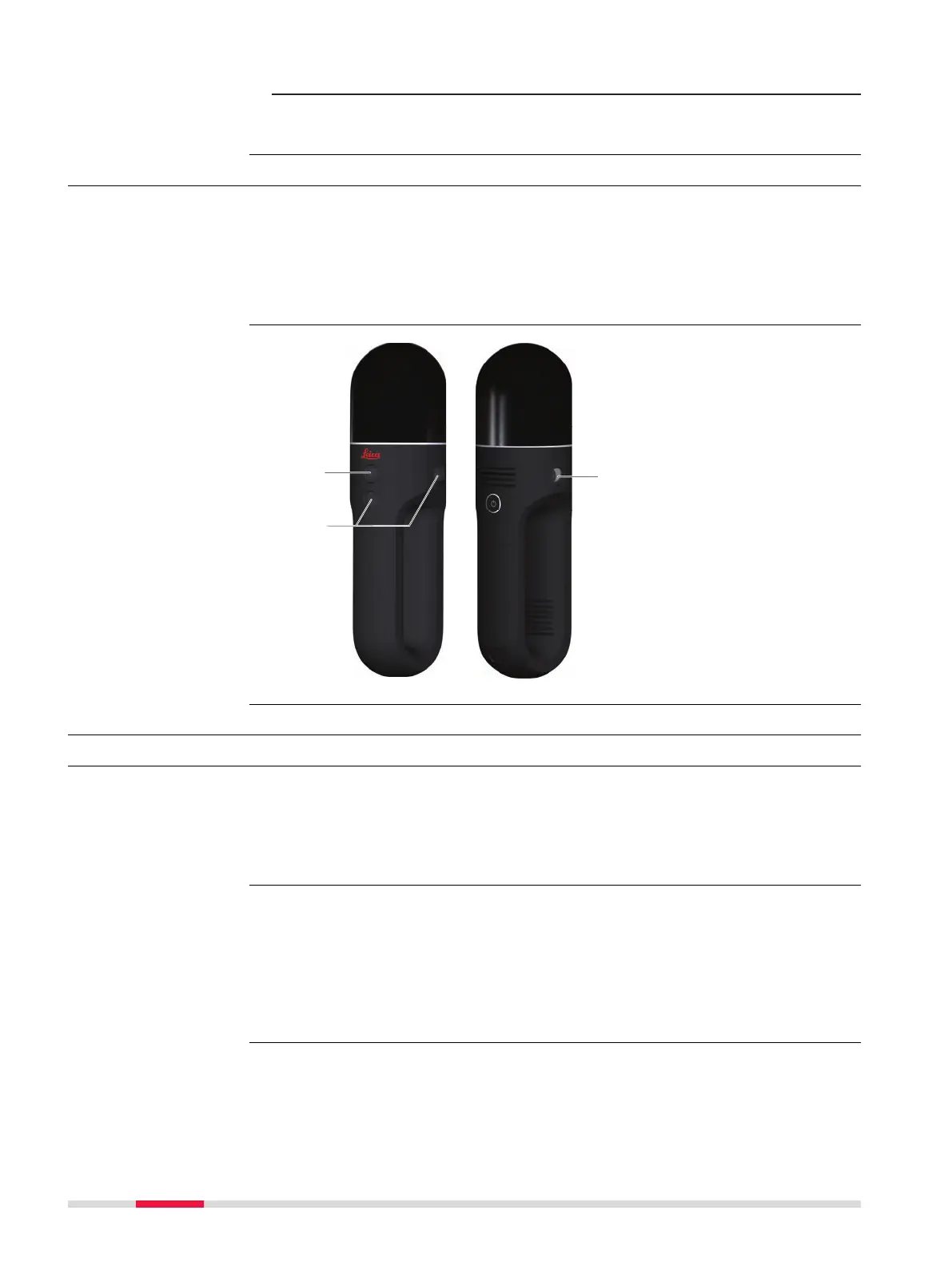
The BLK2GO can collect two different types of images:
•
A panoramic image using 3 calibrated panoramic cameras. The panoramic
images are automatically taken when the device is in operation.
•
A high resolution image using the detail camera. The high resolution
images can be taken by the user while scanning as described in "5.1 Oper-
ation - Getting Started".
a Detail camera
b
Panoramic camera
5.3 Scanning
5.3.1 Ambient Conditions
•
Highly reective (polished metal, gloss paint)
•
Highly absorbent (black)
•
Translucent (clear glass)
☞
Colour, powder or tape these surfaces before scanning if necessary.
•
Rain, snow or fog may adversely affect measurement quality. Always use
care when scanning in these conditions.
•
Surfaces that are directly illuminated by the sun cause an increased range
noise and therefore a larger measurement uncertainty.
•
If some objects are scanned against the sunlight or a bright spotlight, the
optical receiver of the instrument can be dazzled so heavily that in this
area no measured data is recorded.
If the instrument is brought from a cold environment, for example from stor-
age, into a warm and humid environment, the mirror or in extreme cases even
the interior optics can condense. This may cause measurement errors.
Connecting to a
computing device
step-by-step
Description
Camera position
Unfavourable sur-
faces for scanning
Unfavourable weather
conditions for scan-
ning
Temperature changes
during scanning
28 Operation













 To Next Page