•
Switch off instrument and remove the battery.
•
Washing hands is necessary in order to avoid grease on the cleaning tis-
sue.
•
Better, use gloves to avoid nger oil on the glass.
•
Then use the wet lens cleaning tissue (Green Clean LC-7010) until there is
only a thin lm of detergent visible.
•
After that use the dry lens cleaning tissue (Green Clean LC-7010) to
remove any remaining detergent.
•
If any smears from cleaning are visible against back light, repeat the pro-
cedure.
•
Do not use air from the pneumatic power system as this is always slightly
oily!
6.6 Filter Cleaning Procedure
Follow the instructions as described in this chapter for:
•
Clean the air inlet
•
Clean the air outlet
•
Clean or replace the lter cartridge
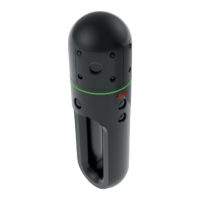
The ring-shaped LED indicates reaching high temperature of the BLK2GO. If
this indication occurs after few minutes of operation in standard working con-
ditions, it can be necessary to clean the air inlet and clean or replace the lter
cartridge.
Make sure that the cleaning procedure is carried out very carefully. The instru-
ment must be opened, with the potential risk of dust entering the system.
NOTICE
Running the device without lter cartridge and lter cover
If the device is used without lter cartridge and lter cover, dust sucks inside
and irretrievably damage inner components.
Precautions:
▶
Do not run the device without the lter cartridge and the lter cover prop-
erly mounted!
CAUTION
Before any cleaning procedure, ensure that the instrument is switched off and
the battery has been removed.
☞
Always work in a clean indoor environment, with no draft nor breeze.
Do the cleaning as fast as possible and do not leave the system open
for a long time.
☞
Do not use water to clean the lters.
General cleaning
information
☞
Filter cleaning
procedure
step-by-step
34 Care and Transport













 To Next Page