4. Rotate the bellows 90° three times and repeat step 3. each time to
clean the mesh properly from each side.
☞
If some particles of dust are clearly stuck inside the
mesh bers, do not try to remove them. It may force the
particles to move further in and damage the mesh.
☞
Do not use water to clean the mesh.
☞
Do not touch the mesh with your hands or tools, as it can damage
the mesh.
☞
The mesh of the air outlet does not require any cleaning.
5.5 Laser Shield and Camera Lenses Cleaning Procedure
The laser shield and camera lenses must be kept clean. The instructions must
be followed as described in this chapter to clean these surfaces.
CAUTION
Before any cleaning procedure, ensure that the instrument is switched off and
the battery has been removed.
Use the BLK cleaning cloth to remove dust and debris from these surfaces.
☞
The BLK cleaning cloth must be clean and free from dirt, dust or
particles.
☞
Never rub off dust or debris as this will scratch the surface and so
possibly cause permanent damage to the special optical coatings.
Soiling of the laser shield can cause extreme measurement errors and there-
fore useless data.
☞
All soiling that is visible on the laser shield has to be removed, except
for single small dust particles that adhere inevitably.
For the cleaning procedure, the BLK cleaning cloth is recommended.
Clean the laser shield and camera lenses regularly with the BLK cleaning
cloth:
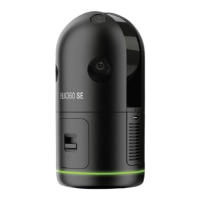
1. Switch off the BLK360 and remove the battery.
2. Washing hands is necessary in order to avoid grease on the cleaning
cloth.
3. Use gloves to avoid nger oil on the glass.
4. Use the BLK cleaning cloth and gently clean the laser shield without
putting a lot of force.
5. If any smears from cleaning are visible against back light, repeat the
procedure.
☞
Do not use air from the pneumatic power system as this is always
slightly oily.
General cleaning
information
Dust and debris on
optical surfaces
Cleaning of optical
surfaces
Care and Transport 33



 To Next Page