GR30/GM30/GR50, Equipment Setup
45
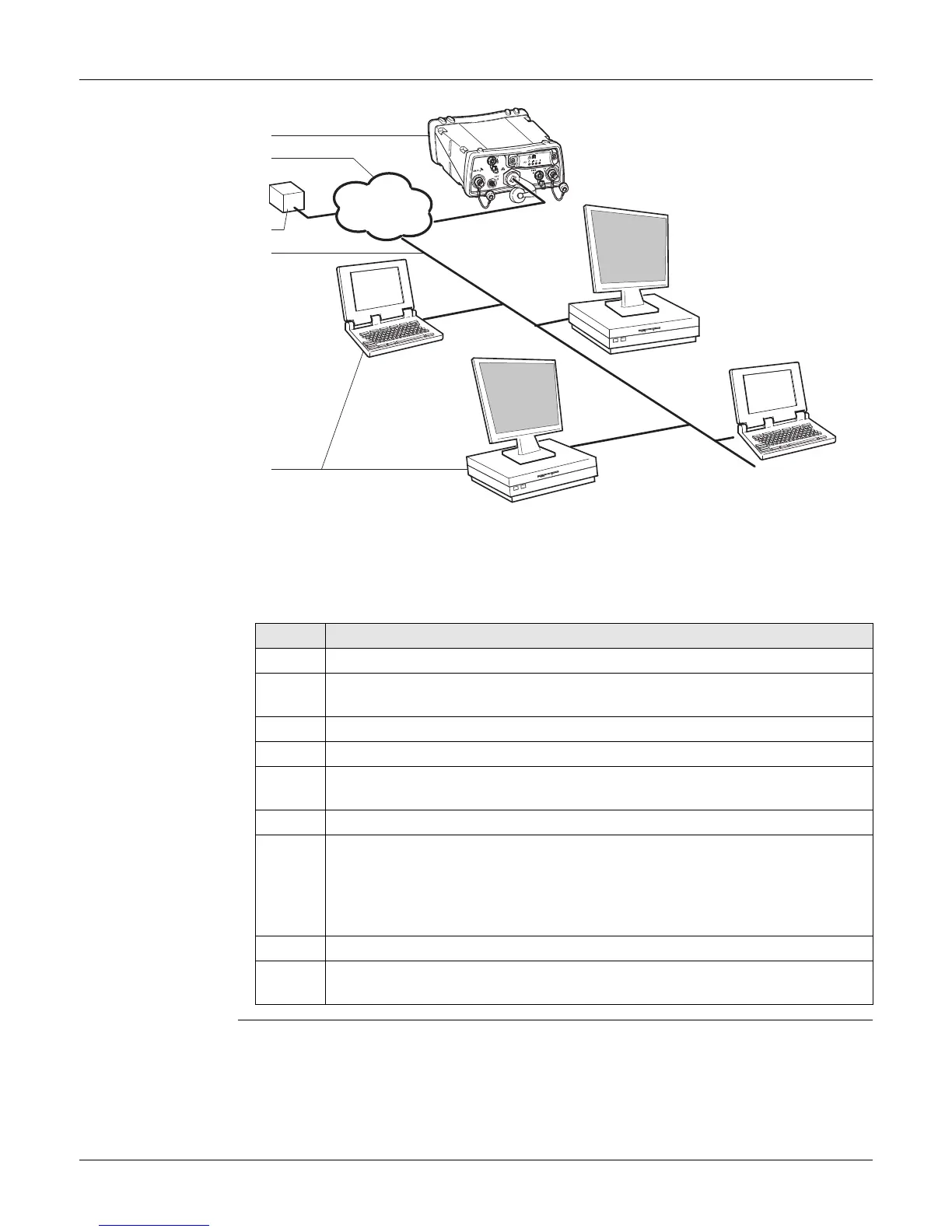
6.2 Setup via Web Interface over Ethernet and DHCP
Setup via web
Interface over
Ethernet and DHCP
a) GR30/GM30/GR50
b) Local network (LAN)
c) DHCP server
d) Ethernet cable
e) Computers with web interface
Step Description
1. Start the computer.
2. To connect the instrument to the local LAN supporting DHCP, plug an
Ethernet cable into the Ethernet port on the back of the GR30/GM30/GR50.
3. Turn on the GR30/GM30/GR50.
4. Open a browser window on your computer.
5. Type "GR*******" into the browsers address field, where ******* is the
serial number of the instrument. For example, GR1700001.
6. The web interface will now be accessible.
7. Use the default User name (Admin) and Password (12345678).
After logging in the first time you must create a new user account,
including a new user name and password. The default user account
can then be deleted. Refer to the GR Series Operational Manual
(Online Help) for a step-by-step guide.
8. Configure the GR30/GM30/GR50 for all required settings.
Refer to the "GR/GM Series Operational Manual (Online Help)" for further
details on using the instruments web interface.
a
d
e
b
c
LAN
GR10_006



 To Next Page