GR30/GM30/GR50, GR30/GM30 User Interface
35
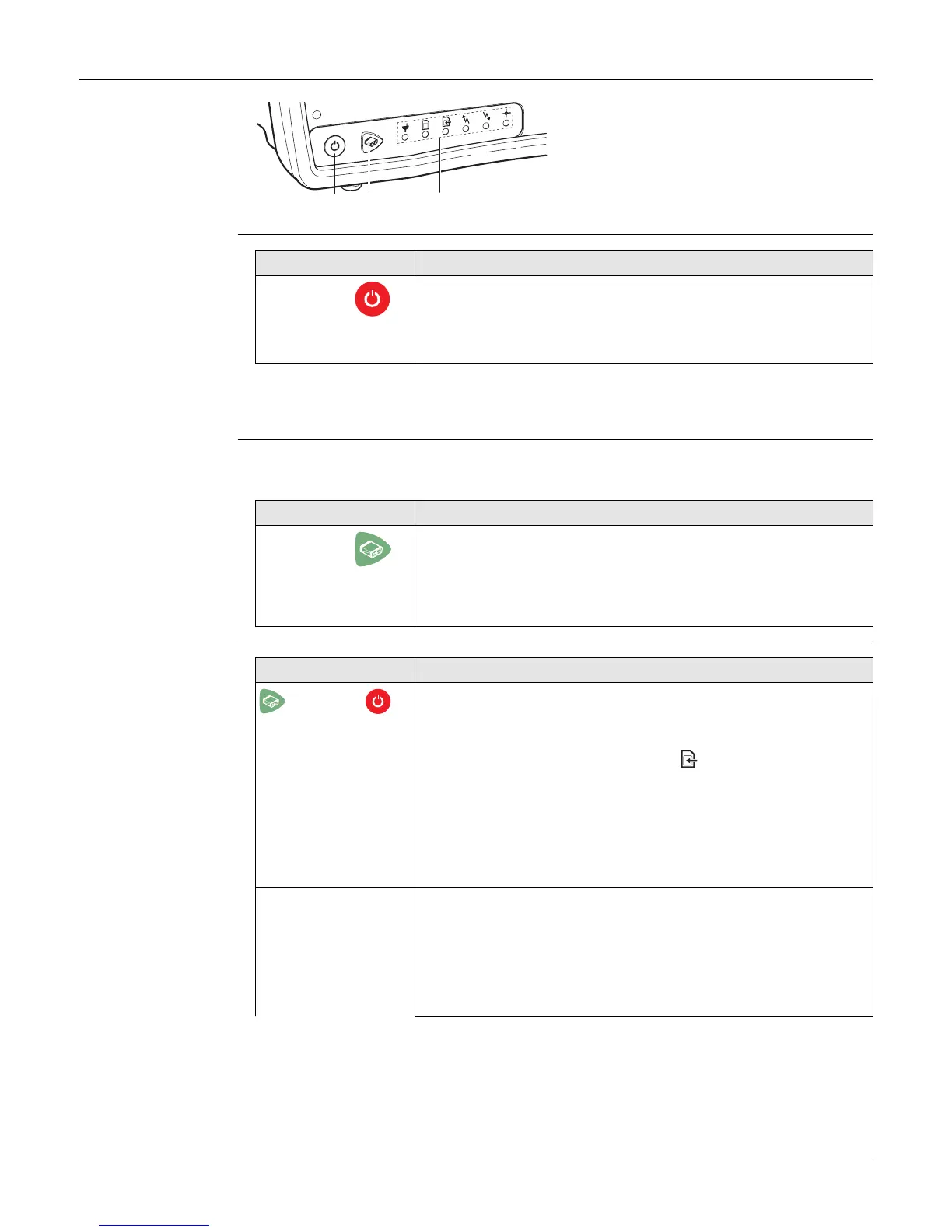
4.2 Keyboard
GR30/GM30
keyboard
ON/OFF button
Hold the ON/OFF button for 10 s, to force the instrument to turn off. Instru-
ment settings and some data can be lost when using this method.
Function button
All the following functions described assume the GR30/GM30 is already on.
Button
combinations
a) ON/OFF button
b) Function button
c) LEDs
GR10_002
a b c
Button Function
ON/OFF If GR30/GM30 already off: Turns on GR30/GM30 when held for
3 s.
If GR30/GM30 already on: Turns off GR30/GM30 when held for
3 s.
Button Function
Function The Function and ON/OFF button work in combination and
allow a number different functions as described in "Button
combinations".
The Function button switches between these different func-
tions.
Buttons How to
+ Activate dual button functionality
Press and hold both buttons until all LEDs are flashing. Then
release both buttons. After 1 s, the Raw data logging LED
starts flashing.
The following instrument commands are now activated.
After any of the instrument commands in this table was used,
the dual button functionality is turned off automatically. You
must turn on the dual button functionality every time before
using the instrument commands.
Start/Stop all logging sessions
Activate the dual button functionality.
If all logging sessions had been off, the Raw data logging LED
is flashing green.



 To Next Page