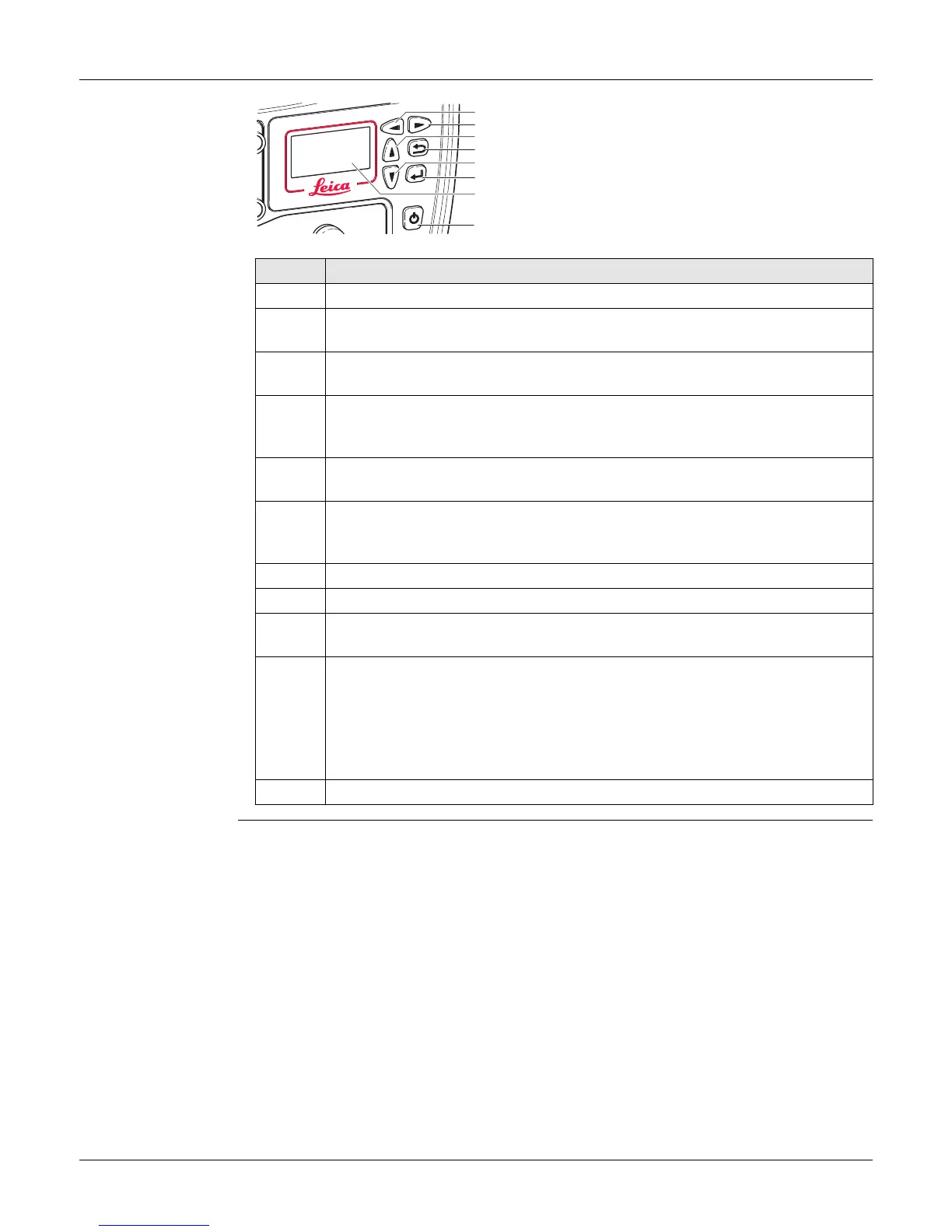
GR30/GM30/GR50, Equipment Setup
50
6.5 Setup via Web Interface over Bluetooth (GR50)
Setup via web
interface over
Bluetooth
(GR50 Bluetooth
version only)
a) Left button
b) Right button
c) Up button
d) Cancel button
e) Down button
f) Enter button
g) Display
h) ON/OFF button
Step Description
1. Turn on the GR50.
2. Use the arrow buttons, go to Configuration, Network Config. Scroll down
to the Bluetooth field and use the left button to enable Bluetooth.
3. Activate bluetooth on your computer and search for Bluetooth devices. The
instruments hostname will be listed.
4. Pair the Bluetooth connection of your computer with the instrument. The
default pairing code is 0000. The pairing code can be changed later in the
web interface.
5. Once the pairing is finished, right click on the GR device listed in your Blue-
tooth devices panel and select Connect.
6. Go to the Network connections panel of your computer and select the
Bluetooth network connection connected to the GR instrument. Right click
and open the properties.
7. Highlight the TCP/IP connection and click on the Properties button.
8. Enter the IP address 192.168.253.x and subnet mask 255.255.255.0.
9. Open a browser and type in the IP address: 192.168.253.2 to access the
web interface.
10. Use the default User name (Admin) and Password (12345678).
After logging in the first time you must create a new user account,
including a new user name and password. The default user account
can then be deleted. Refer to the "GR/GM Series Operational Manual
(Online Help)" for a step-by-step guide.
11. Configure the instrument for all required settings.
GR25_003
a
b
c
d
e
f
h
g



 To Next Page