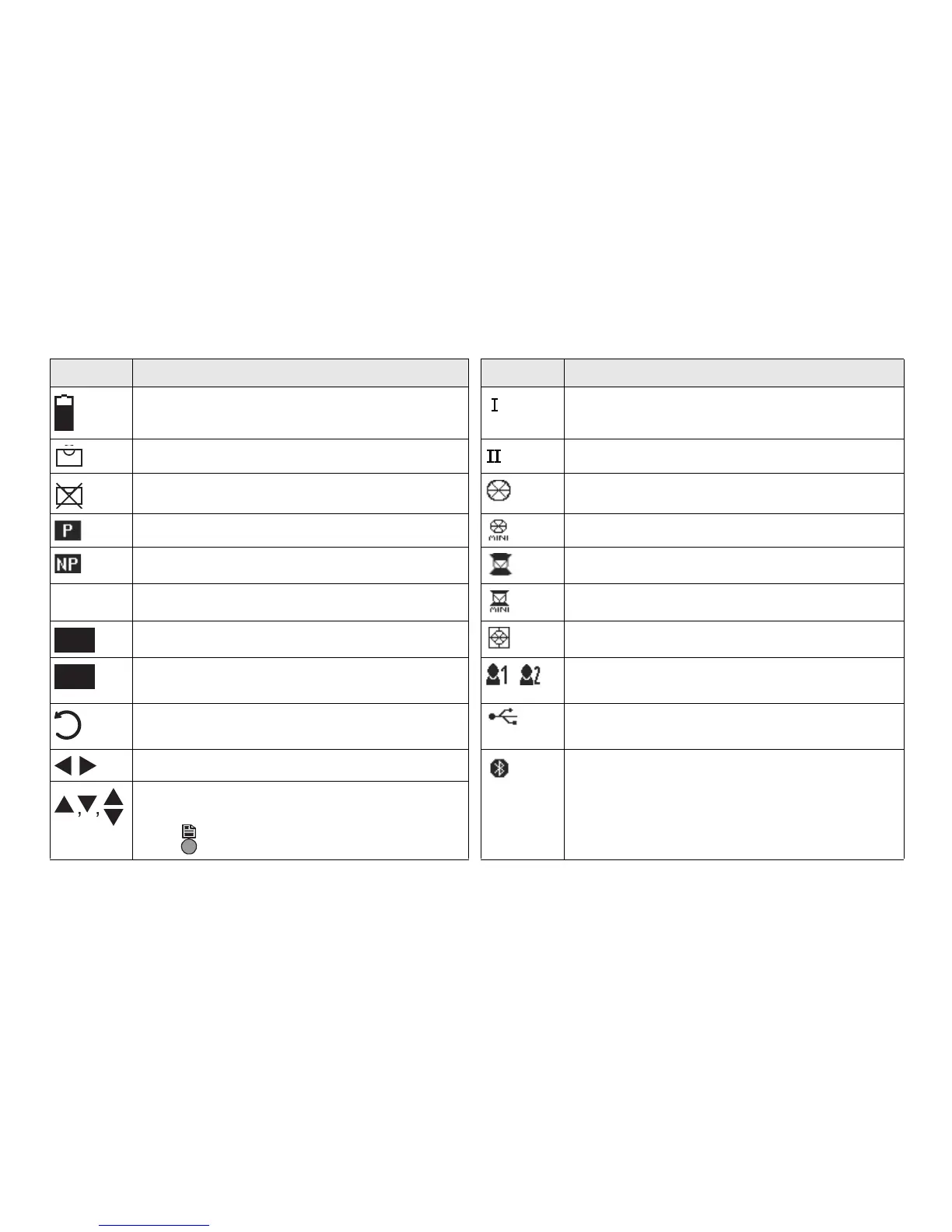
Status Icons
Icon Description Icon Description
The battery symbol indicates the level of the
remaining battery capacity.
Telescope position face I.
Compensator is on. Telescope position face II.
Compensator is off. Leica standard prism.
Prism EDM mode. Leica mini prism.
Non-Prism EDM mode. Leica 360° prism.
! Offset is active. Leica 360° mini prism.
Keypad is set to numeric mode. Leica reflector tape.
Keypad is set to alphanumeric mode.
User defined prism.
Anticlockwise horizontal angle measure-
ment.
USB communication port is selected.
Selectable field. Bluetooth is connected. If the icon has a
small cross beside it, the Bluetooth commu-
nication port is selected, but the status is
inactive.
Up and down arrows indicate that several
screens are available, which are accessed
using .



 To Next Page