EasyManua.ls Logo

LEITZ LABORLUX S - Illumination and Lamp Handling; Lamphousing and Lamp Replacement

LEITZ LABORLUX S
28 pages
Print Icon
To Next Page IconTo Next Page
To Previous Page IconTo Previous Page
Loading...
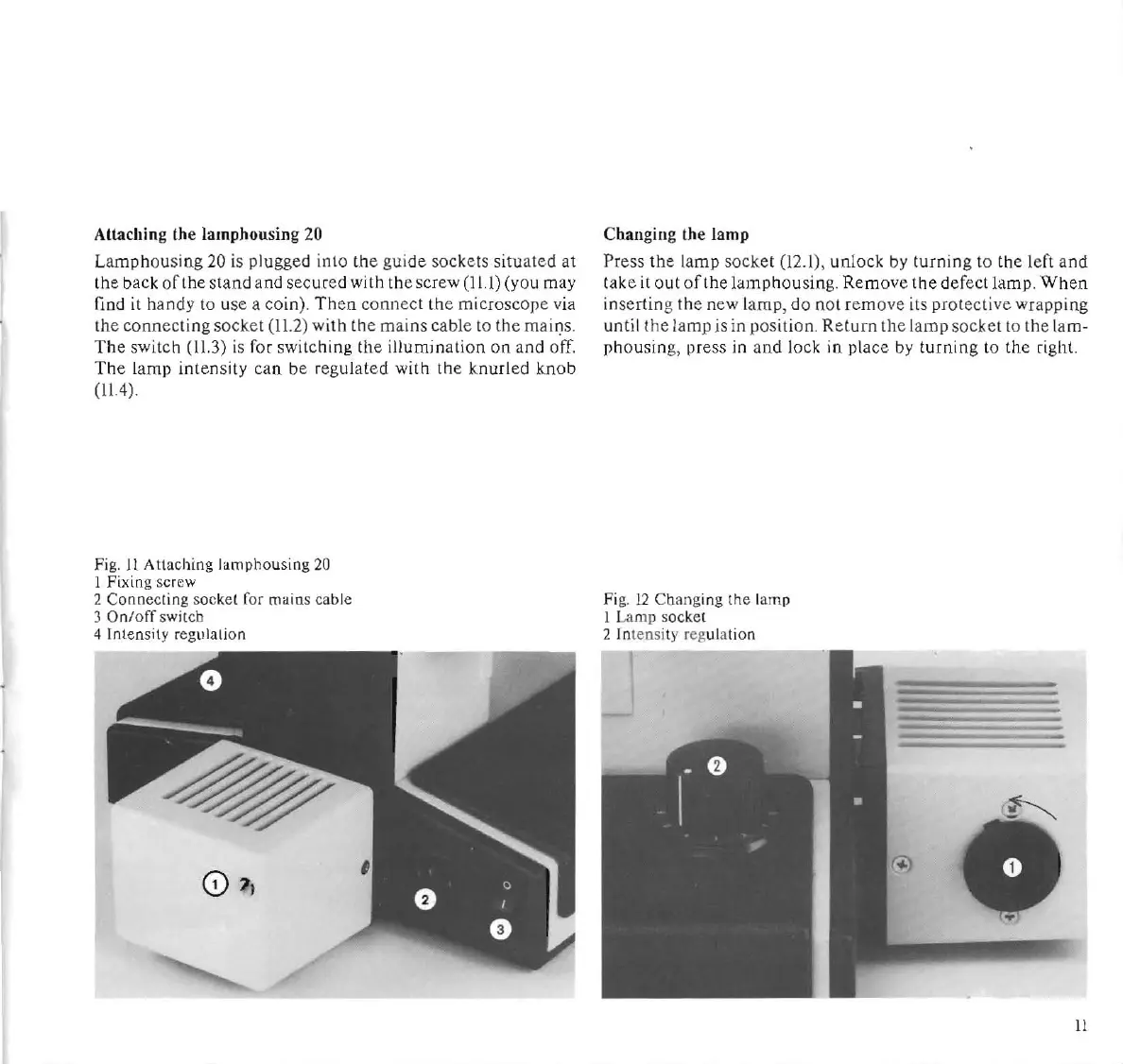
Attaching the
I.mphousing
20
Lamphou
sing 20 is plugged
into
the
guide
sockets
situated
at
the
back
of
the
stand
and
secured
with
the
screw
(11.1)
(you
may
find
it
handy to use a coin).
Then
connect
th
e microscope
via
the
conn
e
cting
soc
k.
et (11.2)
with
the
mains cable to the mains.
The
switch
(lU)
is
For
switching
th
e
illumination
on
and
off.
The
lamp
intensity
can
be
re
gulated
with
th
e k.nurled k.nob
(11.4)
.
Fig.
It
Att
ac
hing iamphollsing 20
1 Fixing s
cr
ew
2 Connecting sockel ror mains cable
3
On
/off swilch
4 Intensity regulation
Changing the
lamp
Pr
es
s
the
la
mp
so
ck.
et (12.1),
unlock
by
turning
to
the
le
ft
and
take
it
out
of
the
lamp
housing.
Remov
e
the
def
ect
lamp.
When
inserting the new la
mp
,
do
not remo
ve
its
prot
e
cti
ve wrapping
until the
lamp
is in
po
s
ition
.
Return
th
e
lamp
socket to the
lam-
phollsin
g,
press
in
and lock in place
by
turning to the right
Fi
g.
12
Changing
th
e lamp
I Lamp soc
kel
2
Int
ensi
ty
reg
ulation
11