OSD Menu
9
OSD Menu
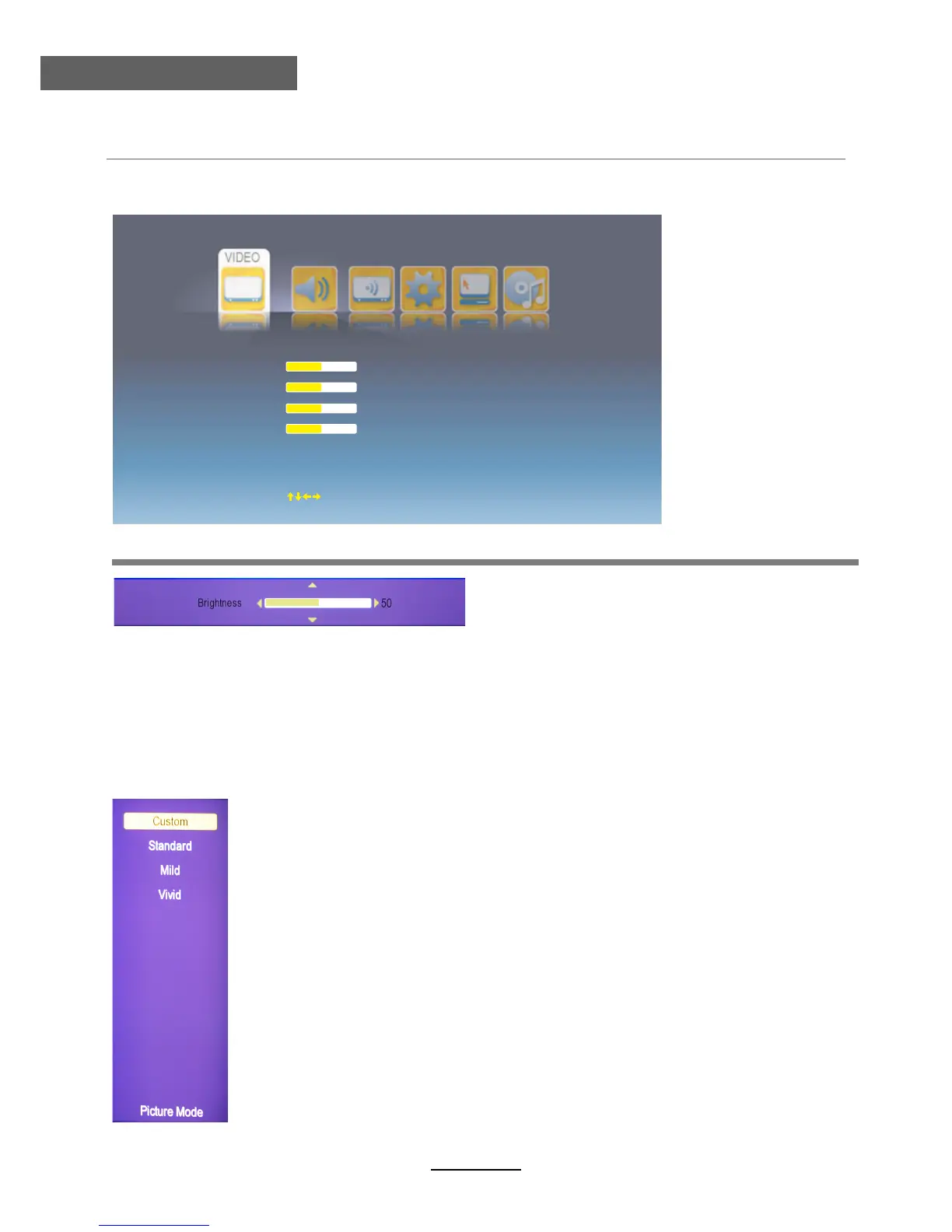
1. Video menu
Description
Contrast: Adjust image contrast.
Brightness: Adjust image black level.
Saturation: Adjust image saturation.
Sharpness: Adjust the sharpness(Gray and invalid in VGA/PC mode).
Adjust menu: Press / button to adjust, and press / button to switchover between
Brightness, Contrast, Saturation, Sharpness.
Select menu (Picture mode menu for example)
Adjust menu (Brightness menu for example)
Brightness
Contrast
Saturation
Sharpness
Picture Mode
Color Temp
NR
MP
Cinema Mode Low
EG NR
Standard
Normal
Low
Low
50
50
50
50
Move
OK Select
EXIT Exit
∧
∨
∧ ∨
Select menu: Press / button to select, and press OK button to confirm.
∧ ∨
Picture Mode: Select your desired picture mode from Custom, Standard,
You may select the picture mode directly by pressing the PICTURE button
on the remote control.
MPEG NR: Select MPEG NR mode from Off, Low, Medium and High.
NR: If the broadcast signal received is weak, you can select the NR option
to reduce the video noise level between Off, Low, Medium and High.
Color Temp: Select an optimum color temperature mode to suit your eyes
for viewing from Cold, Normal, Warm)
Mild, Vivid.



 To Next Page