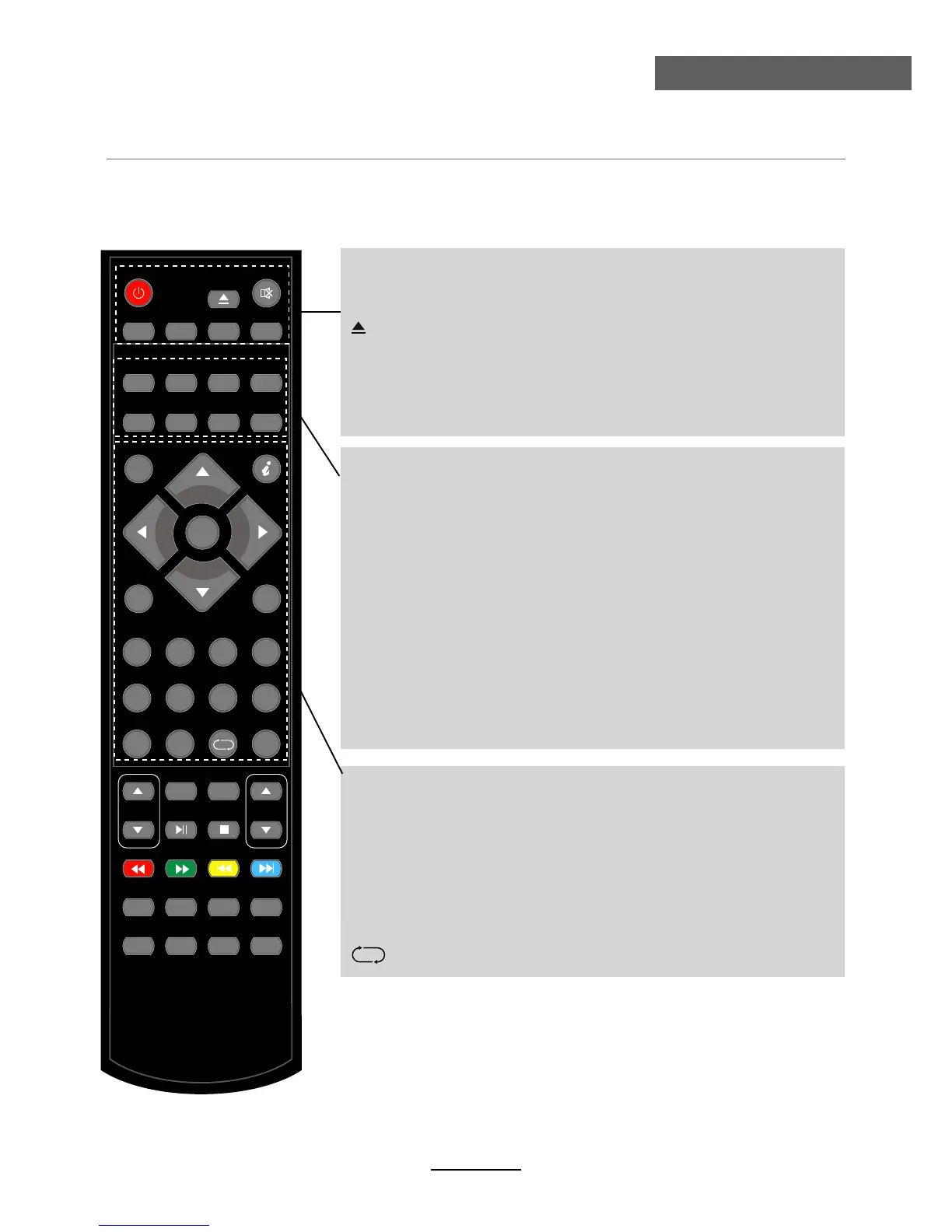
POWER
MUTE
PICTURE SOUND FREEZE AUTO
SLEEP NICAM SUBPAGE SIZE
EPG LANGUAGE SUBTITLE TV/RADIO
INPUT
MENU EXIT
VOL CH
SETUP
MENU
REPEAT
A-B TITLE
SLOW GOTO SUB.
LAN.
FAV FAV+ FAV- ASPECT
ZOOM
TV/TXT INDEX R.VEAL HOLD
-/--
1 2 3 4
5 6 7 8
9 0
INFO
OK
Remote Control
Remote Control
The remote control is using Infra-Red(IR). Point it towards the front of the LCD TV. The remote
control may not work correctly if it is operated out of range or out of angle.
POWER: Turn the TV on/standby.
MUTE: Press to mute the sound, press again or press VOL+ to
unmute.
SLEEP: Standby timer.
NICAM: NICAM/A2.
SUBPAGE: For example to go directly to subpage 4:
press SUBPAGE, then 0,0,0,4; press SUBPAGE again
to cancel subpage mode.
SIZE: Press to see top half of page double size, Press again to
see the bottom half og page double size, Press again
for normal size.
INPUT: Press to display the input source menu.
INFO: Display brief information concerning the current channel
you are view.
Cursor left/right/up/down: Cursor buttons used in menus.
OK: CONFIRM BUTTON for menu.
MENU: System setup menu.
EXIT: Exit the OSD menu.
0-9,-/--: Choose channel directly.
: Return to the previous channel viewed.
6
PICTURE: Select the picture mode.
SOUND: Select the sound mode.
FREEZE: Catch the picture of the current program.
AUTO: Auto adjust in the PC mode.
: Load/eject DVD disc.
EPG: To show the Electronic Program Guide during no-menu
state only in DTV mode.
LANGUAGE: Select the language for the TV in DTV mode.
SUBTITLE: Turn on/off the subtitle display in DTV mode.
TV/RADIO: Change the state between DTV and RADIO in
DTV mode.



 To Next Page