OSD Menu
OSD Menu
Description
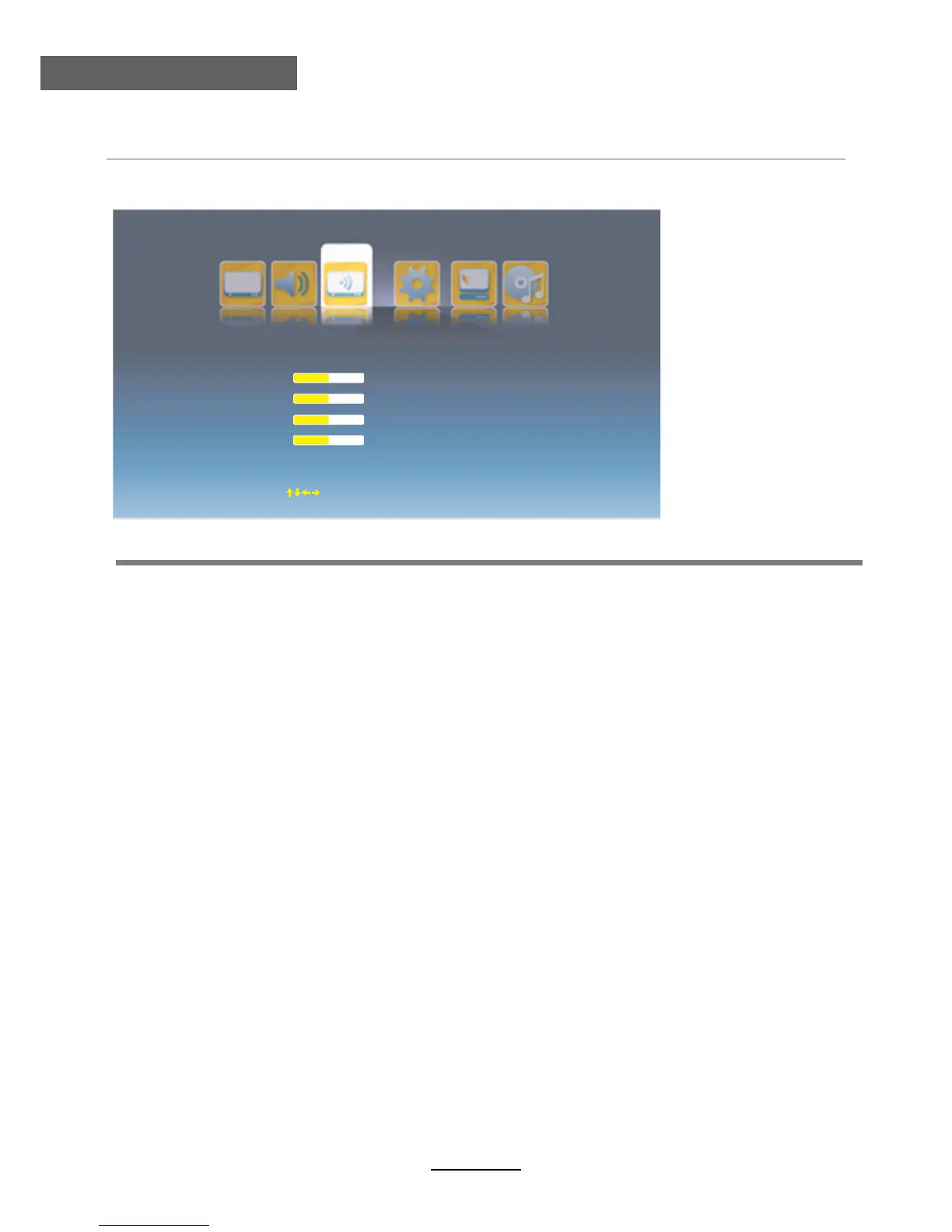
V.Position: Adjust the vertical position of the picture.
H.Position: Adjust the horizontal position of the picture.
Phase: Adjust the phase of the picture.
Clock: Adjust the clock of the picture.
Auto Adjust: Auto adjust the PC/VGA settings.
Auto Phase: Auto adjust the phase of the picture.
Reset: Reset the PC/VGA settings to factory default.
7. PC menu(In PC mode)
V.Position
H.Position
Phase
Clock
Auto Adjust
Auto Phase
Reset
50
50
50
50
PC
Move
OK Select
EXIT Exit



 To Next Page