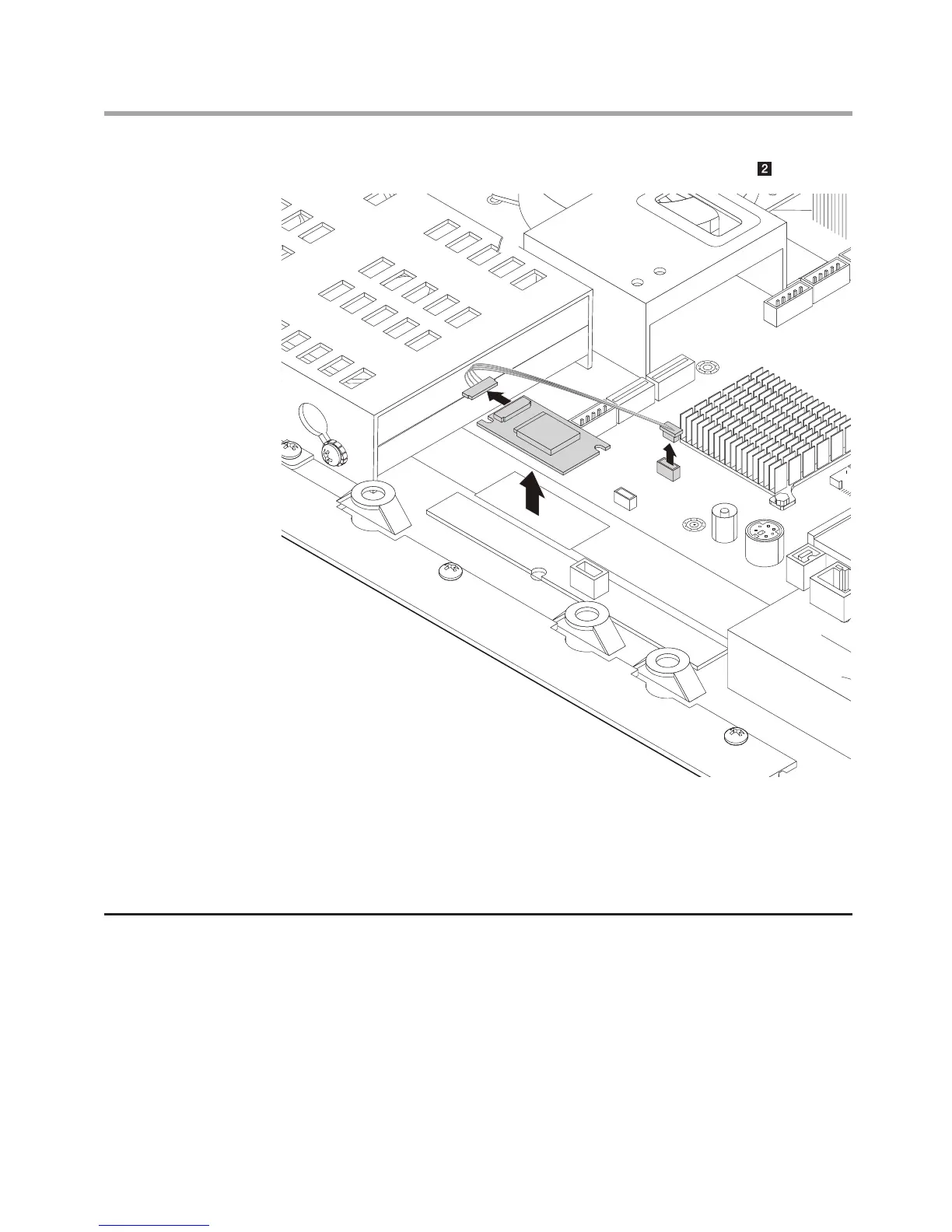
4. Disconnect the antenna cable from the bluetooth module.
5. Connect the antenna cable to the new bluetooth module.
6. Align then use double-sided sticky tape stick the bluetooth module
back.
7. Install the computer cover and stand.
Removing the motherboard cover
1. Remove the computer stand. Refer to “Removing the computer stand”.
2. Remove the computer cover. Refer to “Removing the computer cover”.
3. Remove the 8 screws that secure the motherboard cover to the
computer chassis.












 To Next Page