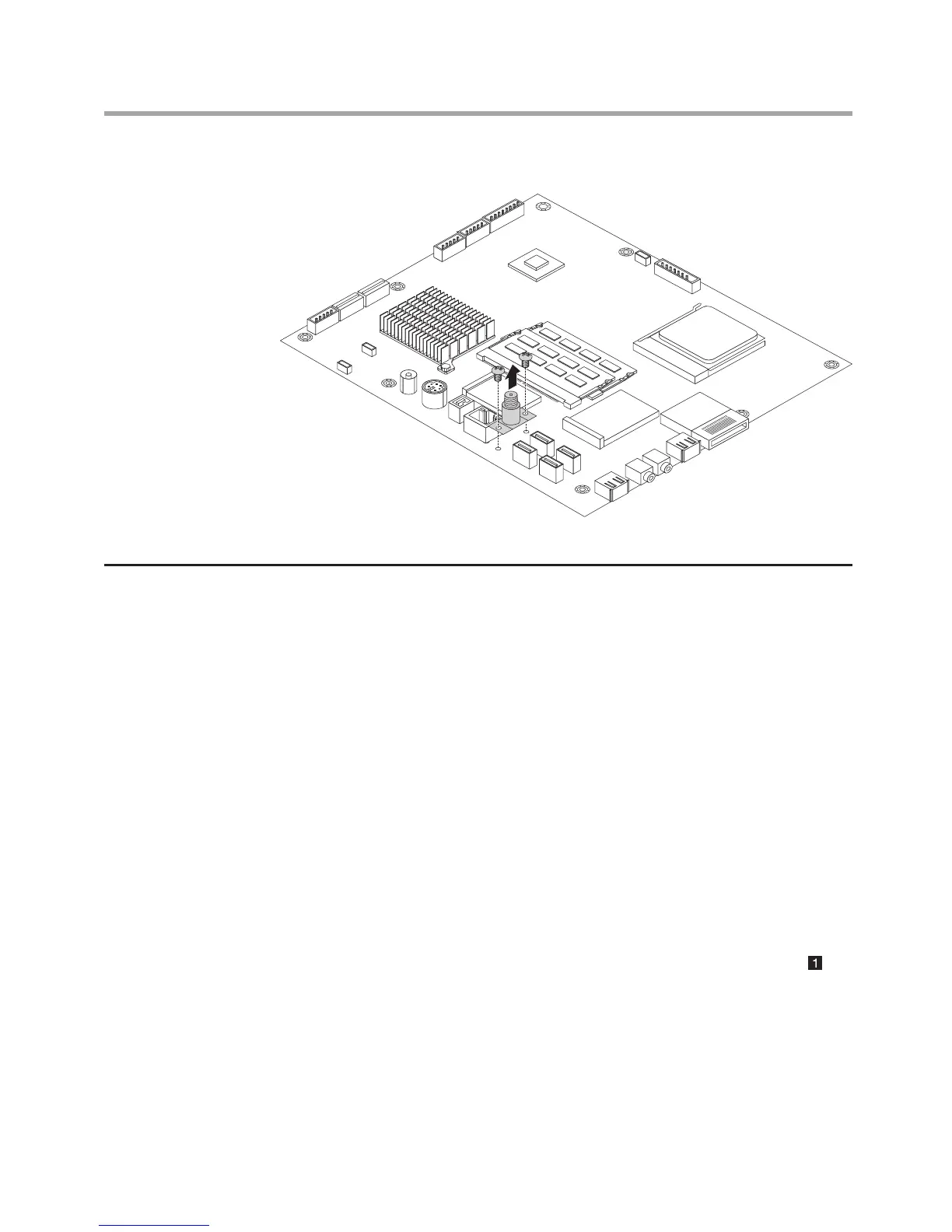
5. Lift up the TV antenna connector.
Replacing the motherboard
To replace the motherboard
1. Remove the computer stand. Refer to “Removing the computer stand”.
2. Remove the computer cover. Refer to “Removing the computer cover”.
3. Remove the motherboard cover. Refer to “Removing the motherboard
cover”.
4. Remove the memory module. Refer to “Replacing a memory module”.
5. Remove the heatsink. Refer to “Replacing the heatsink”.
6. Remove the microprocessor. Refer to "Replacing the microprocessor".
7. Remove the WLAN card. Refer to “Replacing the WLAN card”.
8. Remove the TV tuner card. Refer to “Replacing the TV tuner card”.
9. Remove the TV antenna connector. Refer to "Removing the TV antenna
connector".
10. Remove all the cables that connected to the motherboard.
11. Remove the 8 screws that secure the motherboard to the chassis.












 To Next Page