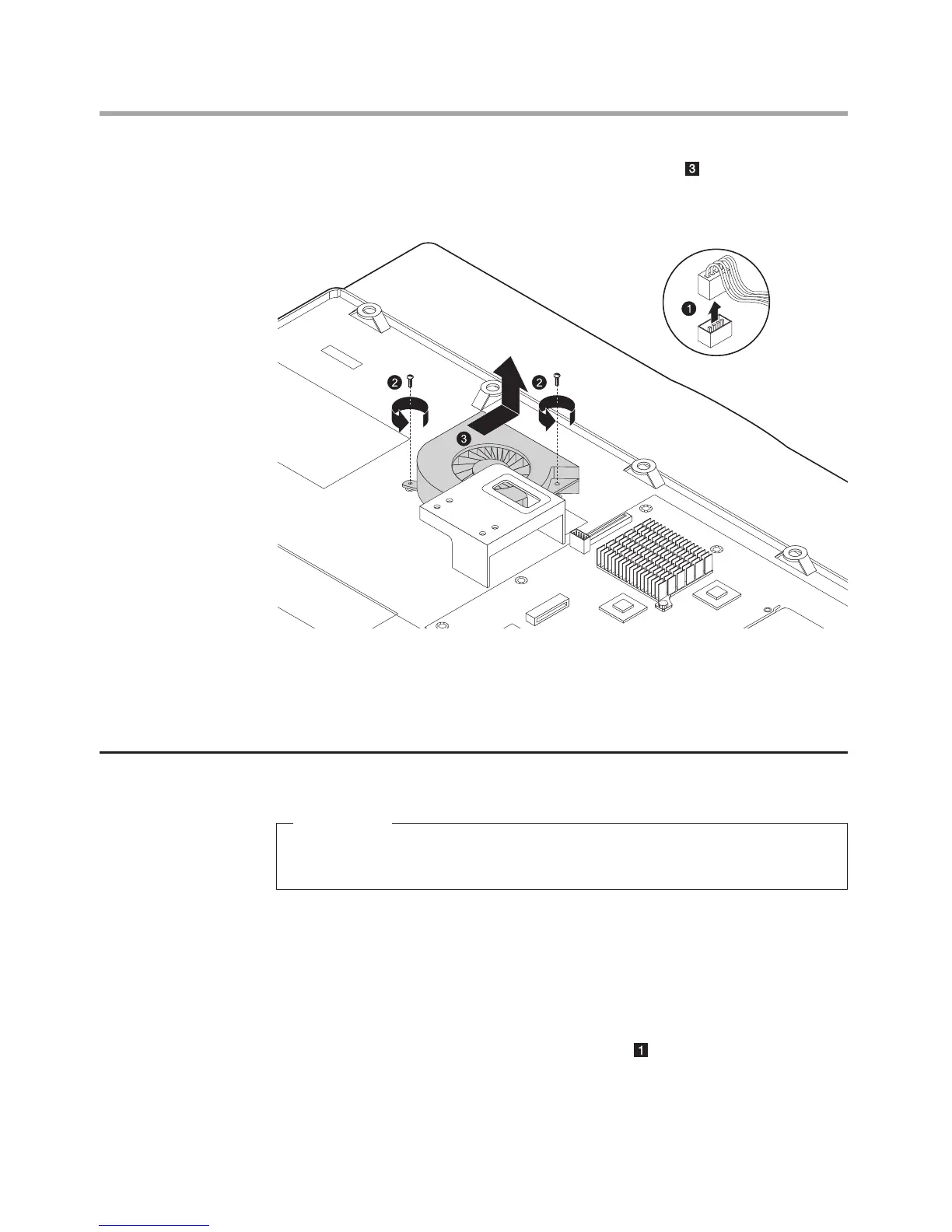
7. Slide the system fan out and lift it up to remove it.
8. Align then install the new system fan.
9. Align then install the heatsink & the motherboard cover back.
10. Align then install the computer cover and computer stand.
Replacing the microprocessor
Important
Do not touch the gold contact on the bottom of the microprocessor.
When handling the microprocessor, touch only the sides.
1. Remove the computer stand. Refer to “Removing the computer stand”.
2. Remove the computer cover. Refer to “Removing the computer cover”.
3. Remove the motherboard cover. Refer to “Removing the motherboard
cover”.
4. Remove the heatsink. Refer to “Replacing the heatsink”.
5. Lift the small handle and open the retainer.












 To Next Page