Chapter 2. Starting to use Windows 10
17
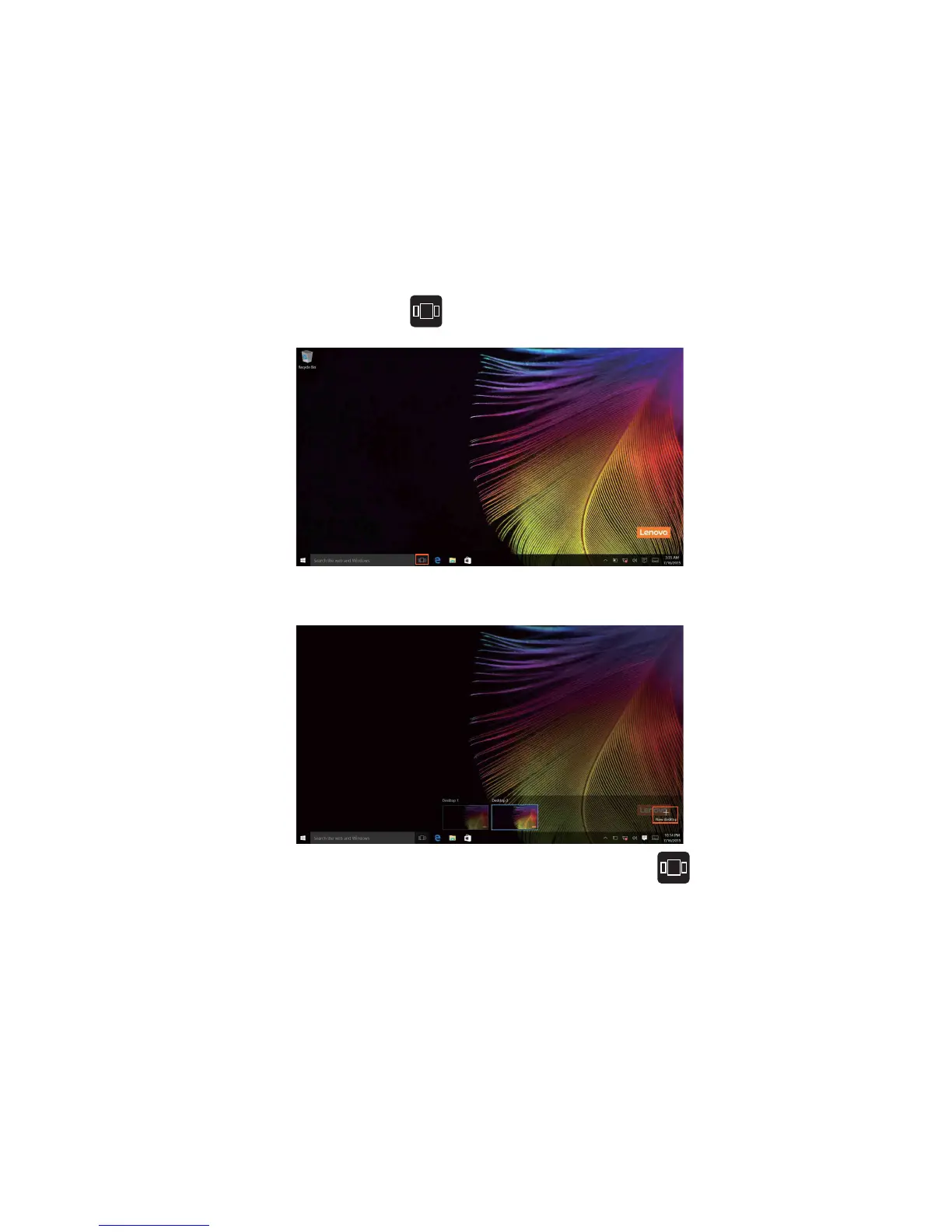
Task View in taskbar
In Windows 10, you can add a new desktop and switch between different
desktops.
To add a new desktop, do the following:
• Select the Task View icon in the taskbar area.
• Select Ne
w desktop.
To switch between desktops, select the Task View icon , then select your
desired desktop.
Also, you can manage apps in the multi-tasking view:
1 S
elect the Task View button to display all apps in use on the screen.
2 Select to
enter the apps or close the apps.









 To Next Page