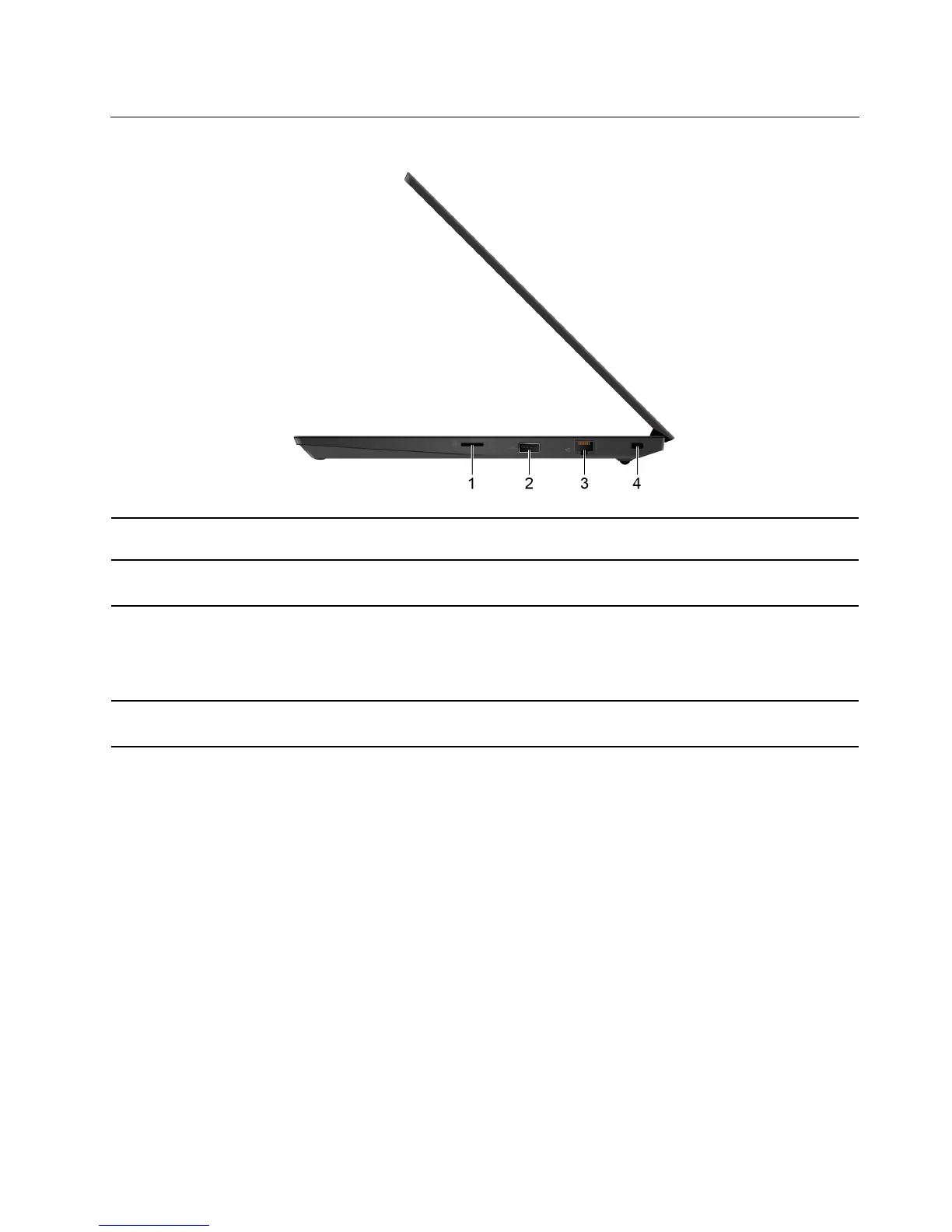
Right
1. microSD card slot
Insert a microSD card for data access or storage. See “Use a microSD card” on page
26.
2. USB 2.0 connector
Connect a USB-compatible device, such as a USB keyboard, USB mouse, USB
storage device, or USB printer.
3. Ethernet connector
Connect the computer to a local area network (LAN).
The Ethernet connector has two network status indicators. When the green indicator is
on, the computer is connected to a LAN. When the yellow indicator blinks, data is
being transmitted.
4. Security-lock slot
Lock your computer to a desk, table, or other fixtures through a compatible security
cable lock. See “Lock the computer” on page 29.
Chapter 1. Meet your computer 7












 To Next Page