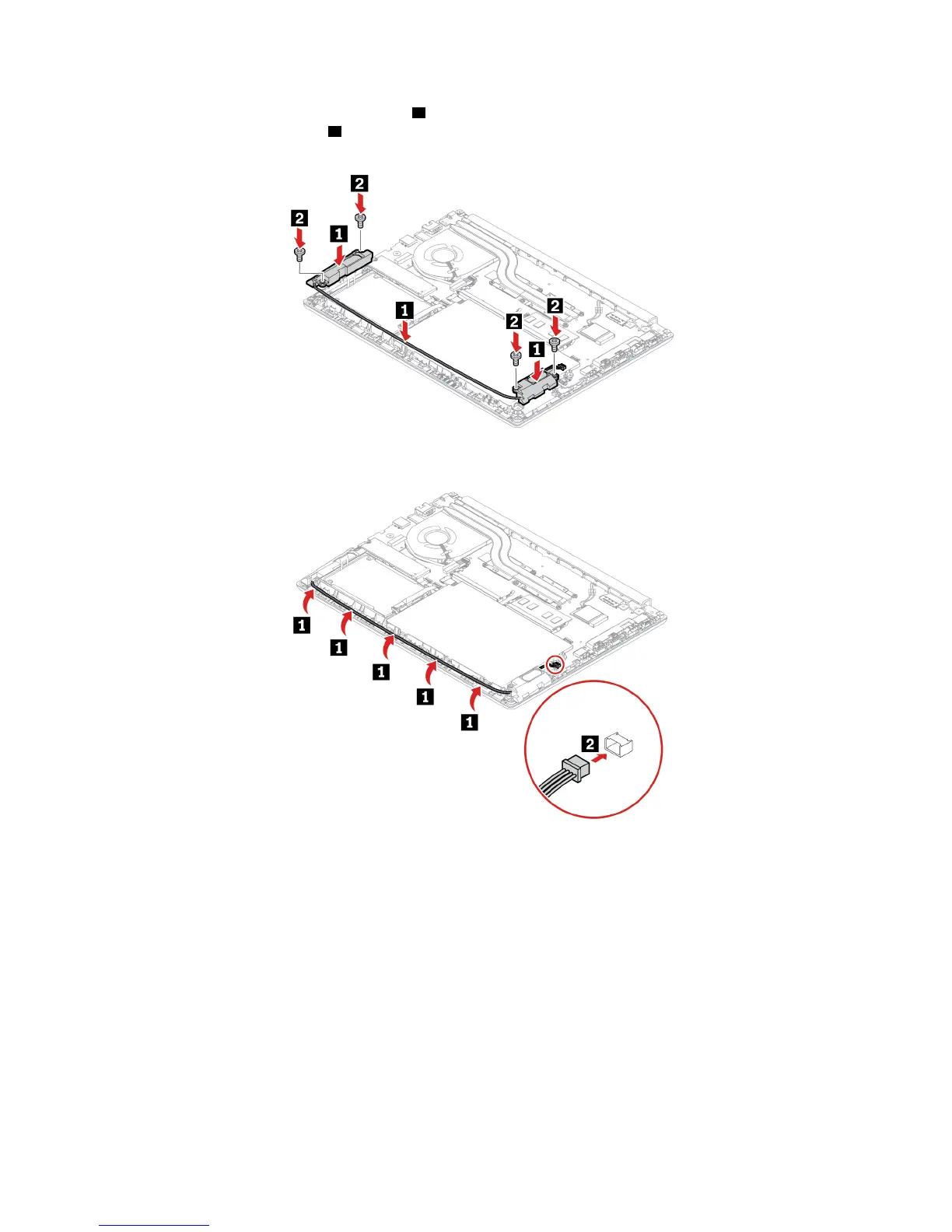
7. Install the new speaker assembly in place 1 and route the speaker cables. Then, install the screws to
secure the speaker assembly
2 .
8. Attach the connector of the speaker assembly.
9. Reinstall the base cover assembly.
10. Turn the computer over. Connect the ac power adapter and all disconnected cables to the computer.
Memory module
Prerequisite
Before you start, read Appendix A “Important safety information” on page 73 and print the following
instructions.
Attention: Do not touch the contact edge of the memory module. Otherwise the memory module might get
damaged.
Replacement procedure
To replace a memory module, do the following:
48
E490/E490s/R490 User Guide












 To Next Page