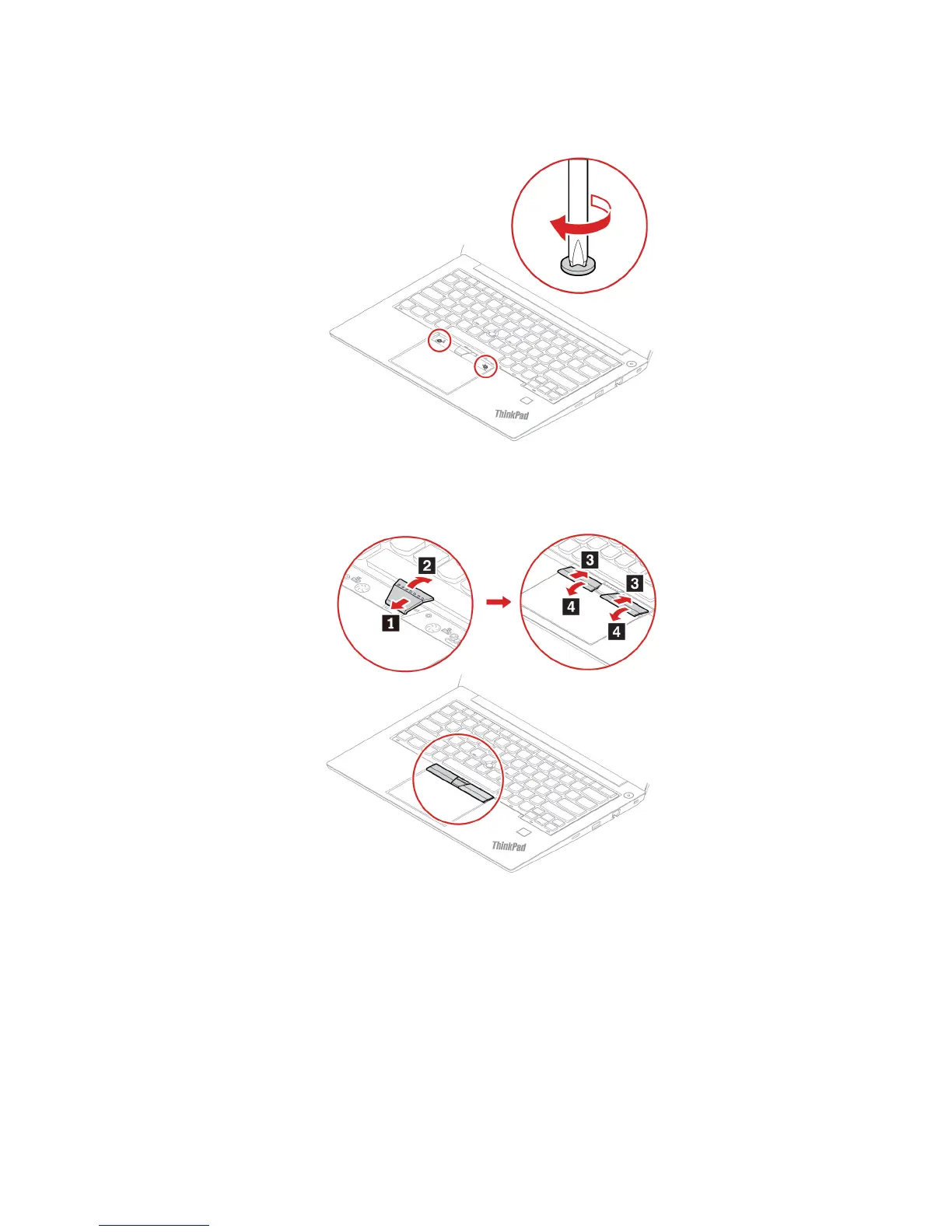
12. Tighten the screws to secure the keyboard.
13. Take the new TrackPoint buttons out of the new keyboard package. Install the TrackPoint buttons as
shown.
14. Turn the computer over. Connect the ac power adapter and all disconnected cables.
I/O board (for E490/R490)
Prerequisite
Before you start, read Appendix A “Important safety information” on page 73 and print the following
instructions.
Attention: Sensitive components are mounted on the I/O card. Avoid any kind of rough handling during the
replacement.
Chapter 6. CRU replacement 59












 To Next Page