Remove the I/O board
1. Disable the built-in battery. See “Disable Fast Startup and the built-in battery” on page 40.
2. Turn off the computer and disconnect the computer from ac power and all connected cables.
3. Close the computer display and turn the computer over.
4. Remove the base cover assembly. See “Base cover assembly (for E490/R490)” on page 42.
5. Remove the M.2 solid-state drive. See “M.2 solid-state drive” on page 50.
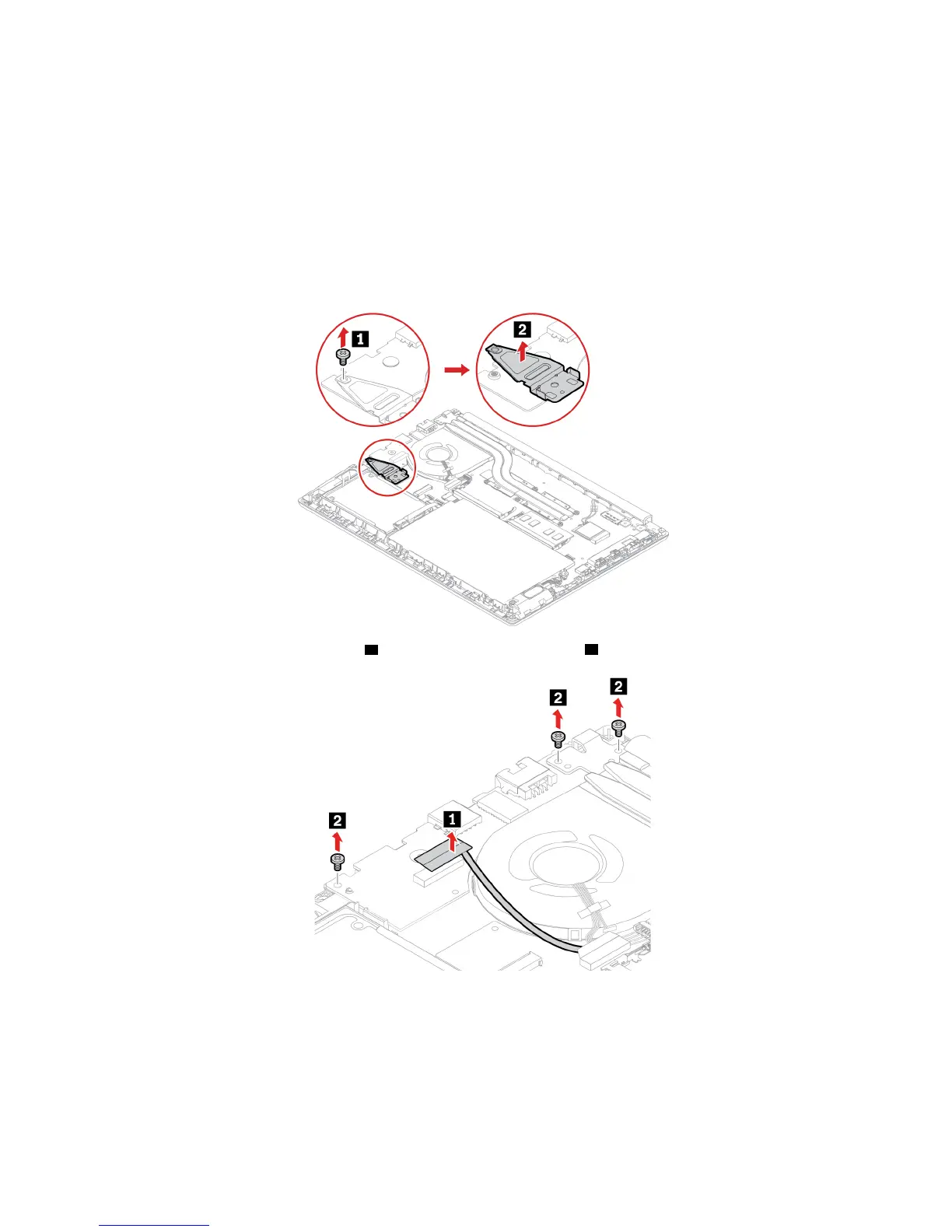
6. Depending on the model, the computer might have a retainer installed. Remove the retainer as shown.
7. Detach the cable from the I/O card 1 , and then remove the screws 2 .
60 E490/E490s/R490 User Guide












 To Next Page