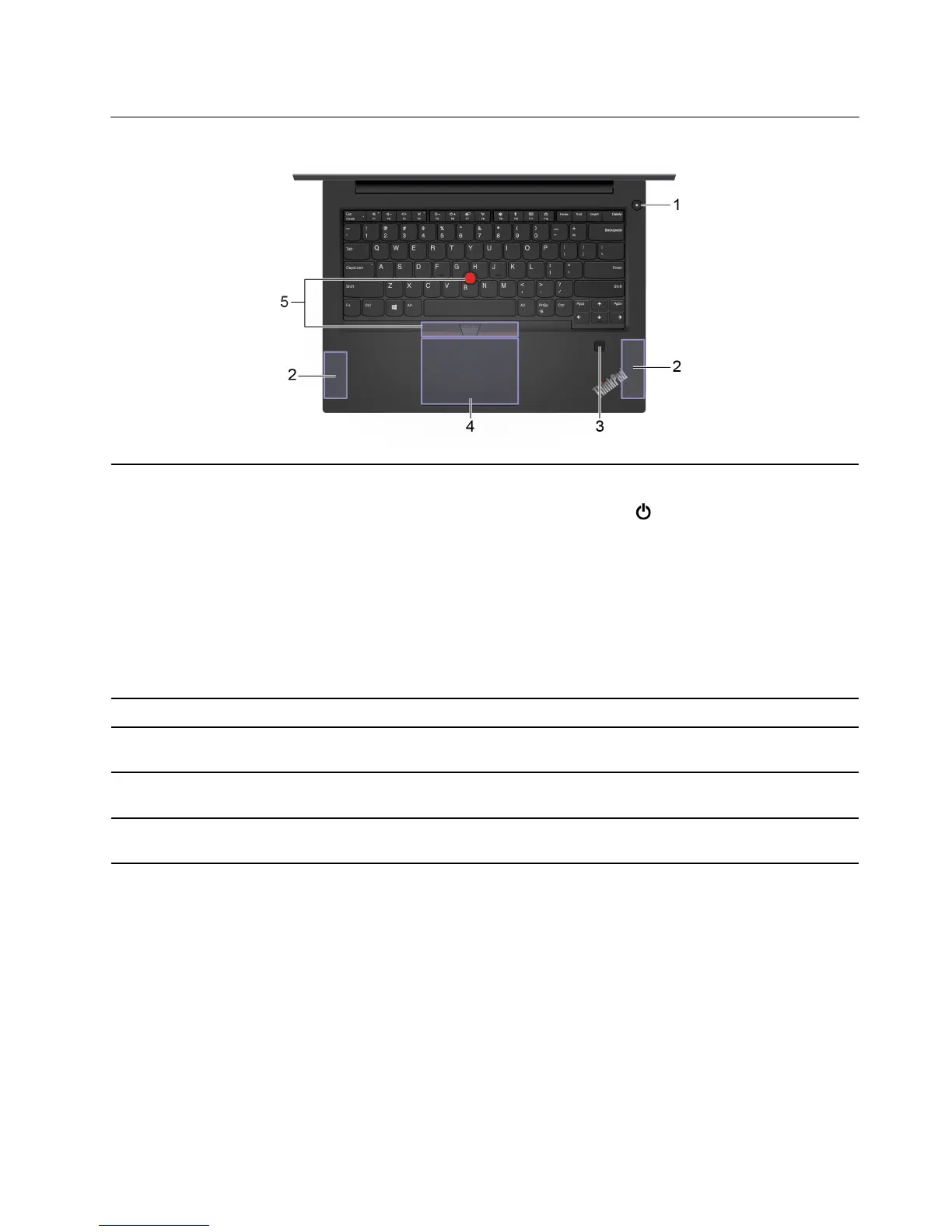
Base (for E490/R490)
1. Power button
Press to turn on the computer or put the computer to sleep mode.
To turn off the computer, open the Start menu, click
Power, and then select Shut
down.
The indicator in the power button shows the system status of your computer.
• Blinking for three times: The computer is initially connected to power.
• On: The computer is on.
• Off: The computer is off or in hibernation mode.
• Blinking rapidly: The computer is entering sleep or hibernation mode.
• Blinking slowly: The computer is in sleep mode.
2. Speakers Play sound. The speakers are on the bottom of the computer.
3. Fingerprint reader *
Log in to your computer with enrolled fingerprints. See “Use fingerprint authentication
(on selected models)” on page 31.
4. Trackpad
Perform finger touch and all the functions of a traditional mouse. See “Use the
trackpad” on page 19.
5. TrackPoint
®
pointing
device
Perform all the functions of a traditional mouse. See “Use the TrackPoint pointing
device” on page 17.
* for selected models
Chapter 1. Meet your computer 3












 To Next Page