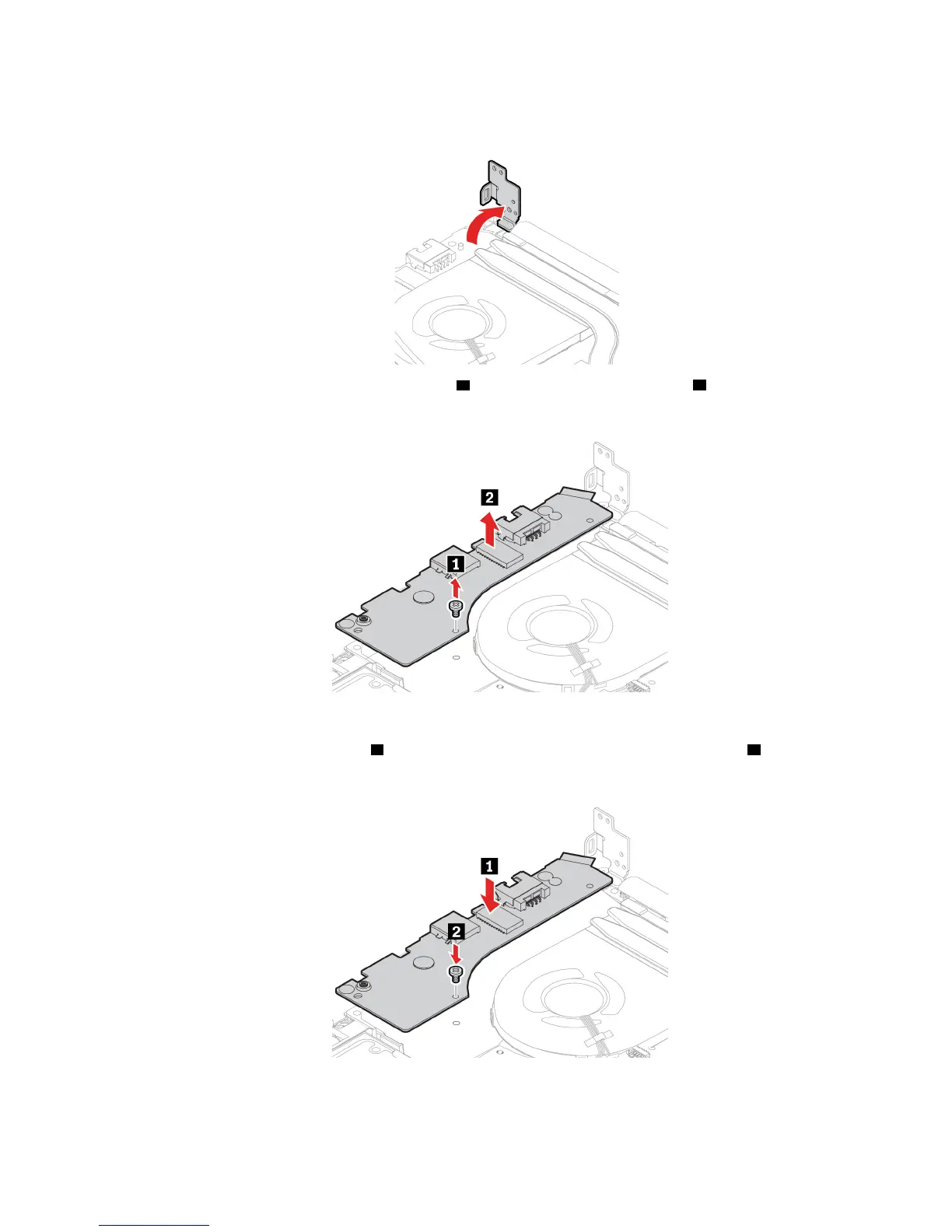
8. Pivot the hinge upward to the vertical position.
9. Remove the screw that secures the I/O board 1 , and then remove the I/O board 2 .
Install the I/O board
1. Install the new I/O board in place
1 , and then reinstall the screw to secure the I/O board 2 .
Chapter 6. CRU replacement 61












 To Next Page