Replacement procedure
1. Disable the built-in battery. See “Disable Fast Startup and the built-in battery” on page 40.
2. Ensure that the computer is turned off and disconnected from ac power and all cables.
3. Turn off the computer and disconnect the computer from ac power and all connected cables.
4. Remove the base cover assembly. See “Base cover assembly (for E490s)” on page 40.
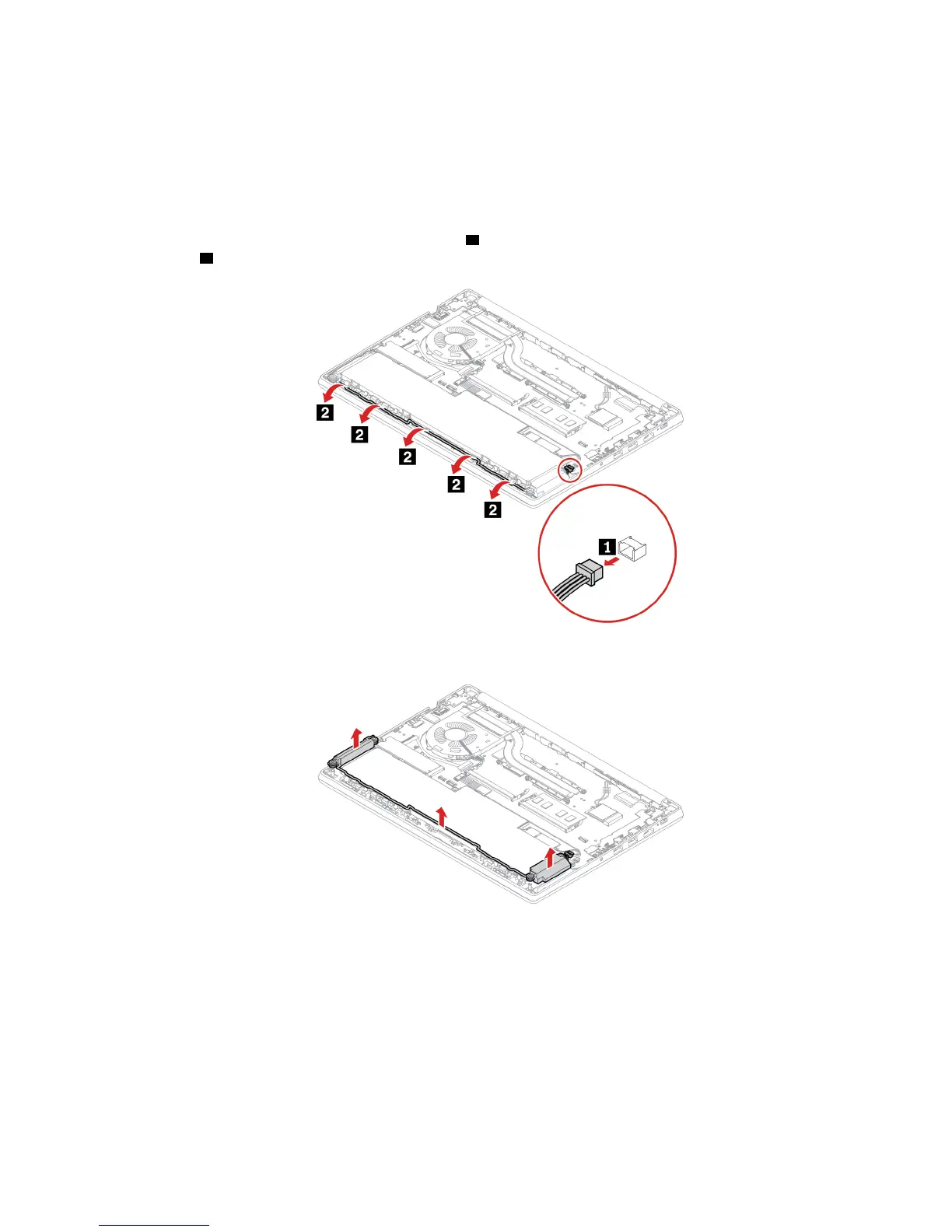
5. Detach the connector of the speaker assembly
1 and then release the speaker cables from the secured
position
2 .
6. Remove the speaker assembly.
Chapter 6. CRU replacement 45












 To Next Page