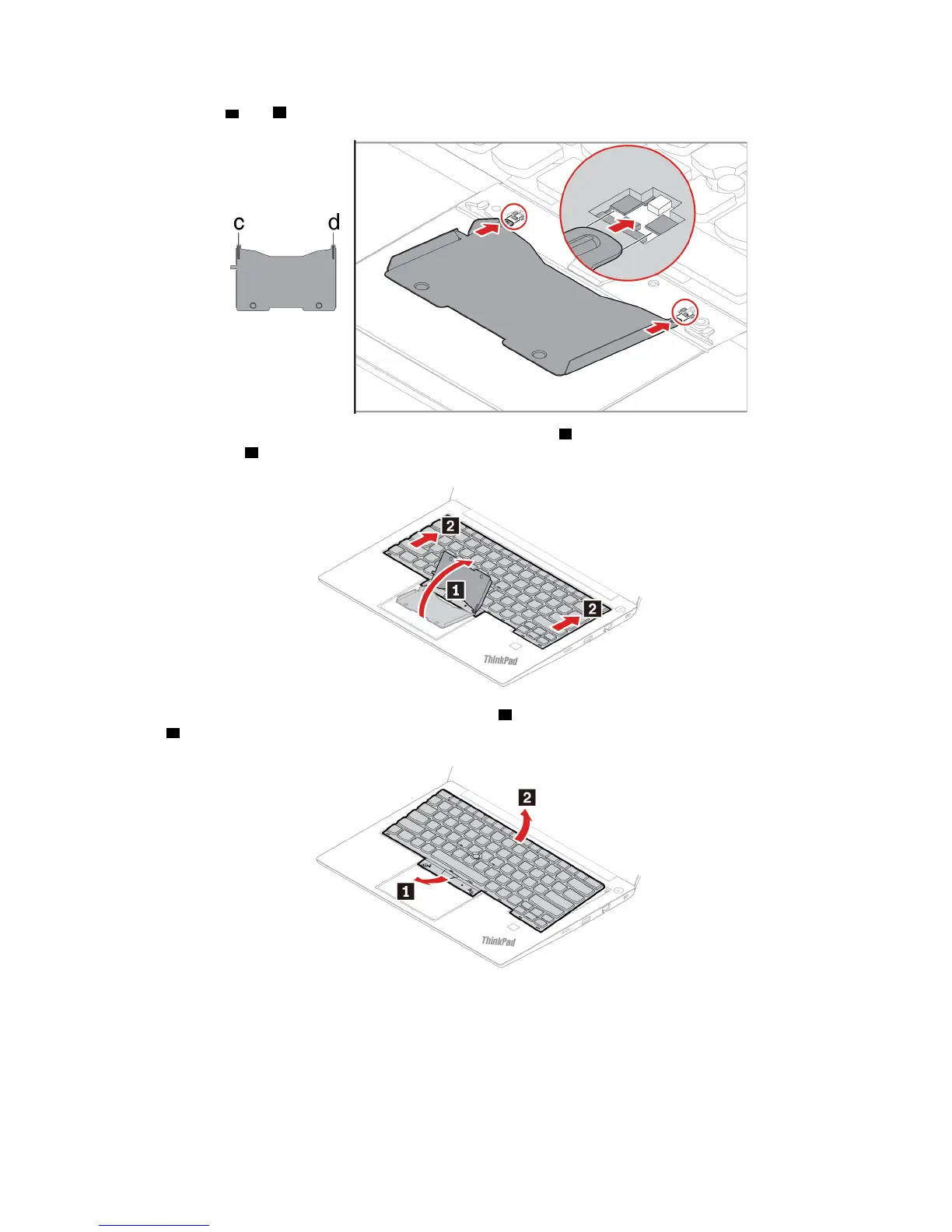
5. Insert the tabs c and d into the two dents near the two screw heads as shown.
6. Pivot the tool in the direction as shown to release the keyboard 1 . Push the keyboard in the direction as
shown by arrows
2 to release the latches from the keyboard bezel.
7. Pivot the keyboard slightly upward as shown by arrow 1 . Then, turn the keyboard over as shown by
arrow
2 .
56 E490/E490s/R490 User Guide












 To Next Page