1Security-lockslot:Toprotectyourdockfromtheft,youcanpurchaseasecuritycablelock,suchas
aKensington-stylecablelock,thattsthissecurity-lockslottolockyourdocktoadesk,table,orother
non-permanentxture.
2USB3.0connector:UsedtoconnectdevicesthatarecompatiblewithUSB3.0.
3AlwaysOnUSBconnector:Bydefault,theAlwaysOnUSBconnectorenablesyoutochargesome
mobiledigitaldevicesandsmartphoneswhenyourcomputerisinsleeporhibernationmode.Formore
information,refertothedocumentationthatcomeswiththedock.
4Comboaudioconnector:Usedtoconnectheadphonesoraheadsetthathasa3.5-mm(0.14-inch),
4-poleplug.
5Powerindicator:TheilluminatedThinkPadlogoonthedockfunctionsasapowerindicatorforthedock.
6Powerbutton:Pressthepowerbuttontoturnonorturnoffthedock.
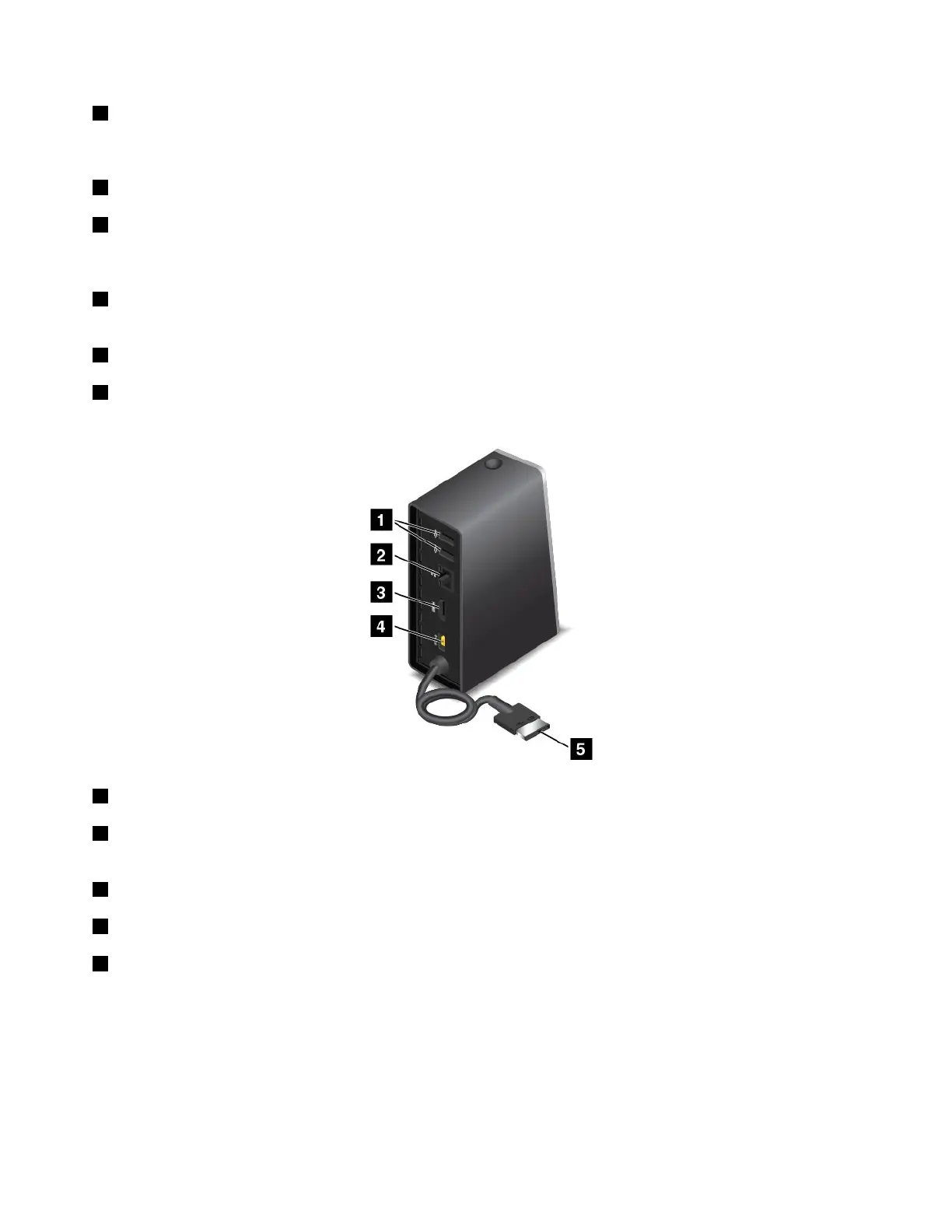
Rearview
1USB2.0connector:UsedtoconnectdevicesthatarecompatiblewithUSB2.0.
2Ethernetconnector:UsedtoconnectthedocktoanEthernetLAN.Theindicatorsonthisconnector
havethesamefunctionastheonesonthecomputer.
3HDMIconnector:UsedtoconnectadigitalaudiodeviceorvideomonitorthatiscompatiblewithHDMI.
4Powerconnector:Usedtoconnecttheacpoweradapter.
5LenovoOneLinkconnector:ConnecttheLenovoOneLinkconnectortothecomputer.
104UserGuide













 To Next Page