Chapter1.Productoverview
Thischapterprovidesinformationaboutconnectorlocations,importantproductlabels,computerfeatures,
specications,operatingenvironment,andpreinstalledprograms.
Thischaptercontainsthefollowingtopics:
•“Locatingcomputercontrols,connectors,andindicators”onpage1
•“Locatingimportantproductinformation”onpage12
•“Features”onpage14
•“Specications”onpage15
•“Operatingenvironment”onpage16
•“Lenovoprograms”onpage17
Locatingcomputercontrols,connectors,andindicators
Thissectionintroducesthecomputerhardwarefeaturestogiveyouthebasicinformationyouneedto
startusingthecomputer.
Frontview
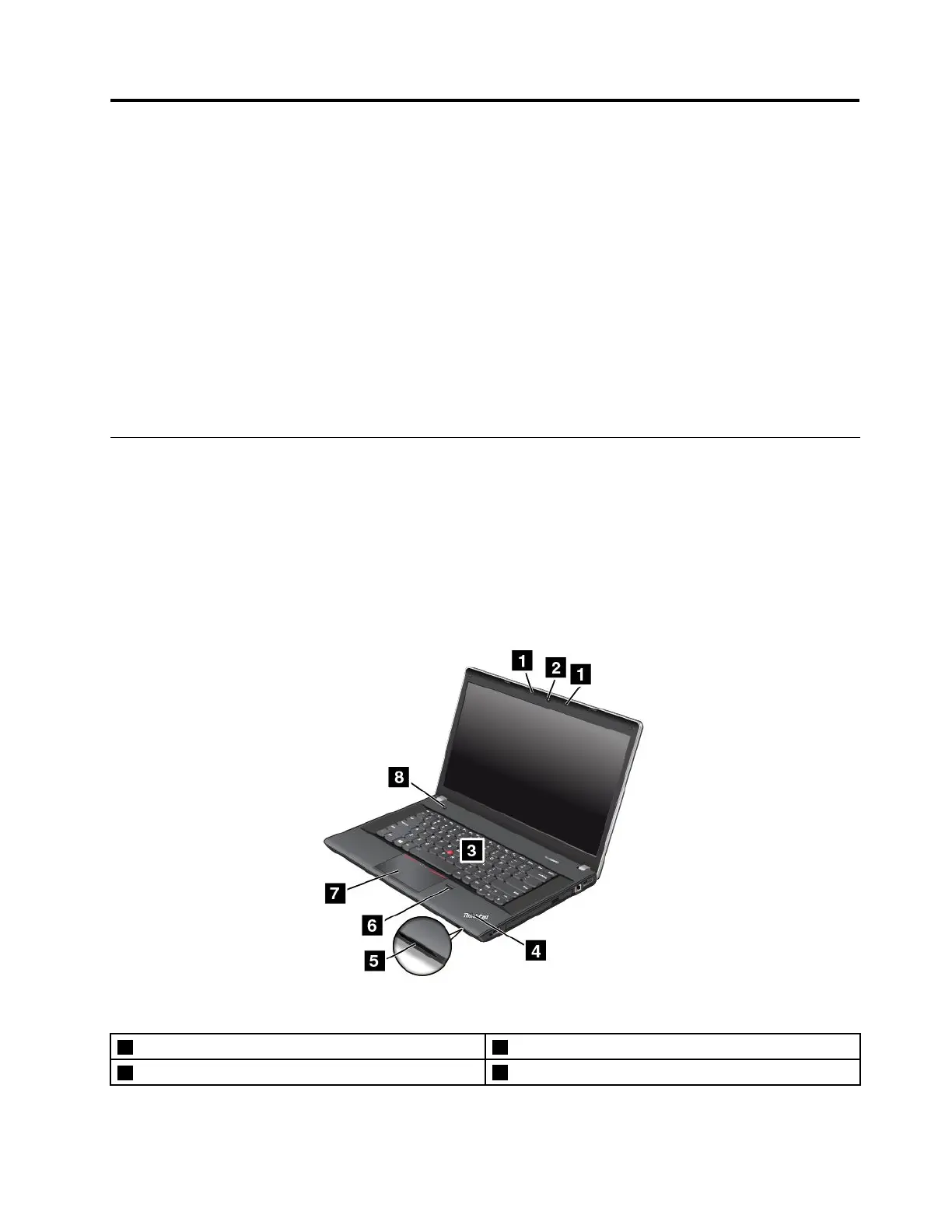
ThinkPadEdgeE440frontview
Figure1.ThinkPadEdgeE440frontview
1Microphones5Mediacardreaderslot
2Camera
6Fingerprintreader
©CopyrightLenovo2013
1













 To Next Page