5USB3.0connectors
TheUSB3.0connectorsareusedforconnectingUSB-compatibledevices,suchasaUSBprinteror
adigitalcamera.
Note:WhenyouattachaUSBcabletothisUSBconnector,ensurethattheUSBmarkisfacingupward.
Otherwisetheconnectormightbedamaged.
6Comboaudioconnector
Tolistentothesoundfromyourcomputer,connectaheadphoneoraheadsetthathasa3.5mm,4-pole
plugtothecomboaudioconnector.
Notes:
•Ifyouareusingaheadsetwithafunctionswitch,donotpressthisswitchwhileusingtheheadset.If
youpressit,theheadsetmicrophonewillbedisabled,andtheintegratedmicrophonesonthecomputer
willbeenabledinstead.
•Thecomboaudioconnectordoesnotsupportaconventionalmicrophone.Formoreinformation,see
“Usingaudiofeatures”onpage43
.
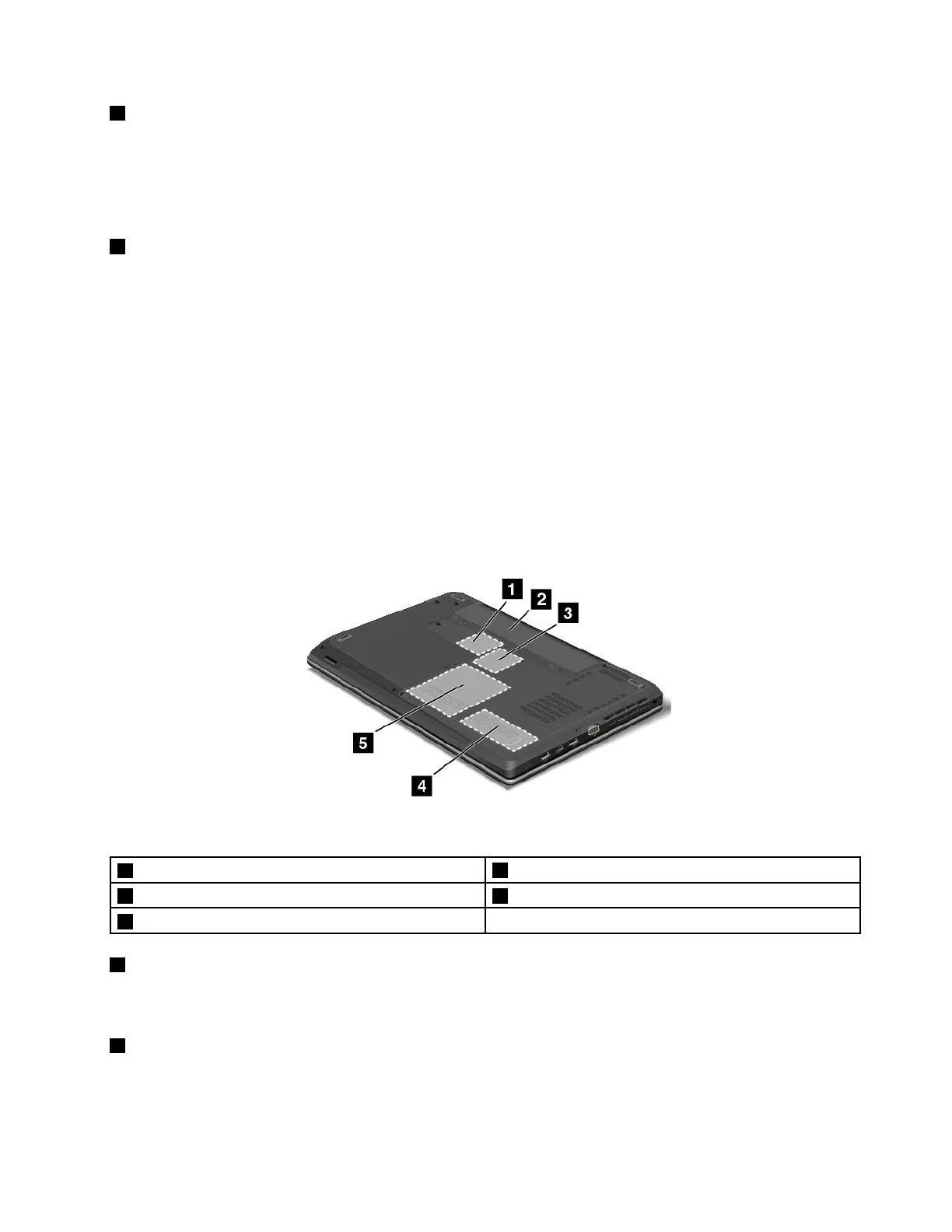
Bottomview
Note:Yourcomputerbottomviewmightlookslightlydifferentfromthefollowingillustration.
Figure6.ThinkPadEdgeE440andE540bottomview
1PCIExpressMiniCardslotforwirelessLANcard
4Memory-upgradeslot
2Battery5Harddiskdriveorsolid-statedrive
3SlotforwirelessWANcardorM.2solid-statedrive
1PCIExpressMiniCardslotforwirelessLANcard
YourcomputermighthaveawirelessLANcardinstalledinthePCIExpressMiniCardslotforyouto
establishwirelessLANconnections.
2Battery
Useyourcomputerwithbatterypowerwheneveracpowerisunavailable.
Chapter1.Productoverview9













 To Next Page