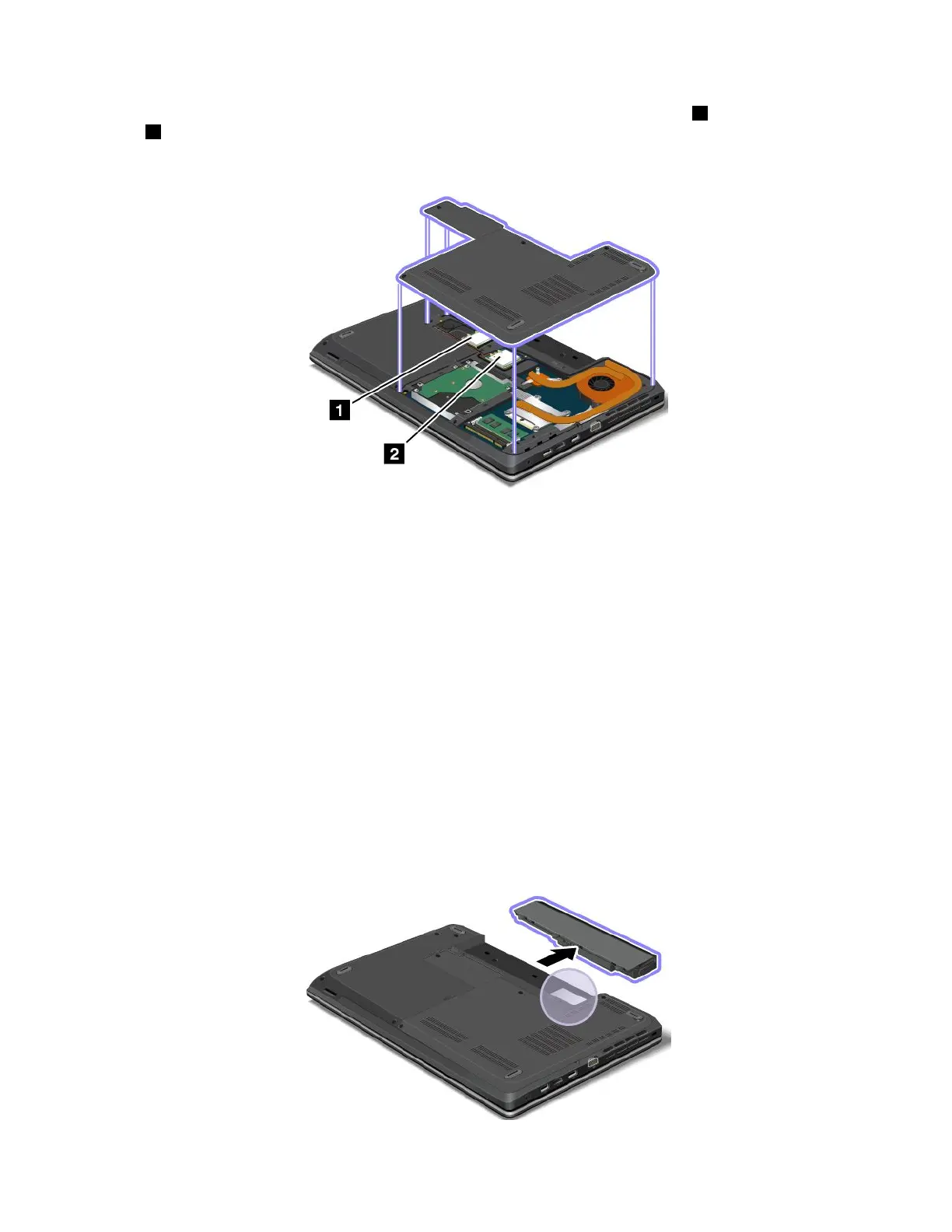
TheFCCIDandICCerticationnumberlabelsareafxedonthewirelessLANcard1andwirelessWAN
card2installedinthewirelesscommunicationcardslotsofthecomputer.
ThefollowinggureshowsthelocationoftheFCCIDandICCerticationnumberlabelsofyourcomputer.
ToremovethewirelessLANcardforrepairorreplacement,see“ReplacingawirelessLANcard”onpage92.
ToremovethewirelessWANcardforrepairorreplacement,see“ReplacingawirelessWANcard”onpage95.
Note:UseonlyLenovo-authorizedwirelesscommunicationcardsforthecomputer.Ifyouinstallan
unauthorizedwirelesscommunicationcardthatisnotapprovedforuseinyourcomputer,anerrormessage
willbedisplayedandthecomputerwillbeepwhenyouturnonthecomputer.
CerticateofAuthenticitylabel
TheCerticateofAuthenticitylabelisprovidedonmodelsthatarelicensedtouseaWindows7
operatingsystem.ThelicensedWindowsversionandproductkeyassociatedwiththecomputerareprinted
onthislabel.Recordthisinformationandkeepitinasafeplace.Youmightneedthesenumberstostart
yourcomputerorreinstalltheWindows7operatingsystem.Dependingonthemodel,theCerticateof
Authenticitylabelcanbeonthecomputercover,underthebattery,oronthepoweradapter.
FormoreinformationabouttheCerticateofAuthenticitylabel,goto:
http://www.microsoft.com/en-us/howtotell/Hardware.aspx
ThefollowinggureshowsthelocationoftheCerticateofAuthenticitylabelonthecomputercover:
Chapter1.Productoverview13













 To Next Page