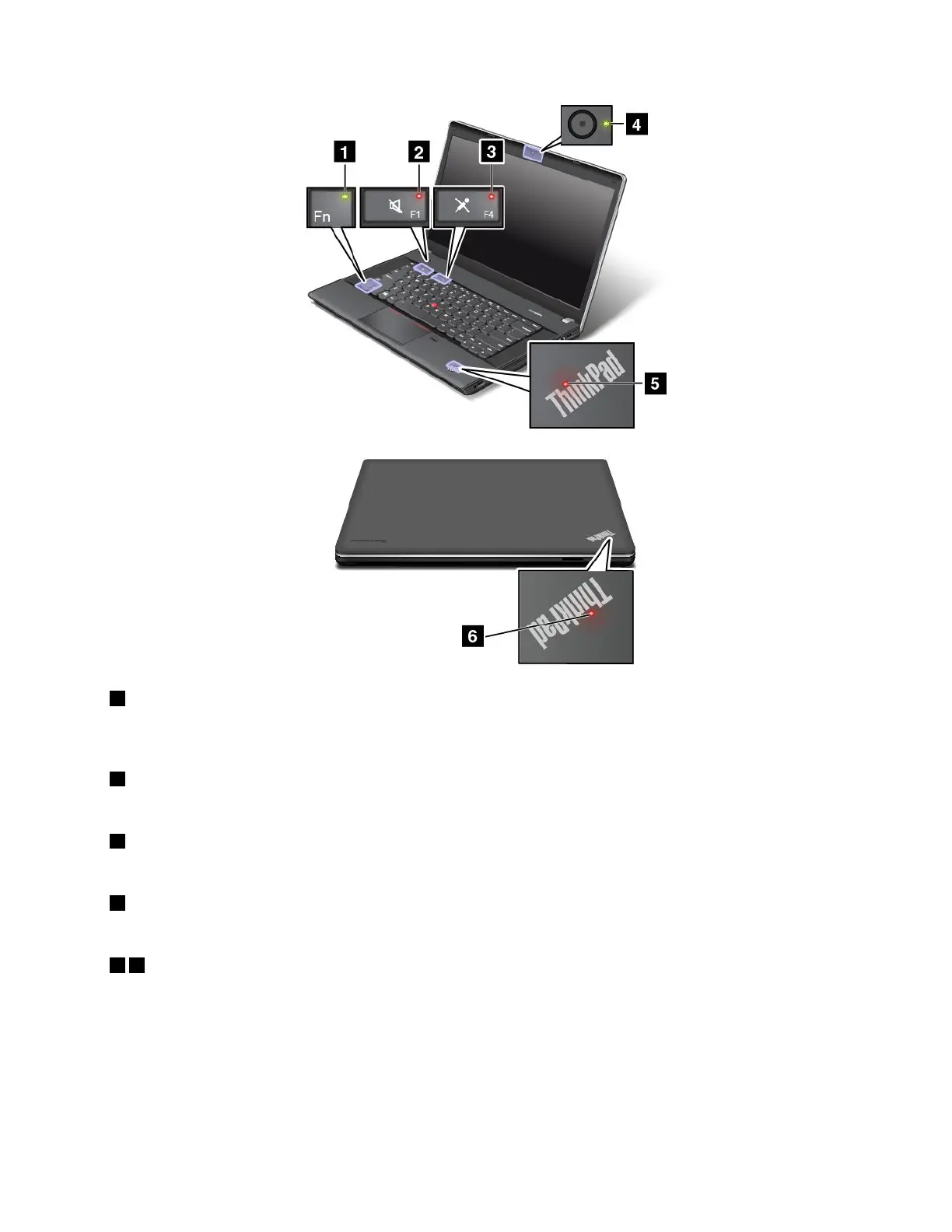
1FnLockindicator
TheFnLockindicatorshowsthestatusofFnLockfunction.Formoreinformation,see“Specialkeys”
onpage27.
2Speakermuteindicator
Whenthespeakermuteindicatorison,thespeakersaremuted.
3Microphonemuteindicator
Whenthemicrophonemuteindicatorison,themicrophonesaremuted.
4Camerastatusindicator
WhentheCamerastatusindicatorison,thecameraisinuse.
56Systemstatusindicators
TheilluminateddotsintheThinkPadlogoontheouterlidofyourcomputerandonthepalmrestshowthe
systemstatusofyourcomputer:
•Blinksforthreetimes:Thecomputerisinitiallyconnectedtothepower.
•On:Thecomputerison(innormalmode).
•Off:Thecomputerisofforinhibernationmode.
•Blinksfast:Thecomputerisenteringsleeporhibernationmode.
Chapter1.Productoverview11













 To Next Page