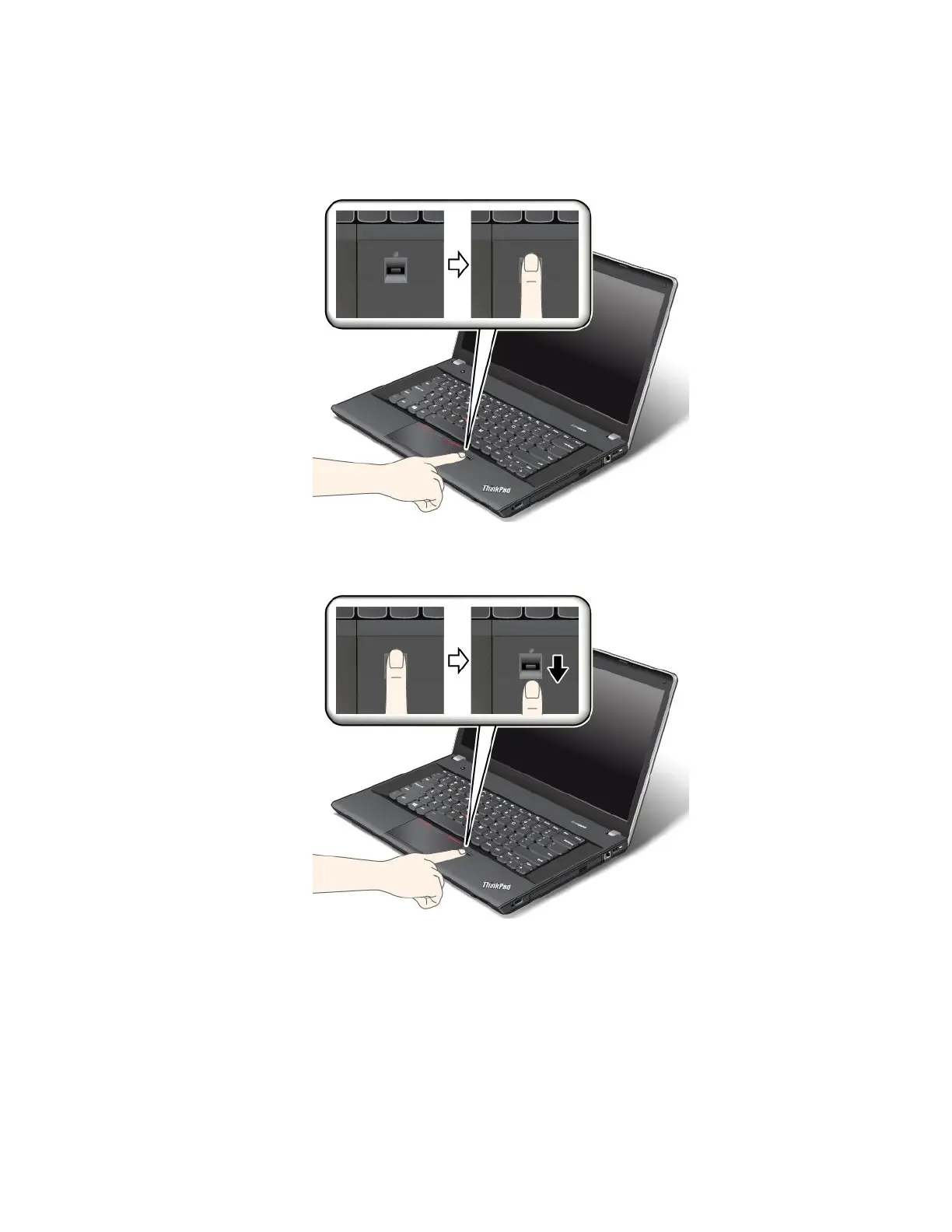
Swipingyourngeroverthengerprintreader
Toswipeyourngeroverthereader,dothefollowing:
1.Placethetopjointofyourngeronthesensor.
2.Applylightpressureandswipeyourngertowardyouacrossthethereaderinonesmoothmotion.
Donotliftyourngerwhenyouareswipingit.
Maintainingthengerprintreader
Thefollowingactionscoulddamagethengerprintreaderorcauseitnottoworkproperly:
•Scratchingthesurfaceofthereaderwithahard,pointedobject.
•Scrapingthesurfaceofthereaderwithyourngernailoranythinghard.
•Usingortouchingthereaderwithadirtynger.
Ifyounoticeanyofthefollowingconditions,gentlycleanthesurfaceofthereaderwithadry,soft,lint-free
cloth:
Chapter4.Security57













 To Next Page