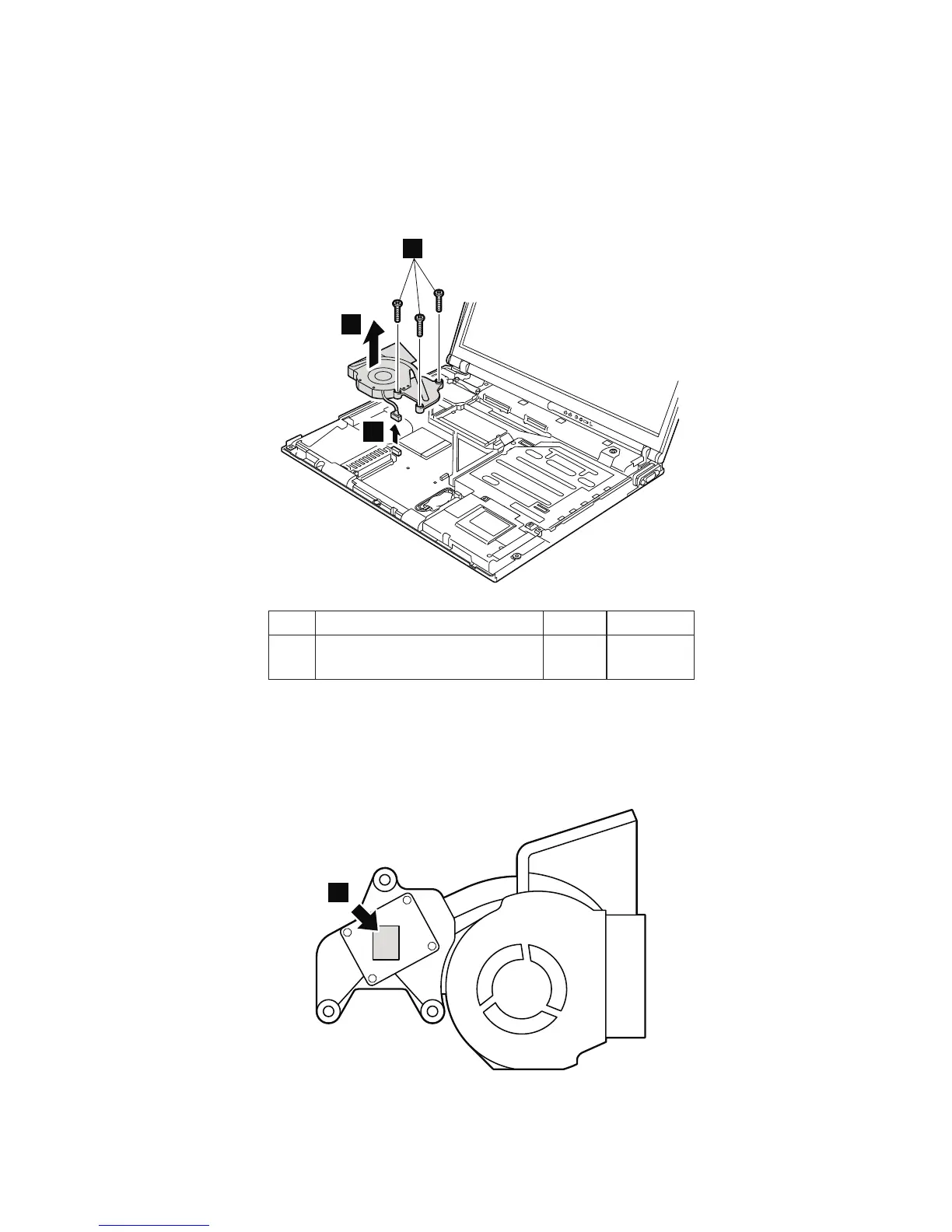
1130 Fan assembly
For access, remove these FRUs in order:
v “1010 Battery pack” on page 76
v “1030 Hard disk drive” on page 79
v “1050 Keyboard” on page 82
v “1100 Keyboard bezel” on page 92
3
1
2
Step Screw (quantity) Color Torque
1 M2 × 10 mm, flat-head,
nylon-coated (3)
Black 0.245 Nm
(2.5
kgfcm)
When installing:
1. Make sure that the connector 3 is firmly attached.
2. Apply thermal grease on the part marked a in this
figure.
a
(Bottom view of the fan assembly)
Removing and replacing a FRU
ThinkPad R50e, R51e and R52 Series 103


 To Next Page
 Loading...