mylevana.com
LET’SGETSTARTED!
Battery Installation
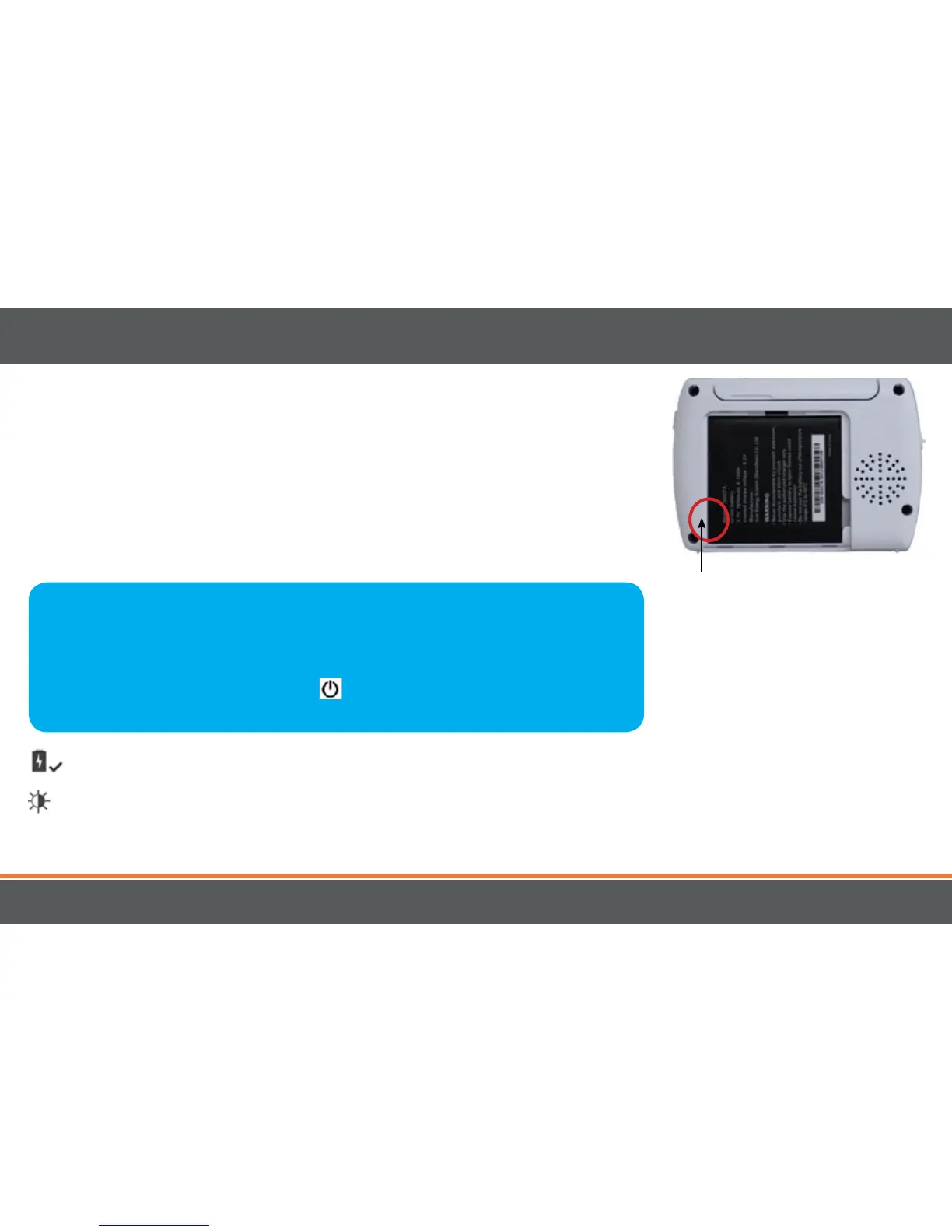
1. Gently remove the BATTERY COMPARTMENT COVER on the back of
the monitor.
2. Slide the BATTERY COMPARTMENT COVER down to remove.
3. Insert the battery; the battery connectors on the battery should line up
with the connectors inside the battery compartment.
4. Slide the BATTERY COMPARTMENT COVER back into place.
Power Save Mode: After 1 minute of inactivity, monitor enters standby/sleep mode.
AdjustableBrightness: Decreasing screen brightness will extend battery life.
6. For extended periods of non-use, please remove battery from baby monitor.
9
SETUP
Battery
connectors
GettheMostOutofYourRechargeableBattery
1. Fully charge battery (4 hours) before first use.
2. To maximize battery life, charge battery before battery is fully drained.
3. Avoid extreme heat or cold as this will aect the life of the battery.
4. Turn LCD screen OFF; press POWER
button on the side of the monitor ONCE.
5. Astra
™
menu settings that increase battery life:



 To Next Page