12
Section 2.05 2.6 Access Web Management Interface
LevelOne EAP-200 supports web-based configuration. Upon the completion of hardware installation,
EAP-200 can be configured through a PC by using its web browser such as Mozilla Firefox 2.0 (and higher) or
Internet Explorer version 6.0 (and higher).
The default values of the EAP-200’s LAN IP Address and Subnet Mask are:
IP Address: 192.168.1.1
Subnet Mask: 255.255.255.0
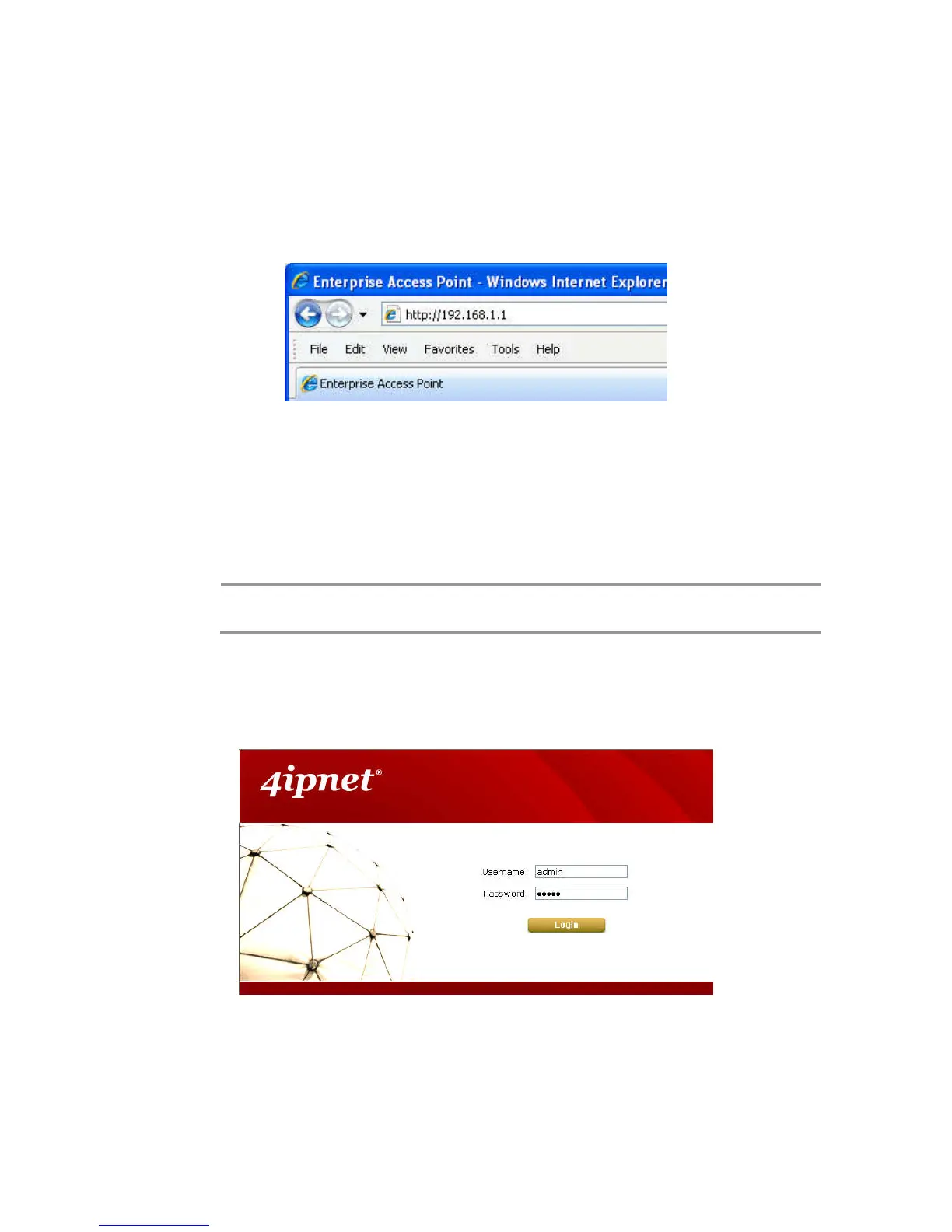
Example of entering EAP-200's default IP Address into a web browser
• To access the web management interface (WMI), connect the administrator PC to the LAN port of
EAP-200 via an Ethernet cable. Then, set a static IP Address on the same subnet mask as the
EAP-200 in TCP/IP settings of your PC, such as the following example:
IP Address: 192.168.1.100
Subnet Mask: 255.255.255.0
Note:
Please note that the IP Address used should not overlap with the IP Addresses of any
other device within the same network.
• Launch the web browser on your PC and enter the IP Address of the EAP-200 (192.168.1.1) at the
address field, and then press Enter. The following Administrator Login Page will then appear. Enter
“admin” for both the Username and Password fields, and then click Login.
Administrator Login Page
• After a successful login into EAP-200, a System Overview page of the Web Management Interface
(WMI) will appear.















 To Next Page