4.4. Access Management
4.4.1. ACL
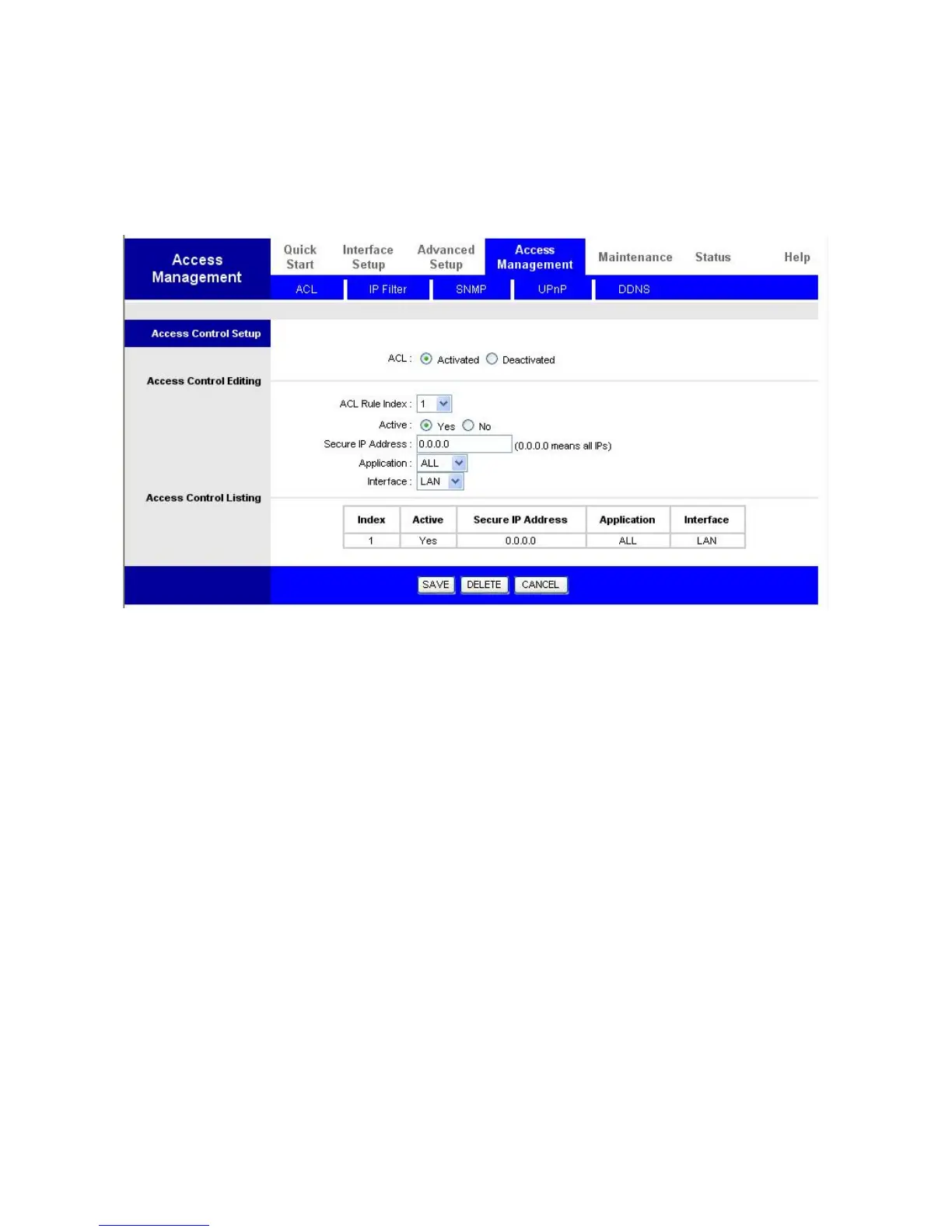
Access Control Listing allows you to determine which services/protocols can access which
ADSL Modem Series interface from which computers.
ACL: Activated to enable ACL function
ACL Rule Index: Select index from the drop down list box to create ACL rule.
Active: Select Yes to enable this ACL rule.
Secure IP Address: The default 0.0.0.0 allows any client to use this service to remotely
manage the ADSL Modem Series. Type an IP address to restrict access to a client with a
matching IP address.
Application: Choose a service that you may use to remotely manage the ADSL Modem
Series.
Interface: Select the access interface. Choices are LAN, WAN and Both.
Access Control Listing: Listing all ACL Rule you’ve created.















 To Next Page