Camera Control
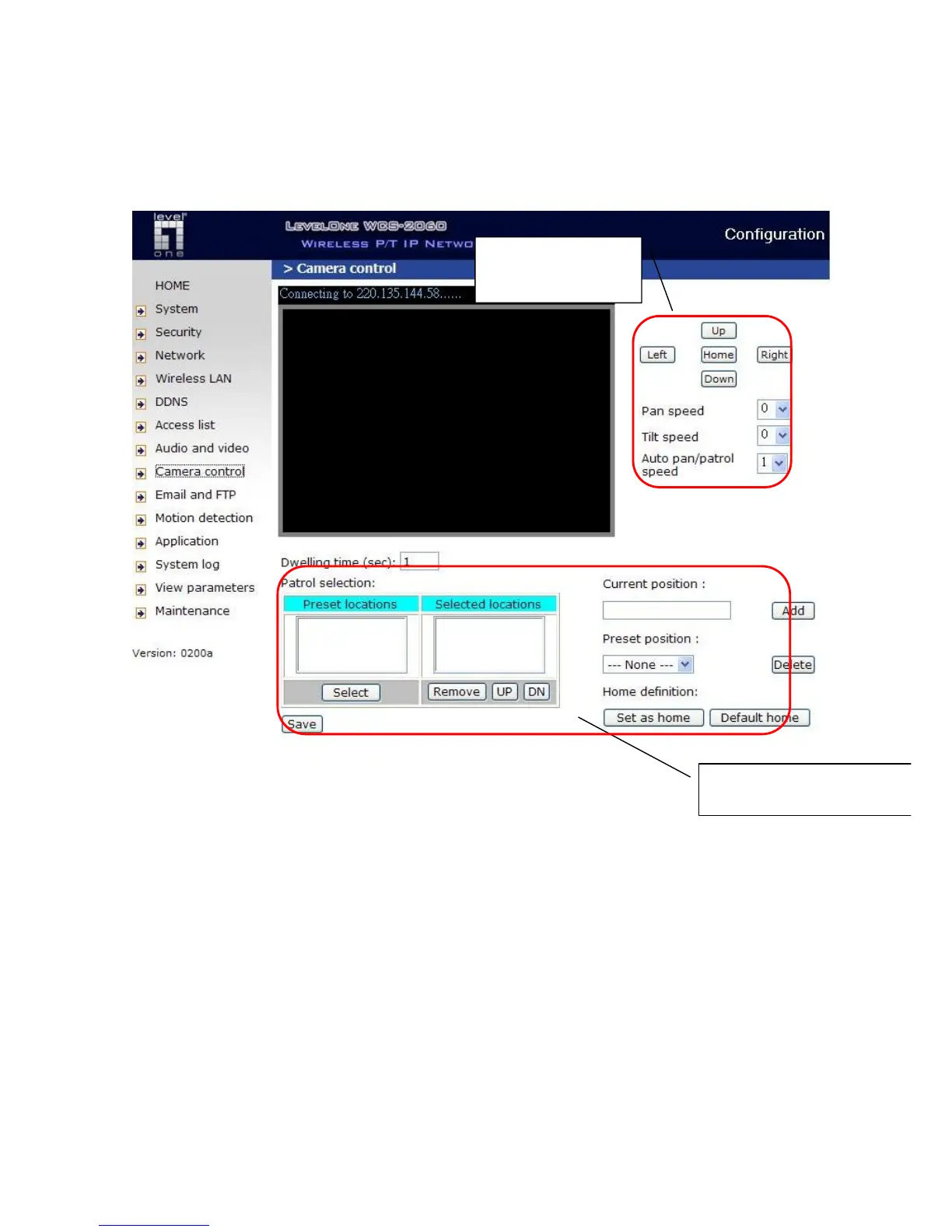
On the Camera Control page, there are two main function control areas:
Camera control area
The pan and tilt functions can be controlled with these buttons. The “Left” button aims the camera
to the left; the “Right”, “Up”, and “Down” buttons aim the camera accordingly. The “Home” button
aims the camera to the center.
“Pan speed” This controls the range of the horizontal movement of the camera. The greater the
value, the greater angular movement when performing the “Left” or “Right” functions.
“Tilt speed” This controls the range of the vertical movement of the camera. The greater the value,
the greater angular movement when performing the “Up” or “Down” functions would be.
“Auto pan/patrol speed” This defines the speed of panning and patrol, the greater the value, the
faster the speed.
Camera control
area
Preset function area



 To Next Page