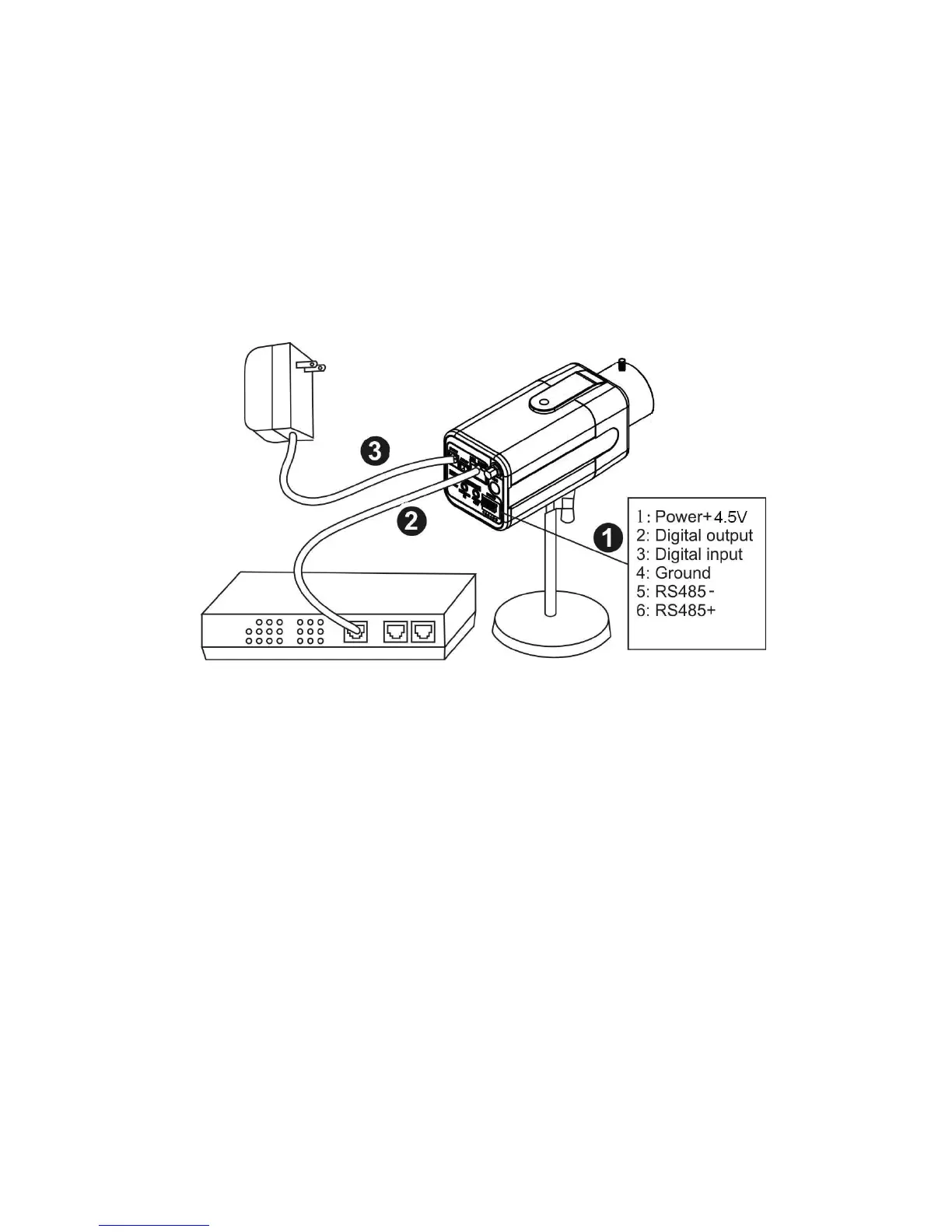
Camera Connection
Basic Connection (Without PoE)
1.1 If you have external devices such as sensors and alarms, please make
connections with extension I/O terminal block.
1.2 Connect the camera to a switch via Ethernet cable.
1.3 Connect the supplied power cable from the camera to the power outlet.
Please check your product package contains all the accessories listed in the foregoing
Package Contents. Depending on the user’s application, an Ethernet cable may be
needed. The Ethernet cable should meet the specs of UTP Category 5 and not exceed
100 meters in length.
Upon powering up, the power LED will become lighted first and then the device will go
through booting process. The link LED will be steady amber for getting IP address. After
getting IP Address, the link LED will blink orange while network connection is processing.















 To Next Page